



This image is used to simply draw the windows of a building. ビルの窓を簡易的に描くための画像です。
This is a PNG image made to shorten the time to draw the windows of a building.
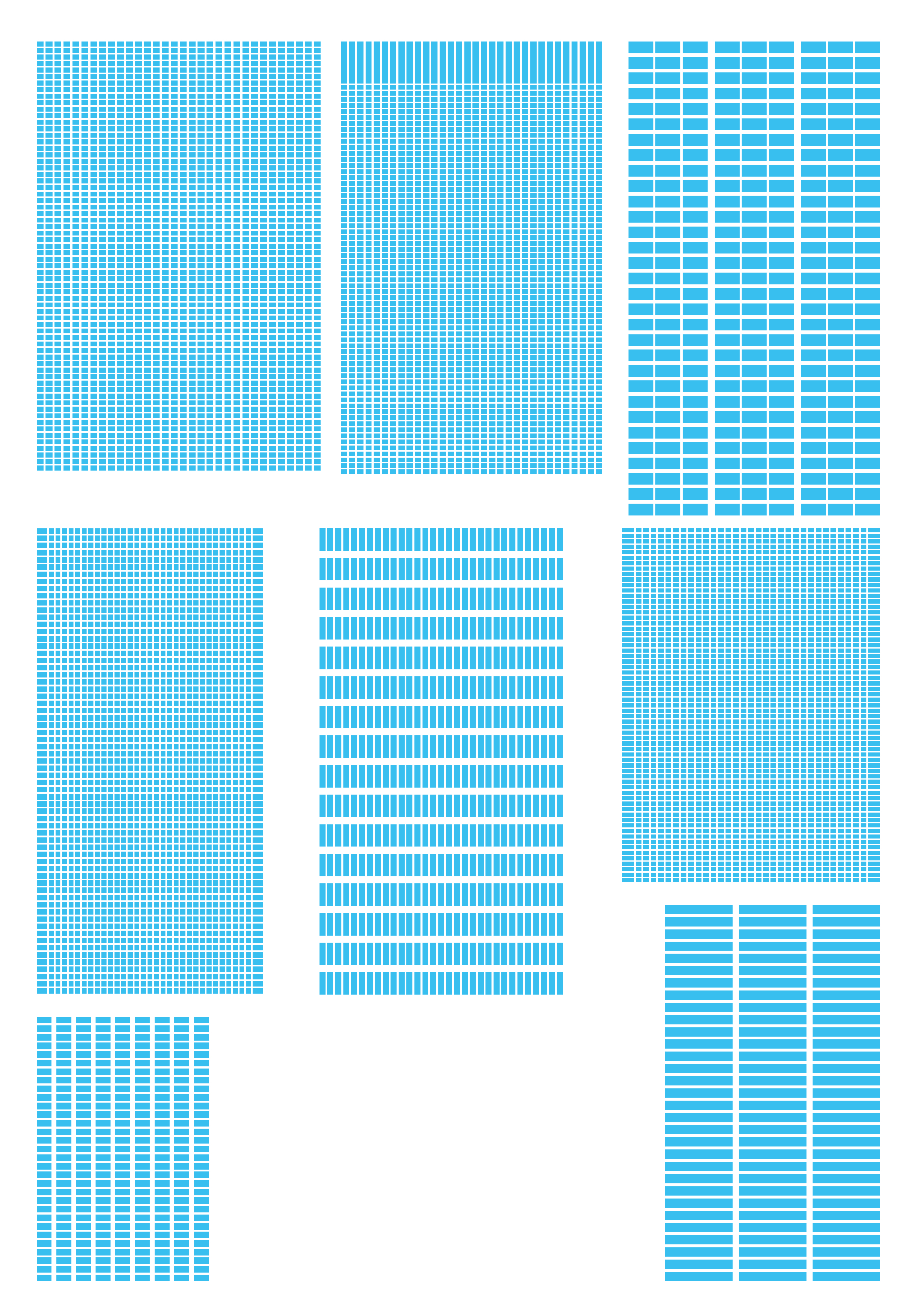

There are 8 types in the folder.
After drawing a simple building, you can draw a window in a short time by pasting the "building window" along the perspective of the building with a free transform.
How to use
1. Draw the shape of the building using perspective ruler.
2. In the image of the "building window" to be used, drag and drop the perspective ruler used when drawing the building.
3. Select → free transform → transform and place it along the face of the drawn building.
4,Change the color by locking or clipping the transparent.
ビルの窓を描く時間を短縮するために作ったpng画像です。
フォルダの中に8種類入っています。
ビルを簡易的に描いた後、「ビル窓」を自由変形でビルのパースに沿って貼り付けると、窓が短時間で描けます。
使い方
1,ビルの形をパース定規を使って描きます。
2,使う「ビル窓」の画像に、ビルを描くときに使ったパース定規をドラック&ドロップします。
3,編集→変形→自由変形を選択し、描いたビルの面に沿って配置します。
4,透明部分をロックや、クリッピングで色を変更してください。


Other materials by 植物Shokubutsu


Popular “Image material” materials





New materials


Badges
-
 MVP ◆This user has contributed greatly to the management of the community, by posting many great responses to the questions asked. Once every three months, MVPs are determined based on the points earned during that period and will be recognized accordingly.
 -
 New Valuable Player (NVP) ◆These are the next-best contributors to the community after MVPs. This is awarded to users who have not yet won an MVP award, based on the number of points they have earned.
 -
 Official Expert ◆Chosen out of all MVP awardees, who are already proof of excellence, this is a testimony of outstanding correspondence in the community. After careful screening, they are appointed by CELSYS and assume their position.Note: Formally called “Evangelists”
 -
 Official Moderator of CELSYS ◆Moderators are official CELSYS staff members who are fluent in Japanese as well as various other languages. Moderators are not experts on the software or illustration, so they are not able to directly answer your questions. However, moderators provide communication and language support to ensure that everyone can smoothly communicate with each other.
 -
 CELSYS official accountThe Official Administrator Account