



Vector line of a block wall with an aspect ratio of 2:4.
Use free transform to place the four sides of the selection along the perspective to create a block fence along the perth.
縦横比2:4のブロック塀のベクター線です。
自由変形を使い、パースに沿って選択範囲の4辺を配置すると、パースに沿ったブロック塀が出来上がります。
use
1. Delete
Let's delete the parts we don't need. Delete the extra blocks here according to the height you want to draw.
The square on the right is an image of a corner. Delete it if you don't need it.
At this time, if there is an unerased residue, the selection will not be removed well, so it is recommended to check whether there is any erased residue using a border.
2. Take selection
You can remove the selection with the free transform → transform → menu[edit].
3、Deformation
Place the four sides of the selection along the perspective line.
4. Line change
If you want to change all lines
If you hold down the Ctrl key and click on a layer, all lineart will be selected, and you can change the line width and line type in bulk from the object.
When to use the correct line width tool
Uncheck the process whole line and make it taper towards the back of the perspective for a sense of perspective.
5、Texture
Use a pen to draw stains and chips at the four corners of the block wall. The tone is textured when using noise.
6. Finished!
The image below is an example of usage. The 2:3 block fence vector line in the image is not enclosed. If necessary, search for it and it will come up, so please download it from there.
If you delete the square on the right and use it, you can use it as a tile for walls and floors.
Please take advantage of it.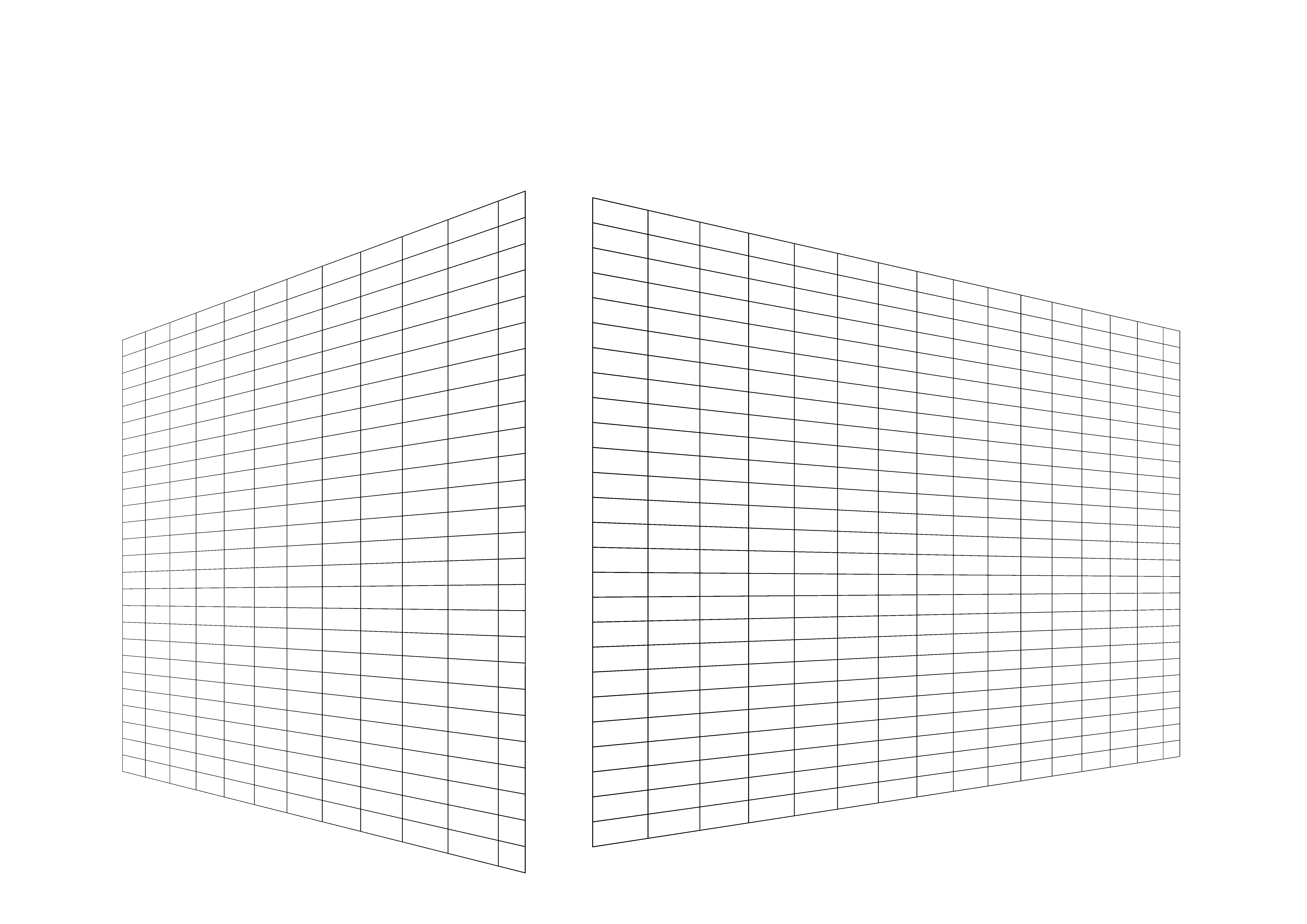
使い方
1、削除
不要な部分を削除しましょう。描く高さに合わせて余ったブロックはここで削除しておきます。
右側の正方形は角のイメージです。不要ならば削除して下さい。
このとき、消し残しがあると選択範囲がうまく取れなくなるので、フチなどを使って消し残しが無いか確認することを推奨します。
2、選択範囲を取る
メニュー[編集]→変形→自由変形で選択範囲が取れます。
3、変形
パースの線に選択範囲の4辺が沿うように配置します。
4、線変更
全ての線を変更する場合
Ctrlキーを押しながらレイヤーをクリックすると、すべての線画選択され、オブジェクトから線幅や線の種類を一括で変更できます。
線幅修正ツールを使う場合
線全体に処理のチェックを外し、パースの奥に向かって細くなるようにすると、遠近感が出ます。
5、質感
ペンなどでブロック塀の四隅などに汚しや欠けを描きましょう。トーンはノイズを使うと質感が出ます。
6、完成!
下画像は使用例です。画像にある2:3ブロック塀ベクター線は同封されていません。必要ならば検索するとでてきますので、そこからダウンロードして下さい。
右側の正方形を削除してつかえば、タイルとして壁や床にも使用できると思います。
ご活用ください。


Other materials by 植物Shokubutsu


Popular “Image material” materials




New materials


Badges
-
 MVP ◆This user has contributed greatly to the management of the community, by posting many great responses to the questions asked. Once every three months, MVPs are determined based on the points earned during that period and will be recognized accordingly.
 -
 New Valuable Player (NVP) ◆These are the next-best contributors to the community after MVPs. This is awarded to users who have not yet won an MVP award, based on the number of points they have earned.
 -
 Official Expert ◆Chosen out of all MVP awardees, who are already proof of excellence, this is a testimony of outstanding correspondence in the community. After careful screening, they are appointed by CELSYS and assume their position.Note: Formally called “Evangelists”
 -
 Official Moderator of CELSYS ◆Moderators are official CELSYS staff members who are fluent in Japanese as well as various other languages. Moderators are not experts on the software or illustration, so they are not able to directly answer your questions. However, moderators provide communication and language support to ensure that everyone can smoothly communicate with each other.
 -
 CELSYS official accountThe Official Administrator Account