



It is a vector line of a narrow fence. If you place the four sides of the selection along the Perth line, a fence will be placed along the Perth. 細めの柵のベクター線です。パース線に選択範囲の4辺が沿うように配置するとパースに沿って柵が配置されます。
How to use it is described in detail in Even-Fence Vector Line.
You can remove the selection with the free transform → transform → menu[edit].
Position it along the perspective line.
The image below is an example of usage.
It does not include the "even fence vector line" with a thicker fence than this material in the image. If you search for it, it will come up. If you need it, please download it.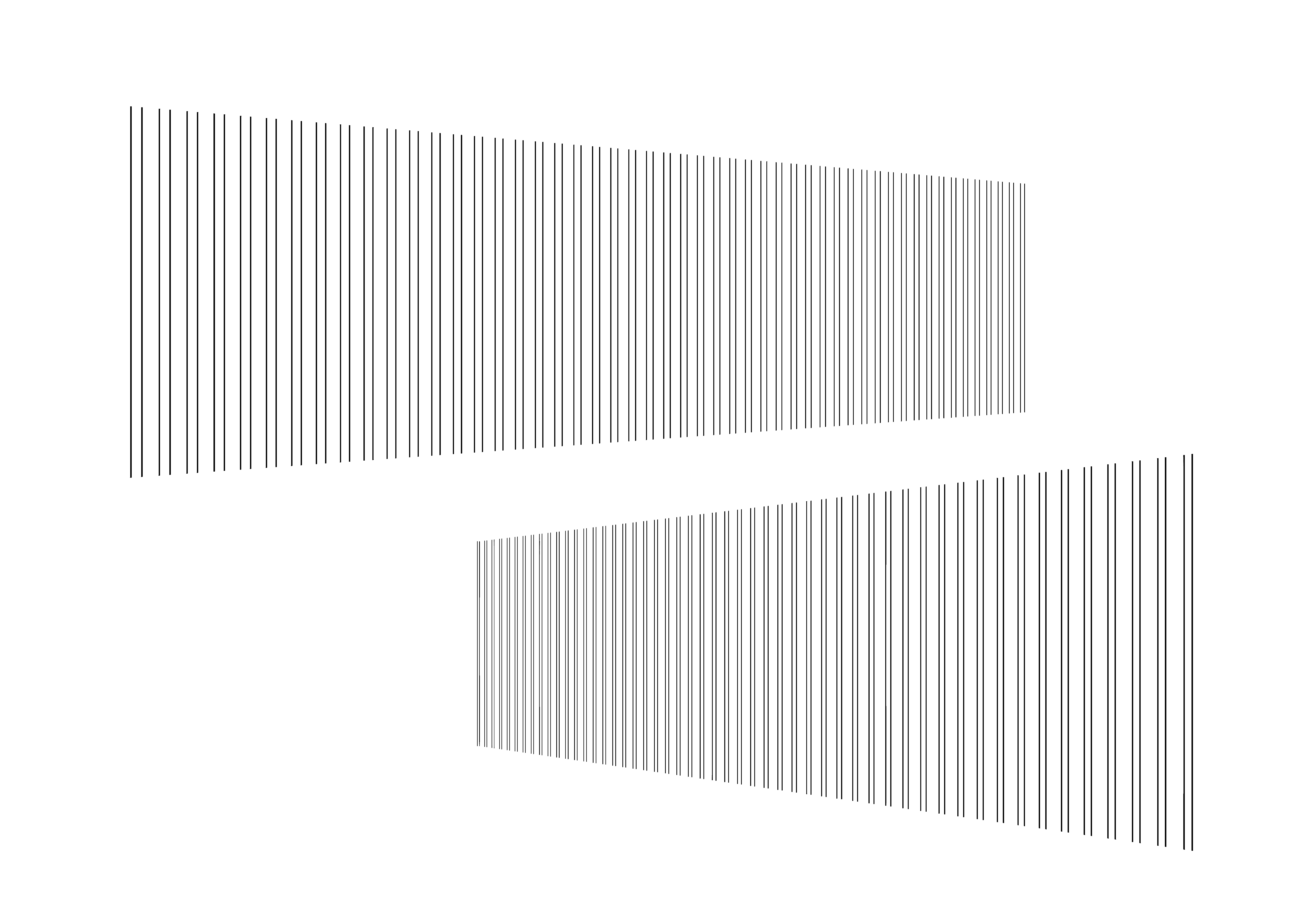
使用方法は均等柵ベクター線に詳しく書いてます。
メニュー[編集]→変形→自由変形で選択範囲が取れます。
それをパース線に沿うように配置してください。
下画像は使用例です。
画像にあるこの素材より柵が太い「均等柵ベクター線」は含まれていません。検索すると出てきます。必要な人はダウンロードしてください。


Other materials by 植物Shokubutsu


Popular “Image material” materials




New materials






Badges
-
 MVP ◆This user has contributed greatly to the management of the community, by posting many great responses to the questions asked. Once every three months, MVPs are determined based on the points earned during that period and will be recognized accordingly.
 -
 New Valuable Player (NVP) ◆These are the next-best contributors to the community after MVPs. This is awarded to users who have not yet won an MVP award, based on the number of points they have earned.
 -
 Official Expert ◆Chosen out of all MVP awardees, who are already proof of excellence, this is a testimony of outstanding correspondence in the community. After careful screening, they are appointed by CELSYS and assume their position.Note: Formally called “Evangelists”
 -
 Official Moderator of CELSYS ◆Moderators are official CELSYS staff members who are fluent in Japanese as well as various other languages. Moderators are not experts on the software or illustration, so they are not able to directly answer your questions. However, moderators provide communication and language support to ensure that everyone can smoothly communicate with each other.
 -
 CELSYS official accountThe Official Administrator Account