


by
 ◆
◆
◆

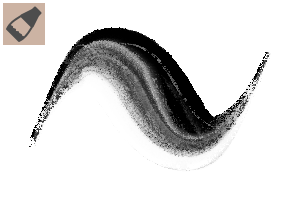
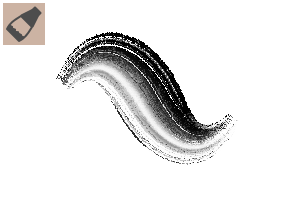
It is an impasto Modoki brush that can express three-dimensional paint (it is just "Modoki"). 立体的な絵の具の表現ができるインパストもどきのブラシです(あくまで「もどき」です)
When you downloaded and used a thick/impasto brush, have you ever thought, "It's a hassle to have to change both drawing colors...... This collection of materials was born from such worries
You can draw crisply without being bound by the constraints of the drawing color while creating a solid texture, and even if you switch from main to sub drawing color, the texture will not be crushed.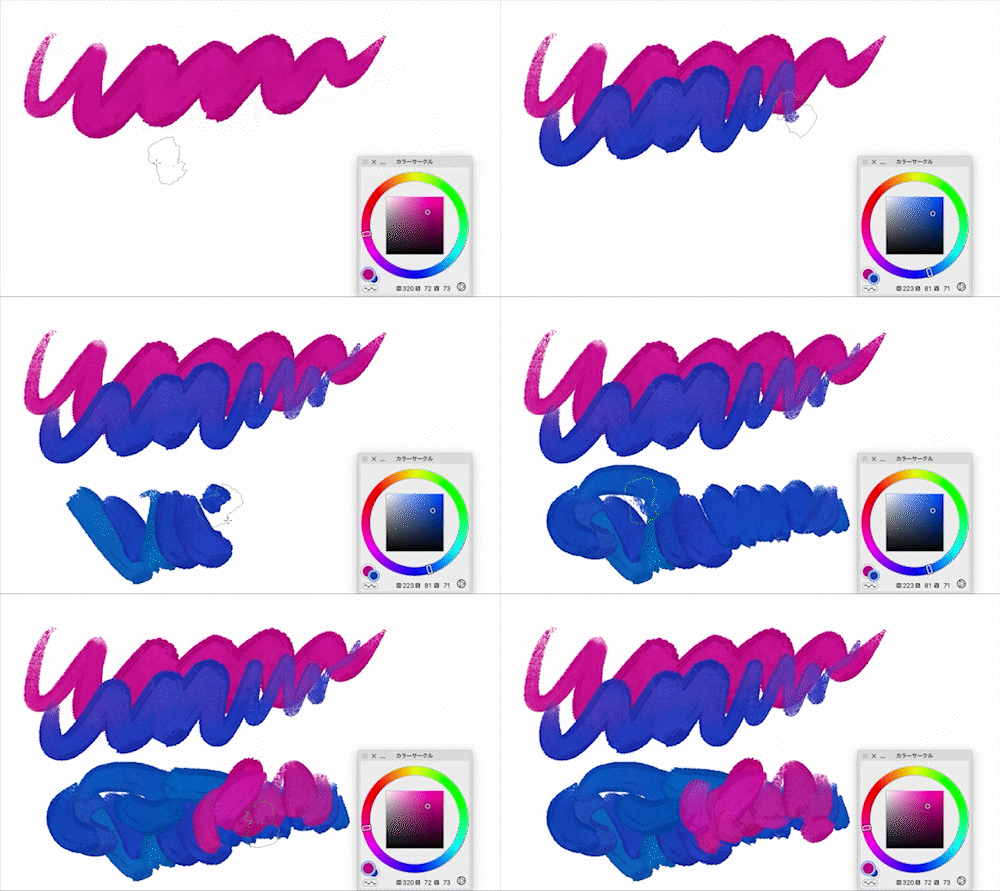

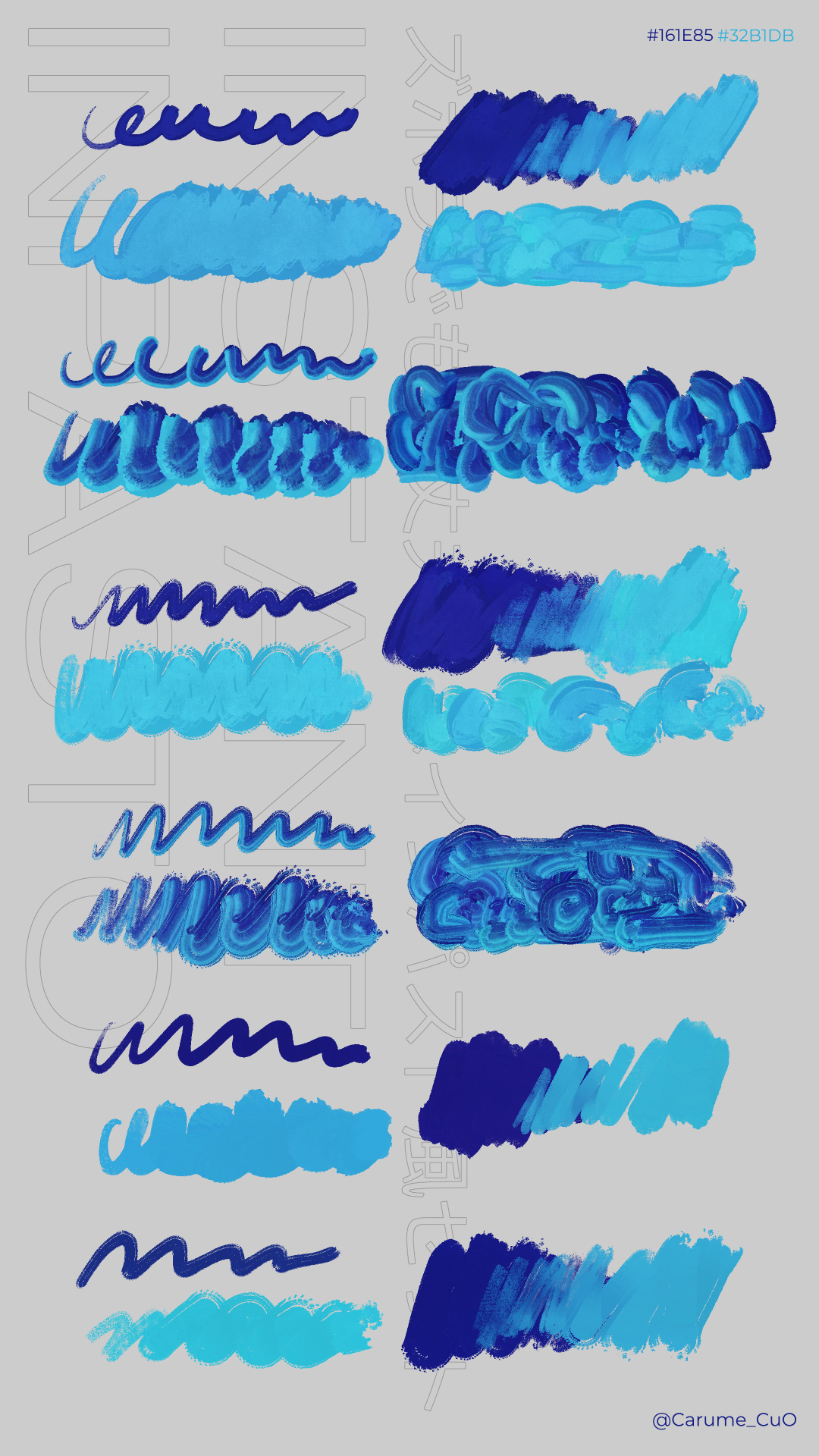
There are also two-color brushes (InstantImpasto_2c and InstantImpasto_Flat_2c), but this one can create a fun abstract painting expression that is hard to see with other materials! Of course, it is also good to enjoy the shading-conscious combination in the same way as the traditional Impasto style brush.
Easy to use for regular character illustrations and concept art, unshaded versions (InstantImpasto_Plain and InstantImpasto_Flat_2Plain) are also included.
◎Lineup◎
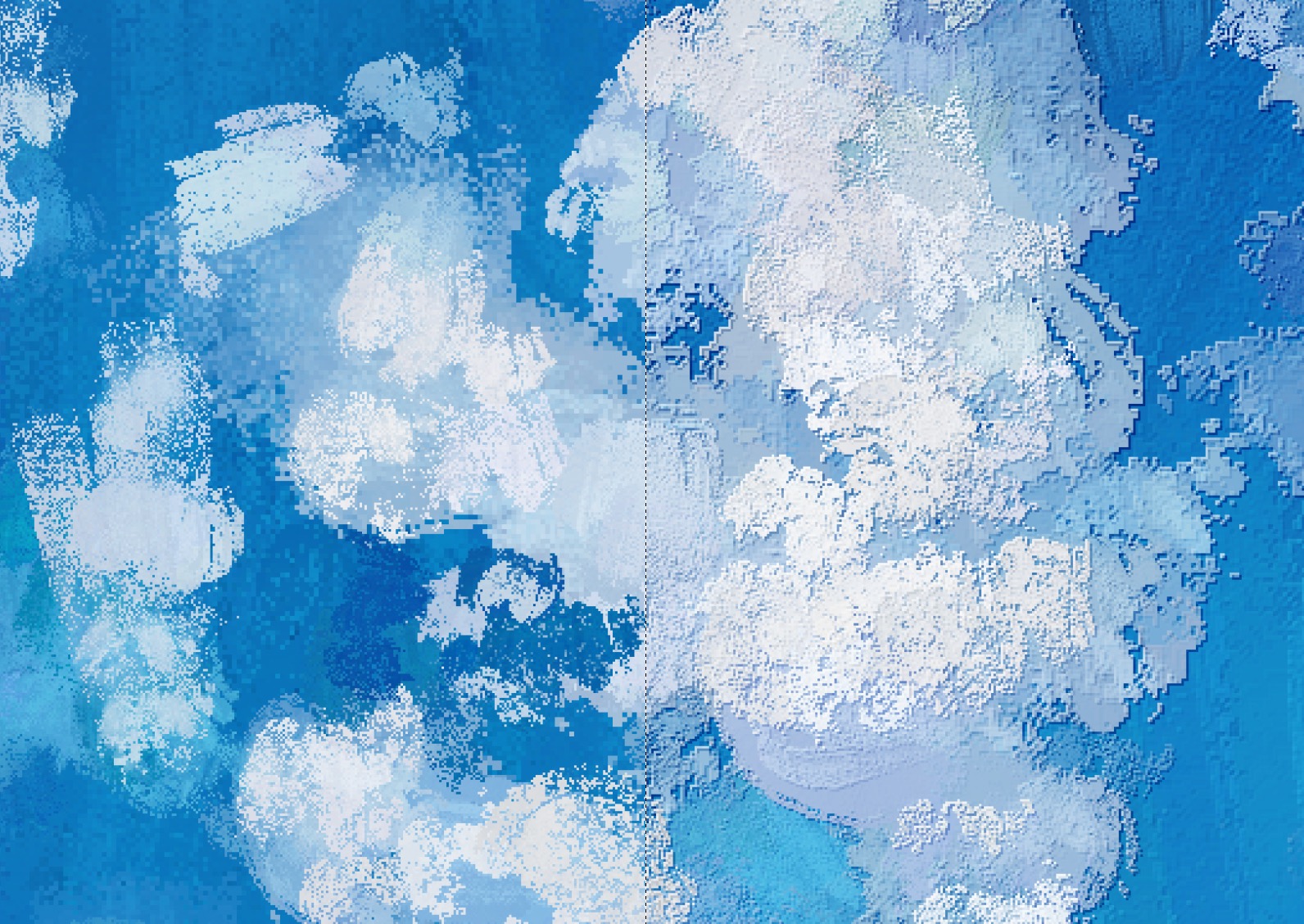
The bonus auto action "Crm_ImpastoBevel" can be processed as if the outline is simulated. You can change the strength from the opacity of the created folder
If it is mix ground color on (default) or wet, it will be a dry drawing feeling with clear colors if it is turned off. Please draw freely while playing with each parameter as you like!
◎Example◎
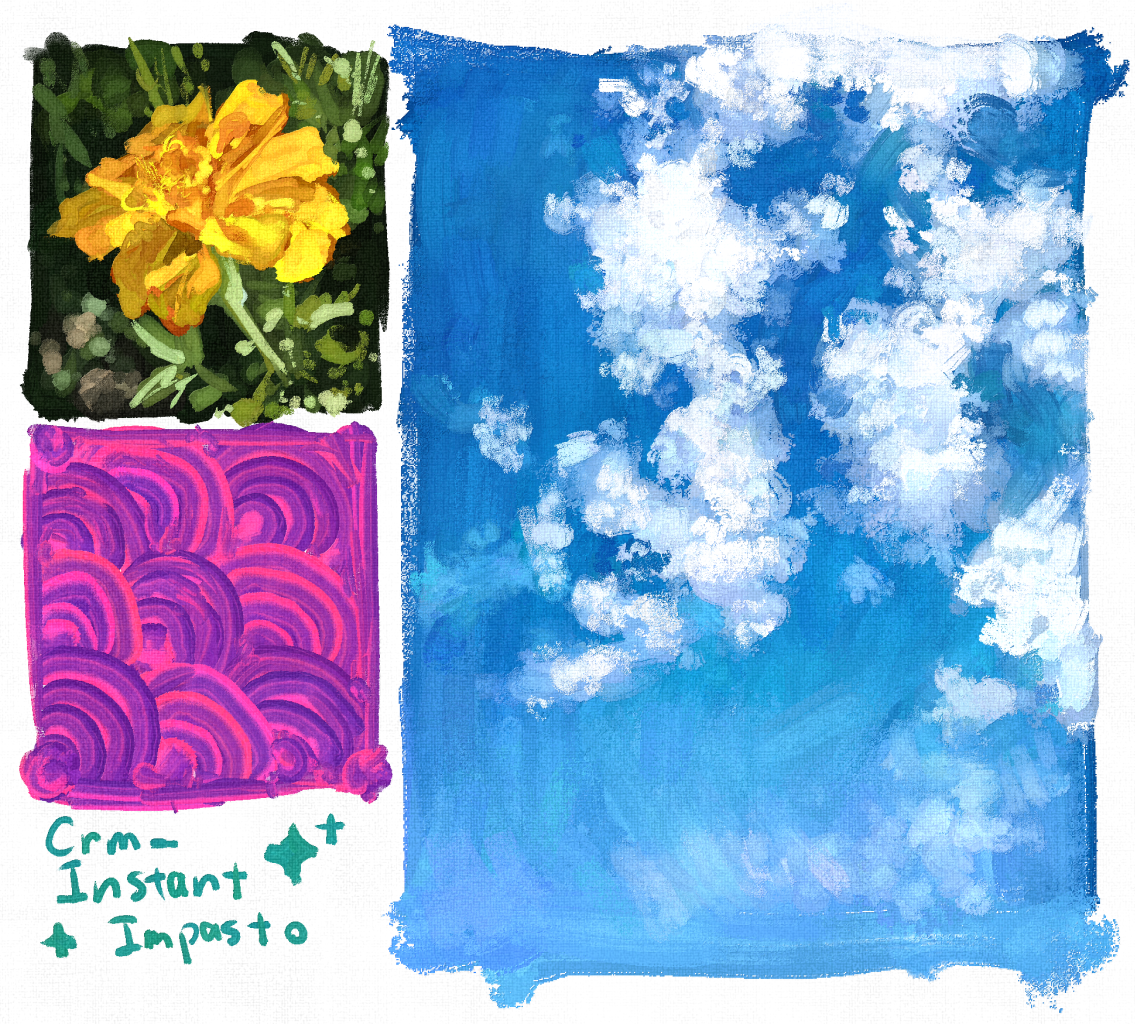
(I performed "Crm_ImpastoBevel" for the finish, layered the initial material "canvas" with texture combine, and then adjusted the contrast with the tone curve.)
◎Q&A◎
Q1. Operation is too heavy
A1. Since the interval between brush tip is narrow, processing drops may occur depending on the specifications of your device. Try changing "Image quality and speed" in the tool property to "Automatic judgment"
Q2. I want to eliminate color unevenness
A2. Uncheck "Color Change→", "brush tip Color Change" and "Random Change by Stroke" in the sub tool detail, or decrease each number.
厚塗り/インパスト風のブラシをダウンロードして使ってみた時、「わざわざ描画色をどっちも変えなきゃいけないのって面倒くさい……」と思ったことはありませんか?当素材集はそんな悩みから生まれました
しっかり質感を出しながら、描画色の制約に囚われずサクサク描き進められますし、メインからサブ描画色に切り替えて描いても質感がつぶれません
一応2色のブラシ(InstantImpasto_2cおよびInstantImpasto_Flat_2c)もありますが、こちらは他の素材ではなかなか見られない抽象画的な楽しい表現ができますよ!もちろん、従来のインパスト風ブラシと同じように陰影を意識した組み合わせで楽しむのも良いです
通常のキャラクターイラストやコンセプトアートにも使いやすい、陰影なしバージョン(InstantImpasto_PlainおよびInstantImpasto_Flat_2Plain)も同梱しています
◎ラインナップ◎
おまけのオートアクション「Crm_ImpastoBevel」は輪郭を擬似的に強調したような加工ができます。作成されたフォルダの不透明度から強度を変更できます
下地混色オン(デフォルト)だともったりウェット、オフにすればはっきり色が乗るドライな描き心地に。お好みで各パラメータを弄りつつ自由に描いてみてください!
◎作例◎
(仕上げに「Crm_ImpastoBevel」を実行し、初期素材の「キャンバス地」を質感合成で重ねた後、トーンカーブでコントラストを調整しています)
◎Q&A◎
Q1. 動作が重すぎ
A1. ブラシ先端の間隔を狭めにしているため、お使いの端末のスペックによっては処理落ちが発生しやすい場合があります。ツールプロパティにある「画質と速度」を「自動判断」に変更してみてください
Q2. 色ムラをなくしたい
A2. サブツール詳細にある「色の変化」→「ブラシ先端色の変化」「ストロークごとのランダム変化」のチェックを切るか、各数値を小さくしてください
Crm_InstantImpasto Crm_InstantImpasto




Bonus おまけ



Other materials by 軽目くお(atApostle)


Popular “Material catalog” materials


New materials





Badges
-
 MVP ◆This user has contributed greatly to the management of the community, by posting many great responses to the questions asked. Once every three months, MVPs are determined based on the points earned during that period and will be recognized accordingly.
 -
 New Valuable Player (NVP) ◆These are the next-best contributors to the community after MVPs. This is awarded to users who have not yet won an MVP award, based on the number of points they have earned.
 -
 Official Expert ◆Chosen out of all MVP awardees, who are already proof of excellence, this is a testimony of outstanding correspondence in the community. After careful screening, they are appointed by CELSYS and assume their position.Note: Formally called “Evangelists”
 -
 Official Moderator of CELSYS ◆Moderators are official CELSYS staff members who are fluent in Japanese as well as various other languages. Moderators are not experts on the software or illustration, so they are not able to directly answer your questions. However, moderators provide communication and language support to ensure that everyone can smoothly communicate with each other.
 -
 CELSYS official accountThe Official Administrator Account