



With a scatter brush that can draw shards of glittering glass
It is an assortment of brushes that can draw a cross section of glass in any shape you like.
キラキラしたガラスの破片が描ける散布ブラシと
好きなかたちにガラスの断面が描けるブラシの詰め合わせです
■Splinter brush

(Stamps that can draw fragments one by one are also included as a bonus)
●Arrange Usage

[Example of use ↓]
Turn off direction of particle randomness and blur the back and front → deformation (perspective distortion, free transform, etc.) → drawing

■Cross-sectional brush

(There is also a straight line tool as an extra)
* Only the "Glass Cross-sectional Prism" is a dual brush. You can change the color of the base.
(Darker green is recommended)

[Example of use ↓] If you draw while changing the thickness with pen pressure, it will look like that

* It is also recommended to change the hue with tonal correction and gradient map.

* When copying layers and overlapping them with combine mode

■破片ブラシ
(1個ずつ破片が描けるスタンプもオマケで入れています)
●アレンジ使用法
【使用例↓】
粒子の向きのランダムをオフにして描画→変形(遠近ゆがみ・自由変形など)→奥と手前をぼかす
■断面ブラシ
(おまけで直線ツールもあります)
※「ガラス断面プリズム」のみデュアルブラシです。ベースの色を変更可能です。
(暗めのグリーンがおすすめ)
【使用例↓】筆圧で太さを変えながら描くとそれっぽくなります
※色調補正で色相を変えたりグラデーションマップもおすすめです
※レイヤーをコピーして合成モードで重ねた場合
Debris 破片
-
Glass Fragment Prism [Spraying] ガラス破片 プリズム【散布】
-
Glass Fragment Prism 【Stamp】 ガラス破片 プリズム【スタンプ】
-
Glass fragment color variable [Spread] ガラス破片 色可変【散布】
-
Glass fragment color variable [stamp] ガラス破片 色可変【スタンプ】
-
Glass shards CLIP STUDIO [Spraying] ガラス破片 クリスタル【散布】
-
Glass shards CLIP STUDIO [Stamp] ガラス破片 クリスタル【スタンプ】

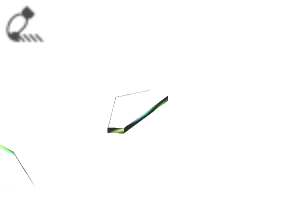




Cross-section 断面












Other materials by 3_8_5


Popular “Material catalog” materials


New materials











Badges
-
 MVP ◆This user has contributed greatly to the management of the community, by posting many great responses to the questions asked. Once every three months, MVPs are determined based on the points earned during that period and will be recognized accordingly.
 -
 New Valuable Player (NVP) ◆These are the next-best contributors to the community after MVPs. This is awarded to users who have not yet won an MVP award, based on the number of points they have earned.
 -
 Official Expert ◆Chosen out of all MVP awardees, who are already proof of excellence, this is a testimony of outstanding correspondence in the community. After careful screening, they are appointed by CELSYS and assume their position.Note: Formally called “Evangelists”
 -
 Official Moderator of CELSYS ◆Moderators are official CELSYS staff members who are fluent in Japanese as well as various other languages. Moderators are not experts on the software or illustration, so they are not able to directly answer your questions. However, moderators provide communication and language support to ensure that everyone can smoothly communicate with each other.
 -
 CELSYS official accountThe Official Administrator Account