



It is a time-saving brush that adds the texture of leather in an instant. 革の質感を一瞬で足す時短ブラシです。

【Example of brush use】
It can be combined with a hand model to make leather gloves.


[Can be used in addition to leather gloves]


Time-saving brush and straight line tool to apply leather in an instant
Luxury to items, leather texture depiction
Create an impression of fear, specialness, etc. in the character's clothing
In order to support from monochrome cartoons to color illustrations,
Each leather is available in color and monochrome.
The color is flat, and the monochrome is like a pen touch.
It is also good to dare to use color for black and white comics and illustrations,
I think it would be an interesting expression to dare to use monochrome for color.


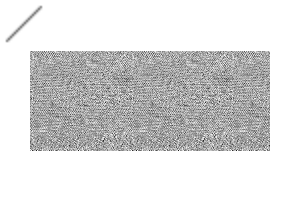
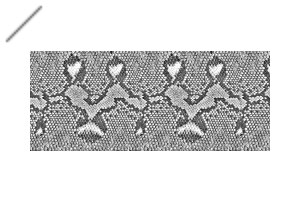
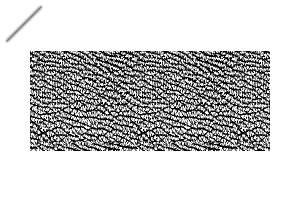
Leather (5 types)
Crocodile / Snake A / Snake B / Shark / Cow
Color/monochrome version for each leather
Brushes and straight line tools are available for each leather
5 types of leather× 2 types of color and monochrome× 2 types of brushes and straight line tools = 20 files
Total 20 files
* The brush uses the built-in Smart Shape function from CLIP STUDIO 5.0.
If you are not 5.0, we have prepared a straight line tool, so please use it.
* The bag and hand model used for the explanation are not included ※

Monochrome version

Color version
Set the color with main color and sub color,
Switch to main color and use


Example of using the straight line tool
[Common to brushes and straight line tools]
Make and use the selection where you need it.
Adjust the shape with other deformation tools, if binarization is necessary
Adjust it with layer mode, adjustment layer, toning, etc.
Depending on the angle, there may be a breakdown point.
【Brush】
Use Smart Shapes.
【Straight line tool】
If the unit curve is Bezier, it can also be controlled by curves.


【ブラシ使用例】
ハンドモデルと組み合わせる事で革手袋に。
【革手袋以外にも使えます】
革を一瞬で貼る時短ブラシと直線ツール
アイテムへ高級感、革の質感描写
キャラクターの衣服に怖さ、特別さ等の印象を演出する
モノクロ漫画からカラーイラストまで対応する為、
各革ごとにカラー用とモノクロ用を用意。
カラーはフラット、モノクロはペンタッチの様な絵肌です。
カラー用をあえて白黒漫画、イラストに使うのも良し、
モノクロ用をカラーにあえて使うのも面白い表現になると思います。
革(5種類)
クロコダイル/蛇A/蛇B/サメ/牛
各革毎にカラー/モノクロのバージョン
各革毎にブラシと直線ツールを用意
革5種×カラーとモノクロ2種×ブラシと直線ツール2種=20ファイル
合計20ファイル
※ブラシはクリスタ5.0から搭載のスマートシェイプ機能を使います。
5.0以外の方は直線ツールをご用意致しましたのでそちらをお使い下さい。
※解説に使用している鞄、ハンドモデルは同梱していません※
モノクロ版
カラー版
メインカラーとサブカラーで色を設定し、
メインカラーに切り替えて使用してください
直線ツール使用例
【ブラシと直線ツール共通】
必要な個所の選択範囲を作り使用してください。
形状の調整はその他変形ツール、二値化が必要な場合には
レイヤーモード、調整レイヤー、トーン化などで調整してください。
角度によっては破綻箇所が出る可能性があります。
【ブラシ】
スマートシェイプをお使いください。
【直線ツール】
単位曲線をベジェにすれば曲線での制御も可能です。
Category 1 カテゴリ1
-
SnakeB_mono_brush SnakeB_mono_brush
-
SnakeB_color_brush SnakeB_color_brush
-
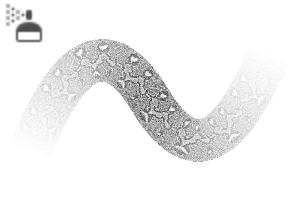
SnakeA_mono_brush SnakeA_mono_brush
-
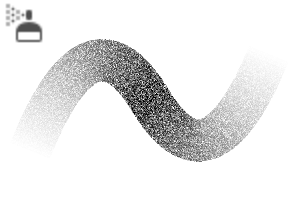
snakeA_color_brush snakeA_color_brush
-
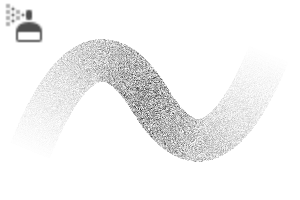
Shark_mono_brush Shark_mono_brush
-
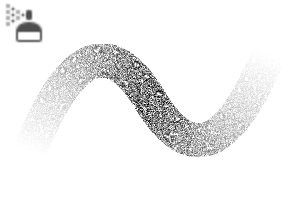
Shark_color_brush Shark_color_brush
-
lether_Crocodile_mono_brush_line lether_Crocodile_mono_brush_line
-
lether_Crocodile_mono_brush lether_Crocodile_mono_brush
-
lether_Crocodile_color_brush_line lether_Crocodile_color_brush_line
-
lether_Crocodile_color_brush lether_Crocodile_color_brush
-
Leather_SnakeB_mono_line Leather_SnakeB_mono_line
-
Leather_SnakeB_color_line Leather_SnakeB_color_line
-
Leather_SnakeA_mono_line Leather_SnakeA_mono_line
-
Leather_SnakeA_color_line Leather_SnakeA_color_line
-
Leather_Shark_mono_line Leather_Shark_mono_line
-
Leather_Shark_color_line Leather_Shark_color_line
-
Leather_Cow_mono_line Leather_Cow_mono_line
-
Leather_Cow_color_line Leather_Cow_color_line
-
Cow_mono_brush Cow_mono_brush
-
Cow_color_brush Cow_color_brush










Old version


Other materials by 真夜中のアクアリウム


Popular “Material catalog” materials


New materials


Badges
-
 MVP ◆This user has contributed greatly to the management of the community, by posting many great responses to the questions asked. Once every three months, MVPs are determined based on the points earned during that period and will be recognized accordingly.
 -
 New Valuable Player (NVP) ◆These are the next-best contributors to the community after MVPs. This is awarded to users who have not yet won an MVP award, based on the number of points they have earned.
 -
 Official Expert ◆Chosen out of all MVP awardees, who are already proof of excellence, this is a testimony of outstanding correspondence in the community. After careful screening, they are appointed by CELSYS and assume their position.Note: Formally called “Evangelists”
 -
 Official Moderator of CELSYS ◆Moderators are official CELSYS staff members who are fluent in Japanese as well as various other languages. Moderators are not experts on the software or illustration, so they are not able to directly answer your questions. However, moderators provide communication and language support to ensure that everyone can smoothly communicate with each other.
 -
 CELSYS official accountThe Official Administrator Account