


Easy even for beginners! iPad Spacious Work WS (初心者でもかんたん!iPad広々作業WS) 初心者でもかんたん!iPad広々作業WS
Content ID:2316202
-
24


"I'm using a small iPad, but I want more space to work!"
"The UI of the CLIP STUDIO is difficult!
Recommended for such people
It is an illustration workspace!
「小さなiPadを使用しているけど、作業スペースを広々と取りたい!」
「クリスタのUIが難しい!とにかくシンプルにしたい!」
そんな方にとってもオススメな
イラスト用ワークスペースです!
"I'm using a small iPad, but I want more space to work!"
"The UI of the CLIP STUDIO is difficult!
It is a recommended illustration workspace for such people!

【People ♩ who may be compatible】
- Right-handers (even left-handers can easily use it by simply moving all the elements shown on the left by default to the right!) )
- Those who want to work in a simple environment
- Those who want to take up more work space
- CLIP STUDIO For beginners (if you are particular about it, it may be better to customize it yourself ◎)
- If you are using a small iPad
- Those who are using a left-hand device (Due to the fact that various things are put together, there are almost no tools that are always displayed, so the amount of clicks increases.) That's why I think it's very convenient to have a left-hand device! )
[I haven't tried it......! 】
- Cartoons
- Animation
* Since the author does not have the opportunity to create these, we will probably not update them to optimize them.
【Recommended usage】
・ Those who use materials frequently...... Move the material palette to the left side of the screen (hide the navigator sub view if necessary)
・Those who frequently use character insertion...... Swap tool positions in the left bar
[For reference, about the author]
Right-handed, Azpainter 3 years, SAI 3 years, CLIP STUDIO PAINT10
iPad Pro 11-inch with left hand device
Work is illustration only, materials can be viewed on the monitor
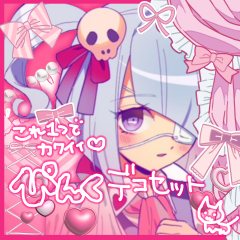

I often use light drawings and materials.
Please try using it if you like!
Please also take a look at the ♩ material collection
「小さなiPadを使用しているけど、作業スペースを広々と取りたい!」
「クリスタのUIが難しい!とにかくシンプルにしたい!」
そんな方にとってもオススメなイラスト用ワークスペースです!
【相性がいいかもしれない人♩】
- 右利きの方(左利きの方でも、デフォルトで左に表示されている要素を全て右に移すだけで簡単にお使いいただけます!)
- とにかくシンプルな環境で作業をしたい方
- 作業スペースを広く取りたい方
- クリスタ初心者の方(こだわりがある方はご自身でカスタムされた方がよいかもです◎)
- 小さいiPadを使用している方
- 左手デバイスを使用している方(色々まとめてしまっている関係で、常時表示になるツールがほぼないため、クリック量が増えます。そのため、左手デバイスがあるとすごく便利だと思います!)
【試してません……!】
- 漫画
- アニメーション
※作者がこれらを制作する機会がないため、恐らくこれらに最適化したアップデートは行いません。
【オススメの使い方】
・素材を頻繁に使う方……素材パレットを画面左側に移動させる(必要に応じてナビゲーター・サブビューを非表示にする)
・文字入れを頻繁に使う方……左バーのツール位置を入れ替える
【参考に・作者について】
右利き・Azpainter3年・SAI3年・CLIP STUDIO PAINT10年
iPad Pro 11-inch・左手デバイスあり
作業はイラストのみ・資料はモニター<サブビューにて閲覧
描き込み軽め絵柄・素材をよく使います
よかったら使ってみてください!
素材集もぜひご覧ください♩


Other materials by ANOMALOSYSTEM


Popular “Workspace” materials





New materials


Badges
-
 MVP ◆This user has contributed greatly to the management of the community, by posting many great responses to the questions asked. Once every three months, MVPs are determined based on the points earned during that period and will be recognized accordingly.
 -
 New Valuable Player (NVP) ◆These are the next-best contributors to the community after MVPs. This is awarded to users who have not yet won an MVP award, based on the number of points they have earned.
 -
 Official Expert ◆Chosen out of all MVP awardees, who are already proof of excellence, this is a testimony of outstanding correspondence in the community. After careful screening, they are appointed by CELSYS and assume their position.Note: Formally called “Evangelists”
 -
 Official Moderator of CELSYS ◆Moderators are official CELSYS staff members who are fluent in Japanese as well as various other languages. Moderators are not experts on the software or illustration, so they are not able to directly answer your questions. However, moderators provide communication and language support to ensure that everyone can smoothly communicate with each other.
 -
 CELSYS official accountThe Official Administrator Account