


Brushes and Shape Tools to create a realistic neon tube effect.
Better neon sign brushes and shape tools!

* Neon brushes designed for 300dpi high resolution artwork.
* Quickly create realistic neon signs!
* Works great with rulers.
* Uses your own colors.
Neon Brushes

Neon Shape Tools

== Inspired by the qualities of real neon lights! ==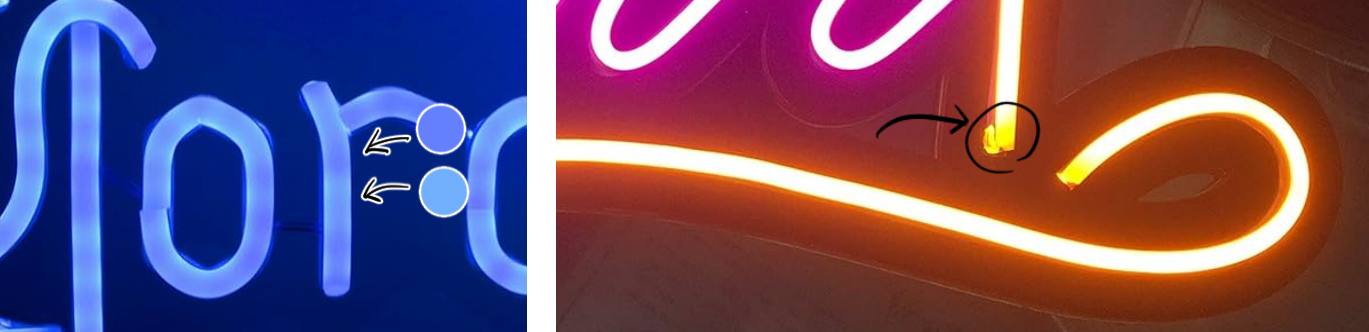
These are two pictures I took of real neon lights.
* Realistic Flicker: In the blue picture, you can see the neon isn't a solid color, but changes between darker and lighter hues! These brushes aim to recreate that subtle flickering quality.
* Realistic End Points: In the orange picture, notice that the neon tube has a darker and rounded end cap. The brushes I made have a similar starting and ending effect!
=== Bonus ===
This asset won an award for the 45th assets challenge! Thank you everyone who downloaded!!
As a bonus, I have included my example drawings in this collection! Please use these images in your artwork.
.: Thank You! :.
- Elise -
All illustrations, photographs, and materials shown here are my own original creations.
【Note】 I am not online very often and I cannot read Messages or Comments. If you have download issues or need help: check Clip Studio Guides or contact CELSYS support team. Thank you for understanding!
【Note】 I am not online very often and I cannot read Messages or Comments. If you have download issues or need help: check Clip Studio Guides or contact CELSYS support team. Thank you for understanding!
Neon Brushes


Neon Shape Tools


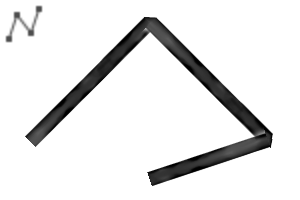


Neon Outlined Shape Tools


Bonus Image Materials
















Other materials by mh.elise


Popular “Material catalog” materials


New materials





Badges
-
 MVP ◆This user has contributed greatly to the management of the community, by posting many great responses to the questions asked. Once every three months, MVPs are determined based on the points earned during that period and will be recognized accordingly.
 -
 New Valuable Player (NVP) ◆These are the next-best contributors to the community after MVPs. This is awarded to users who have not yet won an MVP award, based on the number of points they have earned.
 -
 Official Expert ◆Chosen out of all MVP awardees, who are already proof of excellence, this is a testimony of outstanding correspondence in the community. After careful screening, they are appointed by CELSYS and assume their position.Note: Formally called “Evangelists”
 -
 Official Moderator of CELSYS ◆Moderators are official CELSYS staff members who are fluent in Japanese as well as various other languages. Moderators are not experts on the software or illustration, so they are not able to directly answer your questions. However, moderators provide communication and language support to ensure that everyone can smoothly communicate with each other.
 -
 CELSYS official accountThe Official Administrator Account
