


A brush for quick background drawing.
I think there's a grass like this. Because I'm drawing in the memory, it is not a plant of any kind.
The drawing is confirmed by A4 size 600dpi.
手早く背景を描くためのブラシです。
こんな草があった気がする…と記憶で描いているので、なんの植物というわけではありません。
A4サイズ600dpiで描画を確認しています。
- You can draw a leaf wad ■ a plant or a grass.
- Root weed ■ a weed brush that is useful to conceal the root of the grass and the base of a tree.
- A short grass ■ is useful for painting a square or an manicured ground.
- This is a brush that can put a touch of ground ■ ground. Widely used.
- This is a brush that covers and paints a person or a thing ■ A single grass . Draw one bottle. You can draw it long if you draw it short and strong.
- It is a brush to draw a lump of straw kata mali ■ Straw. It might be usable as a thin firewood.
- This is a straw brush that ■ roses.
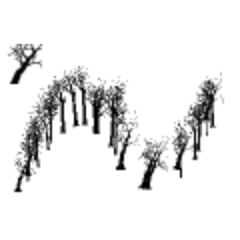
- It is a brush made to draw the sample ■ A tree silhouette .


- 葉かたまり■ 植木や草むらが描けます。
- 根本雑草■ 草むらの根本や木の根元を隠すのに便利な雑草ブラシです。
- 短い草■ 広場や手入れされていない地面を描くのに便利です。
- 地面■ 地面のタッチを入れられるブラシです。幅広く使えそう。
- 単芝■ 人や物に被せて描く用のブラシです。1本1本描きます。弱く描くと短く、強く描くと長く描けます。
- 藁カタマリ■ 藁の塊を描けるブラシです。細い薪としても使えるかもしれません。
- 藁バラ■ バラになった藁を描けるブラシです。
- 木シルエット■ サンプルを描くように作ったブラシです。
Category 1 カテゴリ1


Update history
2019/05/26 * * * added stroke sample.
2019/10/01 * * * GOLD/CLIPPY price changed.
2019/05/26 *** ストロークサンプルを追加。
2019/10/01 *** GOLD/CLIPPYの価格を変更しました。

 Report problematic material
For those who don’t have a Clip Studio account
- Name of product/software
- Detailed information about the issue

-
 CLIP STUDIO PAINT PRO/EX
 Re-download


 Purchase
 Purchase successful.
 See save location for materials


Published : 7 years ago
Last updated : 7 years ago


-
 MVP ◆This user has contributed greatly to the management of the community, by posting many great responses to the questions asked. Once every three months, MVPs are determined based on the points earned during that period and will be recognized accordingly.
-
 New Valuable Player (NVP) ◆These are the next-best contributors to the community after MVPs. This is awarded to users who have not yet won an MVP award, based on the number of points they have earned.
-
 Official Expert ◆Chosen out of all MVP awardees, who are already proof of excellence, this is a testimony of outstanding correspondence in the community. After careful screening, they are appointed by CELSYS and assume their position.Note: Formally called “Evangelists”
-
 Official Moderator of CELSYS ◆Moderators are official CELSYS staff members who are fluent in Japanese as well as various other languages. Moderators are not experts on the software or illustration, so they are not able to directly answer your questions. However, moderators provide communication and language support to ensure that everyone can smoothly communicate with each other.
-
 CELSYS official accountThe Official Administrator Account