



Please note that it is considerably heavy.
Ver.1.6 format.
かなり重いのでご注意ください。
ver.1.6形式です。


Category 1 カテゴリ1
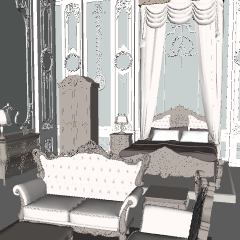
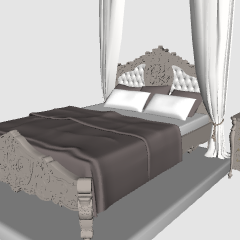
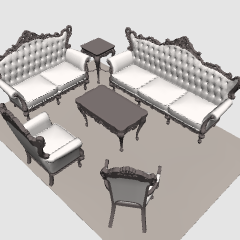
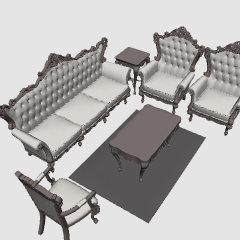
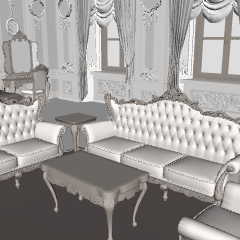
Update history
2018.1 change model 3D points from CLIP site version
Adjustment of the whole and the individual size of the furniture, parts that are not displayed properly, modification of the side of the curtain
Create a couch (2-seater)
Shelves lamp and two photo stand, hanger in closet
2018.1 CLIPサイト版から3Dモデルの変更点
・全体および家具個別のサイズ調整、一部正常に表示されない面の修正、カーテンの両面化
・ソファ中(2人掛け)作成
・棚上にランプと写真立て2個、クローゼット中にハンガーを追加





Other materials by フジタニ


Popular “Material catalog” materials


New materials










-
 MVP ◆This user has contributed greatly to the management of the community, by posting many great responses to the questions asked. Once every three months, MVPs are determined based on the points earned during that period and will be recognized accordingly.
 -
 New Valuable Player (NVP) ◆These are the next-best contributors to the community after MVPs. This is awarded to users who have not yet won an MVP award, based on the number of points they have earned.
 -
 Official Expert ◆Chosen out of all MVP awardees, who are already proof of excellence, this is a testimony of outstanding correspondence in the community. After careful screening, they are appointed by CELSYS and assume their position.Note: Formally called “Evangelists”
 -
 Official Moderator of CELSYS ◆Moderators are official CELSYS staff members who are fluent in Japanese as well as various other languages. Moderators are not experts on the software or illustration, so they are not able to directly answer your questions. However, moderators provide communication and language support to ensure that everyone can smoothly communicate with each other.
 -
 CELSYS official accountThe Official Administrator Account