



The 14th Phantom Beast is Troll Warrior
It's not my taste, but I tried to make it with a world view like a movie.
幻獣第14弾はトロール ウォーリアです
あまり自分のテイストではないのですが・・・映画みたいな世界観で濃い目に作ってみました。
2026/10/13
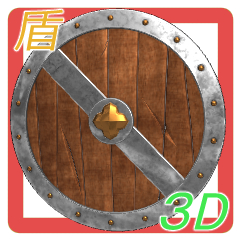
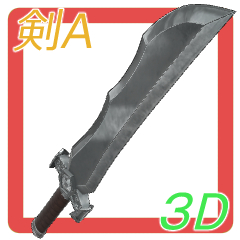
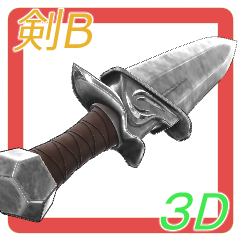
Added a shield and two swords.
I made a weapon for parents and children!


Each icon is


It uses optical materials to create a slightly rich shader configuration.
For the sake of character data, the character is a simple phone material, and the weapon is an optical material. So there is a difference in the way the light is seen, but please understand.
The following is a previous testimonial
-----------------------------------------------
It will be character data and one type of pose data.
You can change the pose. Also, since it is character data, you can save the pose.
This is my first time posing in my work! Compatible with human poses!
Adjust the human pose and use it.
If it is a pose for humans, the posture is too good, so only one troll-like basic posture pose data is included.

I imported the background and griffon that were exhibited separately as if I was fighting, and made a composition.
It's a look on the CLIP STUDIO

It looks like no texture.

It is a high polygon so that fine details can be expressed.
While adding muscles and distortions with reference to human muscles, I add muscles and uneven feelings so that it feels non-human while emphasizing the characteristic parts.


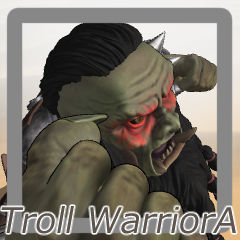
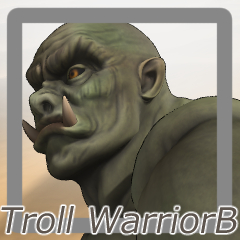
It is a character data icon
High mesh and all-inclusive A and
It contains two lightweight B character data that can be used as a body.


B erased the face paint and changed the equipment to only the waistband.
The number of polygons is 1/4 and the texture resolution is halved.
Apply the pose after placing the character data.

The mouth, beard and skirt also move!

It has the same configuration as humans. It also supports hand poses.
However... the hands are quite large compared to the body, please adjust after applying the pose.

There is a neck joint here, but it is quite difficult to grasp in Troll_WarriorA ...
Try to lift your chin and grasp it.

I put a joint in the waistband and beard so that I can control the fit.
Use it for adjustment.
The equipment was set up so that it followed the body and the shape was hard to break.
However, if you turn your face straight to the side, you may come into contact with the neck guard, and some joints will be quite restricted in movement. Please understand
Watch the video!

The number of polygons is large for a smooth expression.
Joints are optimized for the direction in which they bend.
Conversely, if it is bent or bent too much, it may break.
For example, it looks more beautiful to bend using several joints than to bend with one joint such as the neck.

When I create characters, I often use software called Zbrush that can be shaped like clay, but Zbrush evolved to create such a character in movies, and it was interesting to make it.
2026/10/13
盾と剣2つを追加しました。
親子付け用の武器を作ってみました!
各アイコンです
光学式マテリアルを使ってちょっとリッチなシェーダー構成になってます。
キャラクターデータの都合上、キャラクターはシンプルなフォンマテリアル、武器は光学式マテリアルになってます。なので光の見え方に差がありますが、ご理解ください。
以下 以前の紹介文です
-----------------------------------------------
キャラクターデータと1種類のポーズデータになります。
ポーズの変更が可能です。またキャラクターデータなのでポーズの保存ができます。
ポーズは自分の作品では初めて!人間用のポーズと互換性があります!
人間用のポーズを調整して使ってください。
人間用のポーズだと姿勢が良すぎるので1個だけトロールっぽい基本姿勢のポーズデータが入ってます
戦ってる風な感じで別に出品してる背景とグリフォンをインポートして構図を作ってみました。
クリスタ上の見た目です
Texture無しの見た目です。
細かいディティールを表現できるようにハイポリゴンになってます。
人間の筋肉を参考に筋や歪みを入れつつ、特徴的な部分を強調しつつ人間じゃない感じが出るように筋や不均等な感じを足してます。
キャラクターデータのアイコンです
ハイメッシュと全部込みのAと
素体として使える軽量化したBの2つキャラクターデータが入ってます。
Bはフェイスペイントを消して、装備も腰巻だけにしました。
ポリゴン数を1/4にテクスチャの解像度を半分にしています。
キャラクターデータを配置した後にポーズを適用してください。
口や髭、スカートも動きます!
人間と同じ構成にしてあります。手のポーズにも対応してます。
ただ・・・ 体に比べて手が相当大きいです、ポーズ適用後調整してください。
ここに首の関節があるのですが、Troll_WarriorAではかなり掴みにくくなってます・・
顎をあげて掴むようにしてみてください。
腰巻とあごひげにめり込みをコントロールできるようにジョイントを入れてます。
調整用につかってください。
装備は体についていきつつ、形が壊れにくいようにセットアップしました。
ただ顔を真横に向けるとネックガードに接触したりと、かなり動きを制限される関節もあります。ご理解ください
動画でどうぞ!
なめらかな表現になるようにポリゴン数は多めです。
関節はその関節が曲がる向きに最適化されてます。
逆に曲げたり、曲がりすぎると破綻する事があります。
例えば首など一つの関節でまげるよりは、いくつかの関節を使って曲げたほうが綺麗にみえます
キャラクターを作る時に、Zbrushという名前の粘土みたいに造形できるソフトをよく使うのですが、Zbrushは正に映画でこのようなキャラクターを作る為に進化してソフトでして、作ってて面白かったです。
Category 1 カテゴリ1



Other materials by 銀のトンカツ


Popular “Material catalog” materials


New materials


Badges
-
 MVP ◆This user has contributed greatly to the management of the community, by posting many great responses to the questions asked. Once every three months, MVPs are determined based on the points earned during that period and will be recognized accordingly.
 -
 New Valuable Player (NVP) ◆These are the next-best contributors to the community after MVPs. This is awarded to users who have not yet won an MVP award, based on the number of points they have earned.
 -
 Official Expert ◆Chosen out of all MVP awardees, who are already proof of excellence, this is a testimony of outstanding correspondence in the community. After careful screening, they are appointed by CELSYS and assume their position.Note: Formally called “Evangelists”
 -
 Official Moderator of CELSYS ◆Moderators are official CELSYS staff members who are fluent in Japanese as well as various other languages. Moderators are not experts on the software or illustration, so they are not able to directly answer your questions. However, moderators provide communication and language support to ensure that everyone can smoothly communicate with each other.
 -
 CELSYS official accountThe Official Administrator Account