



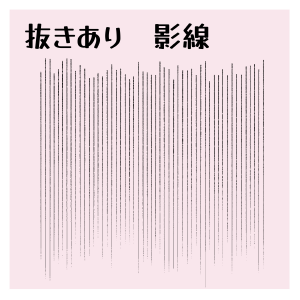
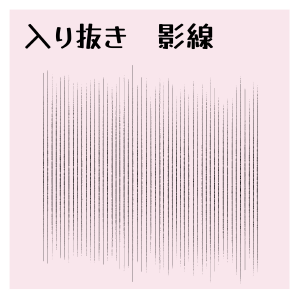
This brush is used to draw parallel lines when casting shadows on backgrounds and people.
You can easily draw vertical parallel lines just by tracing horizontally.
By changing the angle or making it snap to ruler parallel, you can also draw diagonal and horizontal parallel lines.
The line width can be changed by brush size and the spacing is adjustable.
It is intended to be used in monochrome comics, but it can also be used in color.
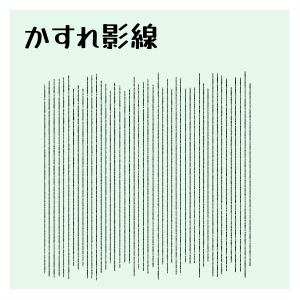
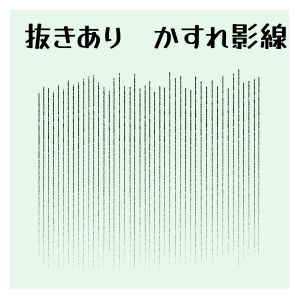
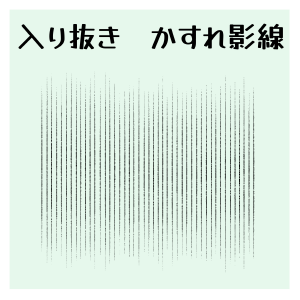
We have prepared a total of 6 types of normal shadow lines and shadow lines with a lot of faintness.
Please use it according to your purpose.
背景や人物に影を入れる時に使用する、平行線を描くブラシです。
横になぞるだけで簡単に縦の平行線が描けます。
角度を変更したり、平行定規にスナップさせることで、斜めや横の平行線も描けます。
線の太さはブラシサイズで変更でき、間隔も調整可能です。
モノクロ漫画で使用することを想定していますが、カラーでも使用可能です。
通常の影線とかすれ多めの影線、合計6種類ご用意しました。
用途に合わせてご利用ください。


Shadow lines 影線

Faint shadow lines かすれ影線
Update history
2026.8.16 "Faint shadow line" has been adjusted to make it more faint.
Two types of "Fade" series have been added.
I felt that it was difficult to see the icons, so I renewed them.
There were other parts that lacked coordination, so we have corrected them.
Thank you for downloading.
I'm sorry for making corrections so many times.
We hope you will take advantage of it!
2026.8.16 「かすれ影線」をよりかすれやすく調整しました。
「かすれ」シリーズを2種追加しました。
アイコンなどが見づらく感じたため、リニューアルしました。
その他、調整不足な部分があったため、修正いたしました。
ダウンロードありがとうございます。
何度も修正を入れてしまい、申し訳ありません。
ご活用いただけましたら幸いです!
Old version


Other materials by karasuka


Popular “Material catalog” materials


New materials


-
 MVP ◆This user has contributed greatly to the management of the community, by posting many great responses to the questions asked. Once every three months, MVPs are determined based on the points earned during that period and will be recognized accordingly.
 -
 New Valuable Player (NVP) ◆These are the next-best contributors to the community after MVPs. This is awarded to users who have not yet won an MVP award, based on the number of points they have earned.
 -
 Official Expert ◆Chosen out of all MVP awardees, who are already proof of excellence, this is a testimony of outstanding correspondence in the community. After careful screening, they are appointed by CELSYS and assume their position.Note: Formally called “Evangelists”
 -
 Official Moderator of CELSYS ◆Moderators are official CELSYS staff members who are fluent in Japanese as well as various other languages. Moderators are not experts on the software or illustration, so they are not able to directly answer your questions. However, moderators provide communication and language support to ensure that everyone can smoothly communicate with each other.
 -
 CELSYS official accountThe Official Administrator Account