



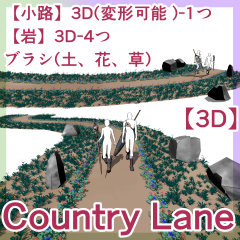
- New◆ Full 3D alley, 4 rocks set added
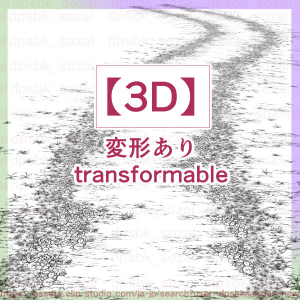
- NewOld◆ Earth, flower, grass, path brush (color supported)
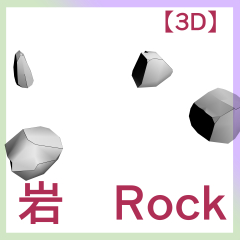
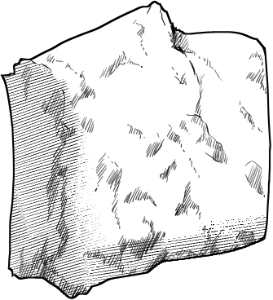
- Old◆ Rock Images - 4
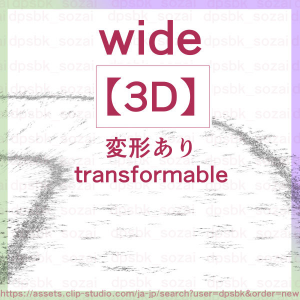
- Old◆ 3D-2 roads with images

 New Additions - All 3D Alleys
- Depending on the machine specifications, operation may be heavy
- Before placing materials or extract line, we recommend saving production files frequently.
- It has bones in it and it bends, but it is better to use a layout preset
- Since it is heavy, it is recommended to use presets for angles and layouts.
Materials used rasterize without LT conversion
- Once the angle is decided, rasterize
- It is best to do it larger and reduce the rasterize image because the lines are beautiful.


 Save time using each preset


 Brushes (color supported) and rock image material
 Brushes from old materials, 3D


- New◆ フル3Dの小路、岩4つセットを追加
- NewOld◆ 土、花、草、小路ブラシ(色対応)
- Old◆ 岩画像-4つ
- Old◆ 画像を貼った路3D-2つ
新作追加-全部3Dの小路- マシンスペックによっては操作が重くなる可能性
- 素材の配置前やライン抽出前など、制作ファイルのこまめな保存をおすすめ
- ボーンが入っていて曲がりますが、レイアウトプリセットを使用した方が良い
- 重いのでアングルやレイアウトのプリセット使用をオススメ
LT変換せず、ラスタライズして使う素材
- アングルが決まったら、ラスタライズ
- 大きめで行い、ラスタライズした画像を縮小するのが線の綺麗さがベスト
各プリセットを使用して時短ブラシ(色対応)と、岩の画像素材旧素材のブラシ、3D3D (New and Old) 3D (新旧)
Brush brush (old and new) ブラシbrush (新旧)


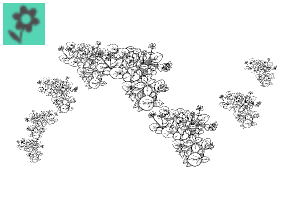
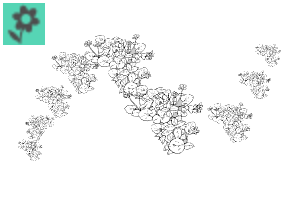
Brush brush (old) ブラシbrush (旧)
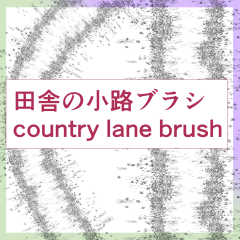
image material (old) 画像素材 (旧)



Update history
2026/06/10
Additions and Updates
2026/06/10
追加とアップデート
Old version


Other materials by dpsbk


Popular “Material catalog” materials


New materials





-
 MVP ◆This user has contributed greatly to the management of the community, by posting many great responses to the questions asked. Once every three months, MVPs are determined based on the points earned during that period and will be recognized accordingly.
 -
 New Valuable Player (NVP) ◆These are the next-best contributors to the community after MVPs. This is awarded to users who have not yet won an MVP award, based on the number of points they have earned.
 -
 Official Expert ◆Chosen out of all MVP awardees, who are already proof of excellence, this is a testimony of outstanding correspondence in the community. After careful screening, they are appointed by CELSYS and assume their position.Note: Formally called “Evangelists”
 -
 Official Moderator of CELSYS ◆Moderators are official CELSYS staff members who are fluent in Japanese as well as various other languages. Moderators are not experts on the software or illustration, so they are not able to directly answer your questions. However, moderators provide communication and language support to ensure that everyone can smoothly communicate with each other.
 -
 CELSYS official accountThe Official Administrator Account