



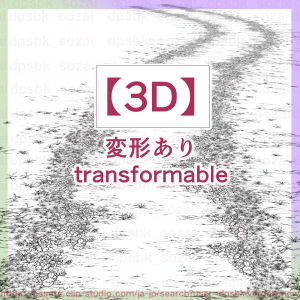
The 3D roads are Dirt (Saturday) Thailand Block (brick ). 3Dの道は、Dirt(土)とBlock(レンガタイル)があります。

* Wood, walking sticks, large swords, and shoes are sold separately.
Ingredients included

3D (with movable settings)


The easiest and most time-saving 3D. Just place it.
Depending on the perspective, you may be worried about the three-dimensional effect of the flowers, so you can finish it just by adding the included brush to another layer.
Transformed from pose preset.
Or click on each part to transform it manually.


No LT conversion required


▲
This arrangement Mr./Ms. pull was completed in about 3 minutes (some are used to 3D operation).
Place a 3D alley (material is Block, movable Slalom) and other self-made materials.
More layer above than 3D, I quickly draw the soil and grass around the road with the included brush.
The pose doll is placed in the first alley 3D arrangement and then cut out to make it the most layer above.
Use (2104729) to blur around the character.
▼

In 3D, the texture is blurry depending on the angle and the three-dimensional effect is worrisome, so it is also good to use for Atari.
If you use 3D as Atari, you can get a good idea of the perspective of the character and the background.
▼ Lower the opacity of the 3D layer and use it as an atari.
A video drawn with a brush included in another layer.
I've been able to save a lot of time.
5000px/350dpi


Brushes other than 3D, image material
▼ With brushes, draw quickly with a sense of speed without hesitation.
When uploading, it ...... more beautiful to draw with each brush.
Draw from the top of the screen to the bottom.

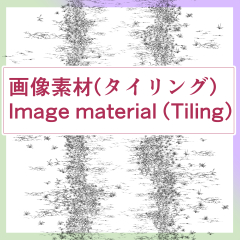
▼ The Thailand ring image from which the texture is based. Useful for perspective deformation.

▼ Comes out randomly. Pompom and draw.
The soil brush has a white frame for layering, so it is multiplied by layers depending on the case.

▼ Comes out randomly. Pompom and draw. When drawn continuously, it is dense.

▼ Each comes out randomly reversed left and right.
The size depends on the pressure of the pen.
The lines are thickened so that they can be used from a distance.

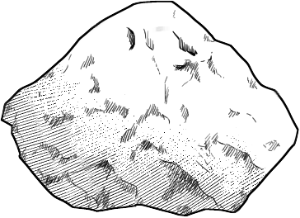
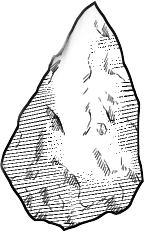
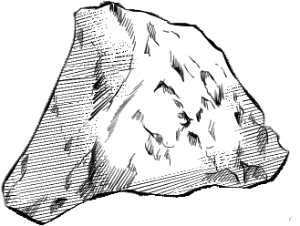
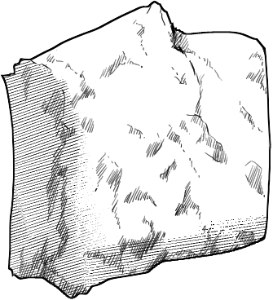
There are also four rocks.
Please check below for details.
※ 木、杖、大剣、靴類は別売りのものを使用。
入っている素材
3D(可動設定あり)
一番お手軽、時短の3D。配置するだけ。
パースによっては草花の立体感が気になることもありますので、別レイヤーに、同梱ブラシササっと加筆するだけでもそれっぽく仕上がります。
可動プリセットから変形。
もしくは各部分をクリックして手動変形。
LT変換は不要
▲
このアレンジサンプルは3分くらいで完成しました(3D操作に慣れているのもある)
3Dの小路(マテリアルはBlock、可動はSlalom)と、他の自作素材を配置。
3Dより上のレイヤーに、同梱ブラシでザッと道周りの土や草を描いています。
ポーズ人形は最初の小路3D配置に配置してから、切り取って一番上のレイヤーにしています。
キャラクター周りのぼかしは( 2104729 )を使用。
▼
3Dは角度によってテクスチャがぼやけたり立体感が気になるので、アタリに使うのも良いです。
3Dをアタリにすると、キャラクターと背景の遠近の具合がよくわかります。
▼ 3Dレイヤーの不透明度を下げてアタリとして利用。
別のレイヤーに同梱のブラシなどで作画している動画。
かなり時短できています。
5000px/350dpi
3D以外に入っているブラシ、画像素材
▼ ブラシ入りはためらわずスピード感を持ってシュッと描く。
アップ時にはそれぞれのブラシを使って描いた方が綺麗……。
画面の上から下に描きます。
▼ テクスチャの元になっているタイリング画像。遠近変形などに便利。
▼ ランダムで出ます。ポンポンと描く。
土ブラシは重ね用に白枠がついているので、場合によってレイヤー乗算。
▼ ランダムで出ます。ポンポンと描く。連続でグルグル描くと密集。
▼ それぞれが左右反転ランダムで出ます。
大きさは筆圧によって変わります。
遠目でも使えるよう、線を太目に仕上げています。
他に、岩が4つ。
詳細は、この下で確認してください。
【Time Saving】Countryside Alley Drawing Set 【時短】田舎の小路 作画セット
-
Dokusa Koji [3D] 土草小路【3D】
-
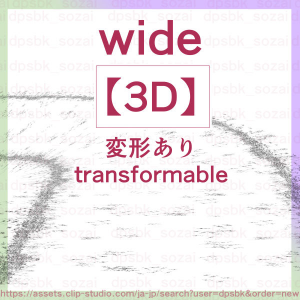
Dokusakoji wide【3D】 土草小路wide【3D】
-
Rural alley length dpsbk 田舎の小路長dpsbk
-
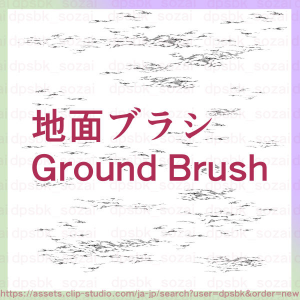
1. Ground brush 1.地面ブラシ
-
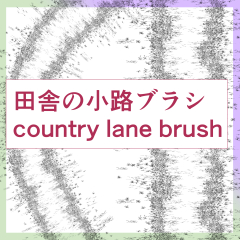
2. Brush Country Alley 2.ブラシ田舎の小路
-
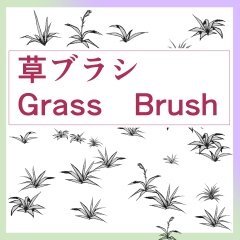
3. Grass alone 3.草単体
-
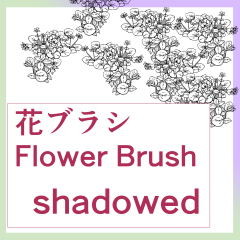
4. Flower (Shadow) 4.花(影)
-
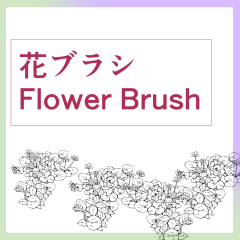
4. Flowers 4.花
-
Iwayagata DPSBK 岩山形dpsbk
-
Rock drops dpsbk 岩しずくdpsbk
-
Rock triangle dpsbk 岩三角dpsbk
-
Rock Square DPSBK 岩四角dpsbk





Other materials by dpsbk


Popular “Material catalog” materials


New materials





Badges
-
 MVP ◆This user has contributed greatly to the management of the community, by posting many great responses to the questions asked. Once every three months, MVPs are determined based on the points earned during that period and will be recognized accordingly.
 -
 New Valuable Player (NVP) ◆These are the next-best contributors to the community after MVPs. This is awarded to users who have not yet won an MVP award, based on the number of points they have earned.
 -
 Official Expert ◆Chosen out of all MVP awardees, who are already proof of excellence, this is a testimony of outstanding correspondence in the community. After careful screening, they are appointed by CELSYS and assume their position.Note: Formally called “Evangelists”
 -
 Official Moderator of CELSYS ◆Moderators are official CELSYS staff members who are fluent in Japanese as well as various other languages. Moderators are not experts on the software or illustration, so they are not able to directly answer your questions. However, moderators provide communication and language support to ensure that everyone can smoothly communicate with each other.
 -
 CELSYS official accountThe Official Administrator Account