



Separate lines and substrates
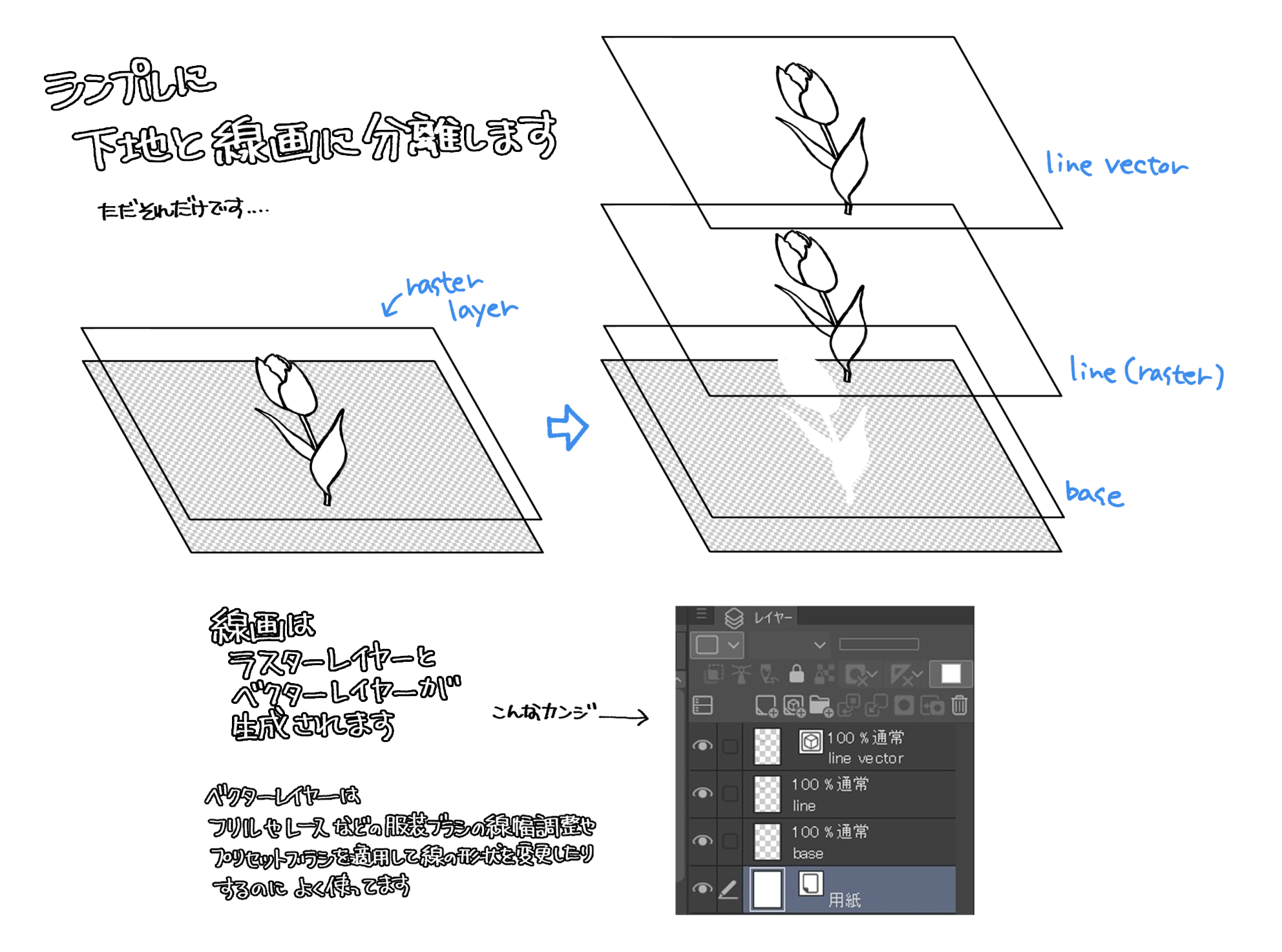
Simply separate the lines from the base.
Suitable for monochrome and gray manuscripts
(If it is color, the extract lineart will be grayed out)
Lineart produces raster layer and vector layer.
* If there is a layer with the same name as "Base", "LINE", or "LINE Vector" in the same folder,
The action does not complete.
The vector layer is to adjust the line width, apply preset brushes, etc.
It is convenient to blend existing decorative brushes into the screen.
If you combine the line art and base of the raster, it will return to the original picture.
線と下地を分離
ただただシンプルに線と下地を分離します。
モノクロ・グレー原稿向き
(カラーの場合、抽出線画はグレー化します)
線画はラスターレイヤーとベクターレイヤーを生成します。
※同一フォルダ内に「base」「line」「line vector」と同じ名前のレイヤーがあると
アクションが完遂しません。
ベクターレイヤーは線幅調整やプリセットブラシの適用など
既存の装飾ブラシを画面になじませるのに便利です。
ラスターの線画と下地を結合すれば元絵に戻ります。







Other materials by 佐藤十月


Popular “Auto Action” materials


New materials







Badges
-
 MVP ◆This user has contributed greatly to the management of the community, by posting many great responses to the questions asked. Once every three months, MVPs are determined based on the points earned during that period and will be recognized accordingly.
 -
 New Valuable Player (NVP) ◆These are the next-best contributors to the community after MVPs. This is awarded to users who have not yet won an MVP award, based on the number of points they have earned.
 -
 Official Expert ◆Chosen out of all MVP awardees, who are already proof of excellence, this is a testimony of outstanding correspondence in the community. After careful screening, they are appointed by CELSYS and assume their position.Note: Formally called “Evangelists”
 -
 Official Moderator of CELSYS ◆Moderators are official CELSYS staff members who are fluent in Japanese as well as various other languages. Moderators are not experts on the software or illustration, so they are not able to directly answer your questions. However, moderators provide communication and language support to ensure that everyone can smoothly communicate with each other.
 -
 CELSYS official accountThe Official Administrator Account