



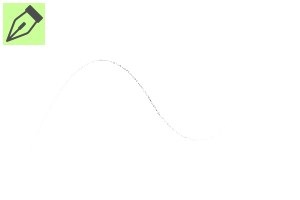
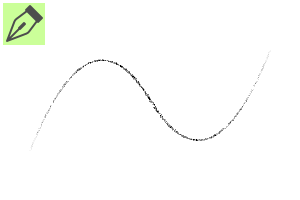
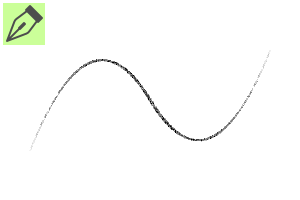
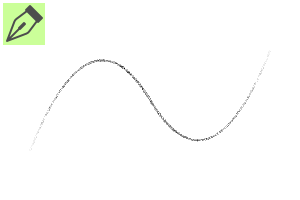
I made it with the image of a touch drawn by a person with a strong pen in a monochrome manuscript with a G-pen. モノクロ原稿で筆圧強い人がGペンでガリガリ描いたタッチをイメージして作りました。
When a person with a strong pen made an analog manuscript in G-pen, I imagined the following touch.
・ When a person with strong pen pressure draws with a G-pen in an analog manuscript, there is a gap in the middle of the line.
・ A person with strong pen pressure applied too much eraser and the line drawing faded even more.
・ When the analog manuscript was imported to the computer, the image was brightened to delete the draft, and the line art became gabi-gabi.

If you draw a line quickly, a gap may be created in the middle of the line.
↓ The sample drawing was drawn with the fourth pen.

It was made for penning monochrome manuscripts, but the color can be changed.
It is also recommended for roughs and drafts.
* The lines are quite jagged, so they may not be very suitable for line drawings in color manuscripts.

* The drawing taste may differ depending on the manufacturer and settings of pen pressure of the liquid tab.
I will also post the settings of pen pressure at the time of production.

* Monochrome samples are drawn after setting the expression color of the layer to [Monochrome].
* Color samples are drawn after setting the expression color of the layer to [Color].
筆圧強い人がGペンでアナログ原稿をした時、以下のようなタッチをイメージして作りました。
・アナログ原稿で筆圧強めの人がGペンで描いた時に線の真ん中に隙間が出来る。
・筆圧強めの人が消しゴムかけすぎて線画がさらにかすれてしまった。
・アナログ原稿をパソコンに取り込んだ時に下書きを消すために画像を明るくして線画がガビガビになった。
素早く線を描くと線の真ん中に隙間が出来たりします。
↓サンプルの絵は4番目のペンで描きました。
モノクロ原稿のペン入れ用に作りましたが、色変更可能となっております。
ラフや下書きにもオススメです。
※線がかなりギザギザしているのでカラー原稿の線画にはあまり向かないかもしれません。
※液タブのメーカーや筆圧設定により描き味が異なる場合がございます。
制作時の筆圧設定も掲載しておきます。
※モノクロのサンプルはレイヤーの表現色を【モノクロ】に設定してから描いています。
※カラーのサンプルはレイヤーの表現色を【カラー】に設定してから描いています。
Category 1 カテゴリ1





Other materials by か!


Popular “Material catalog” materials


New materials


-
 MVP ◆This user has contributed greatly to the management of the community, by posting many great responses to the questions asked. Once every three months, MVPs are determined based on the points earned during that period and will be recognized accordingly.
 -
 New Valuable Player (NVP) ◆These are the next-best contributors to the community after MVPs. This is awarded to users who have not yet won an MVP award, based on the number of points they have earned.
 -
 Official Expert ◆Chosen out of all MVP awardees, who are already proof of excellence, this is a testimony of outstanding correspondence in the community. After careful screening, they are appointed by CELSYS and assume their position.Note: Formally called “Evangelists”
 -
 Official Moderator of CELSYS ◆Moderators are official CELSYS staff members who are fluent in Japanese as well as various other languages. Moderators are not experts on the software or illustration, so they are not able to directly answer your questions. However, moderators provide communication and language support to ensure that everyone can smoothly communicate with each other.
 -
 CELSYS official accountThe Official Administrator Account