



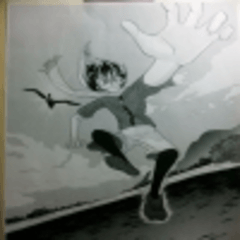
It is a classic cartoon screentone auto action that can give you the feeling of scanning a real cartoon. 실제만화를 스캔한 느낌을 낼 수 있는 고전만화 스크린톤 오토액션입니다.
If you are viewing it on mobile, please zoom in slightly so that you can't see the left and right margins!
Suitable for B6 600dpi


When you purchase AutoAction, AutoAction is divided into Weak, Medium, and Strong.
#85망점으로 is fixed, so if you don't want to use 85 dots, please press uncheck.
(At the time of taking the photo, it was an anti-moire scanned tone auto action, but now it has changed exactly as the title, so please remember not to get confused.)

[Original]. You can use it for folders or layers.
It doesn't matter if the tone setting check is on, but if so, the layer in the folder must have the tone setting check off. The folder can also be on.
If the overlay goes beyond the tone, make sure the folder the layer belongs to is [through].

This is [Kletu basic tone]. I can't help but lose the moiré little by little.

[About] Moire has been alleviated. It feels less like a classic manga.

It starts to feel like a classic cartoon.

It feels like the scanned copies of classic comics have deteriorated a lot.
ᅳᅳᅳᅳᅳᅳᅳᅳᅳᅳᅳᅳᅳᅳᅳᅳᅳᅳᅳᅳᅳᅳᅳᅳᅳᅳᅳᅳᅳ
If you want to adjust the intensity, please adjust the opacity of the overlay layer at the top after running the auto action!
모바일로 보실 경우 좌우 여백이 안 보이도록 그림을 살짝 확대해주세요!
B6 600dpi에 적합합니다
오토액션을 구매하면 안에 약, 중, 강으로 오토액션이 나뉘어져 있습니다.
#85망점으로 고정되어 있으니 85 망점을 쓰고 싶지 않으신 분들은 체크해제를 눌러주세요.
(사진을 찍은 당시엔 모아레 방지 스캔본 톤 오토액션이었으나 지금은 제목이랑 똑같이 바뀌었으므로 헷갈리지 않게 기억해주세요.)
[원본]입니다. 폴더에 사용해도 되고 레이어에 사용해도 됩니다.
톤 설정 체크가 on으로 되어있어도 상관은 없지만 그럴 경우 폴더 안에 있는 레이어는 톤 설정 체크가 off되어 있어야 합니다. 폴더는 on이어도 됩니다.
오버레이가 톤 밖까지 침범한다면 레이어가 속해있는 폴더가 [통과]인지 살펴주세요.
[클튜 기본톤]입니다. 어쩔 수 없이 모아레가 조금씩 집니다.
[약] 모아레가 완화됐습니다. 고전만화 느낌은 덜 납니다.
[중] 고전만화 느낌이 나기 시작합니다.
[강] 고전만화 스캔본이 많이 열화된 듯한 느낌을 줍니다.
ㅡㅡㅡㅡㅡㅡㅡㅡㅡㅡㅡㅡㅡㅡㅡㅡㅡㅡㅡㅡㅡㅡㅡㅡㅡㅡㅡㅡㅡ
강도 조절을 하고 싶다면 오토액션 실행 후 가장 위에 있는 오버레이 레이어의 불투명도 조절을 해주세요!




Other materials by 계차백


Popular “Auto Action” materials


New materials





Badges
-
 MVP ◆This user has contributed greatly to the management of the community, by posting many great responses to the questions asked. Once every three months, MVPs are determined based on the points earned during that period and will be recognized accordingly.
 -
 New Valuable Player (NVP) ◆These are the next-best contributors to the community after MVPs. This is awarded to users who have not yet won an MVP award, based on the number of points they have earned.
 -
 Official Expert ◆Chosen out of all MVP awardees, who are already proof of excellence, this is a testimony of outstanding correspondence in the community. After careful screening, they are appointed by CELSYS and assume their position.Note: Formally called “Evangelists”
 -
 Official Moderator of CELSYS ◆Moderators are official CELSYS staff members who are fluent in Japanese as well as various other languages. Moderators are not experts on the software or illustration, so they are not able to directly answer your questions. However, moderators provide communication and language support to ensure that everyone can smoothly communicate with each other.
 -
 CELSYS official accountThe Official Administrator Account