


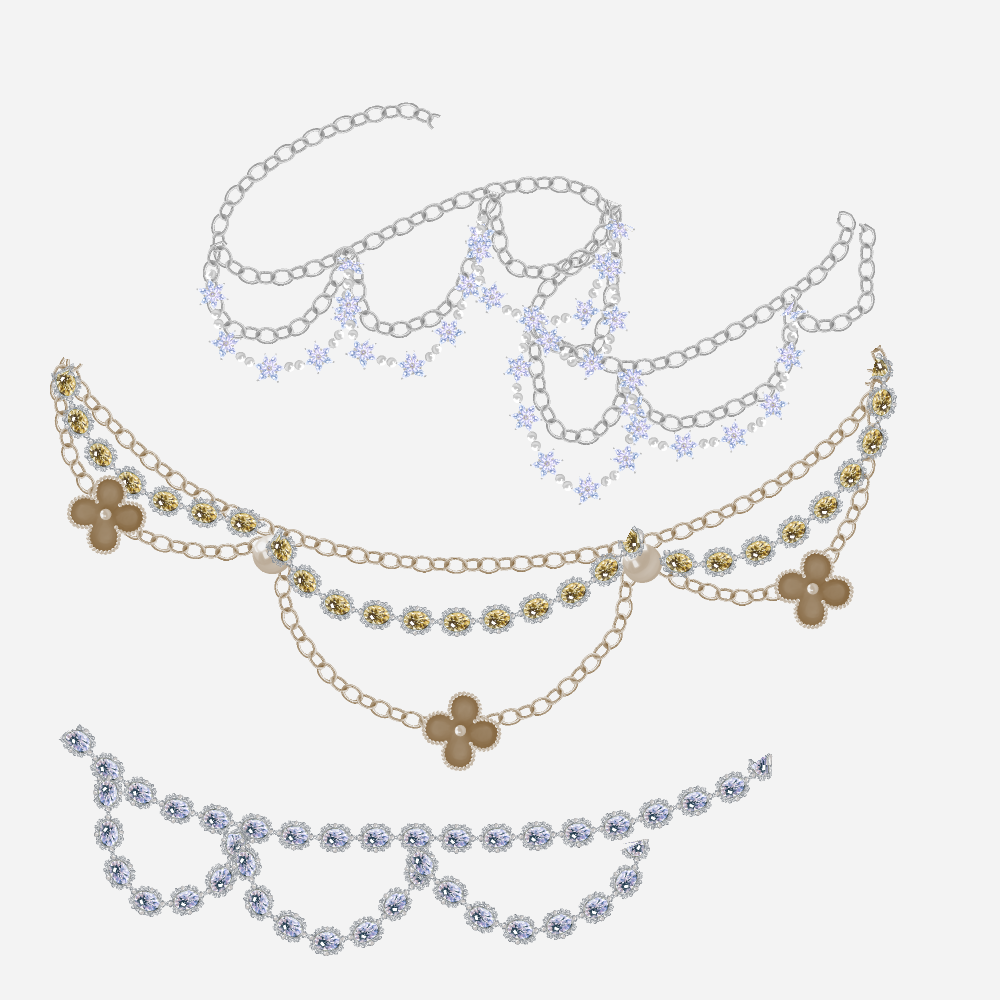
Level up your character illustrations with the most comprehensive jewelry creation kit for Clip Studio Paint! Whether you are drawing a royal fantasy protagonist or a modern fashion icon, this pack provides everything you need to "forge" stunning accessories in seconds.
 What’s Inside:
- Chain Brushes: They follow your pen strokes fluidly—perfect for necklaces, bracelets, and anklets.
- Metallic & Gold Textures: Specially calibrated brushes that mimic the luster of precious metals, giving you an instant polished look without tedious manual shading.
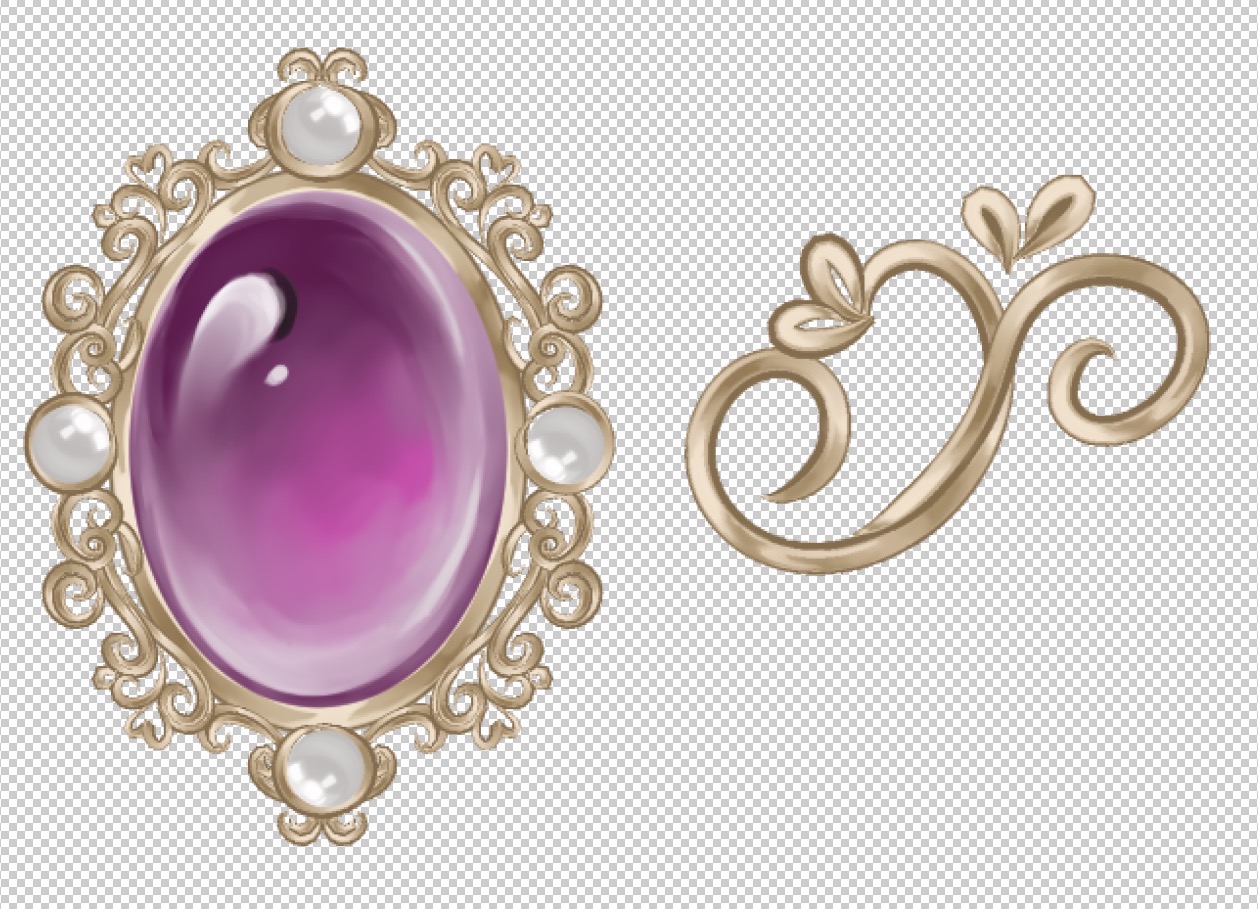

- 122 Materials: including Ready-to-Use Brushes and Raw Components (bails, pendants, and raw materials) to build your own unique designs.

Activate Brush Tip: To use the raw materials as your own custom brush, don't forget to check the "Use for brush tip shape" option in the Material Property window.
Stay Organized: Don't forget to add your own custom tags to the materials so you can organize your jewelry collection exactly how you like it!

Infinite Customization: With raw assets, you can mix, match, and modify raw elements to create jewelry that is truly unique to your art style.
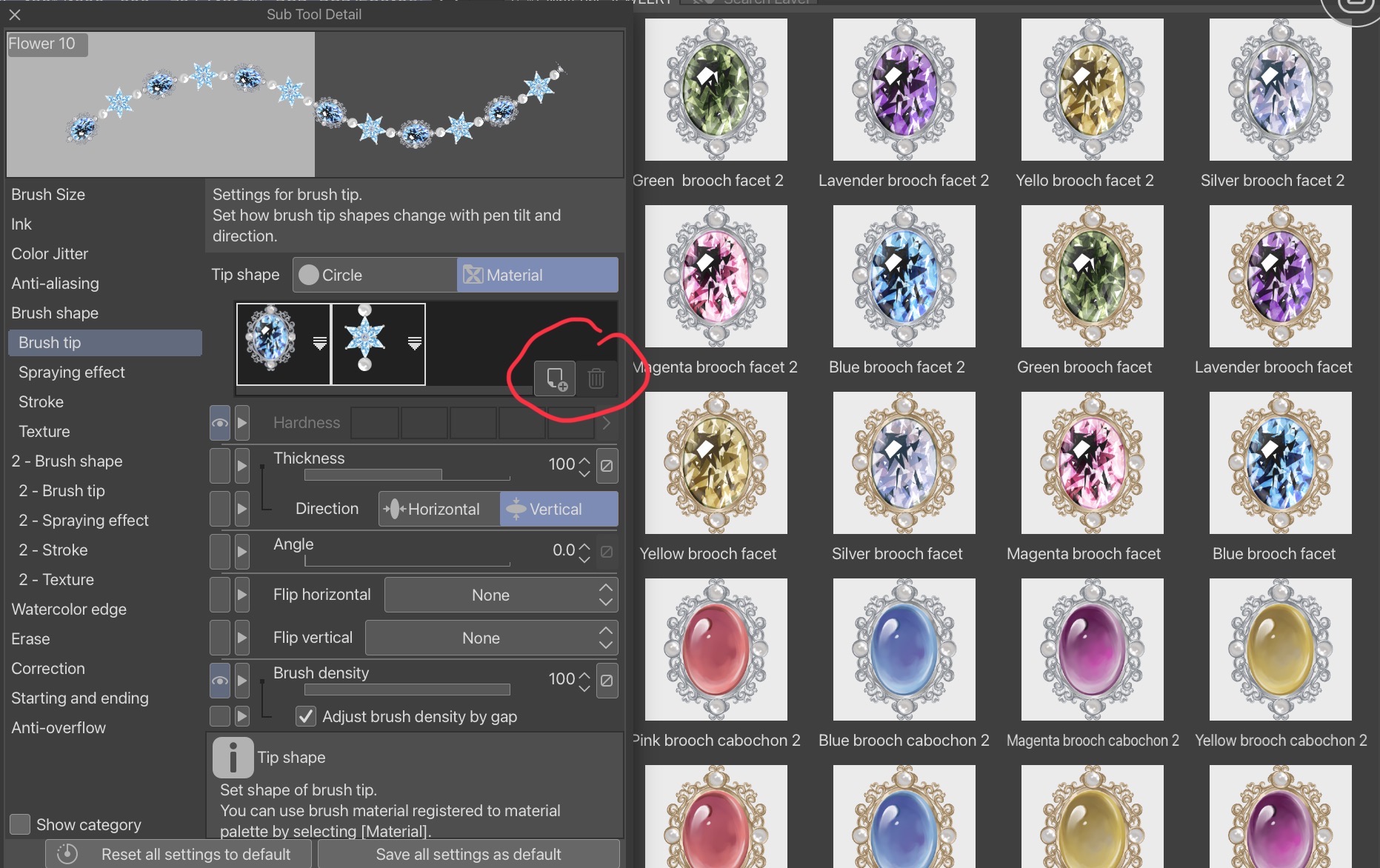
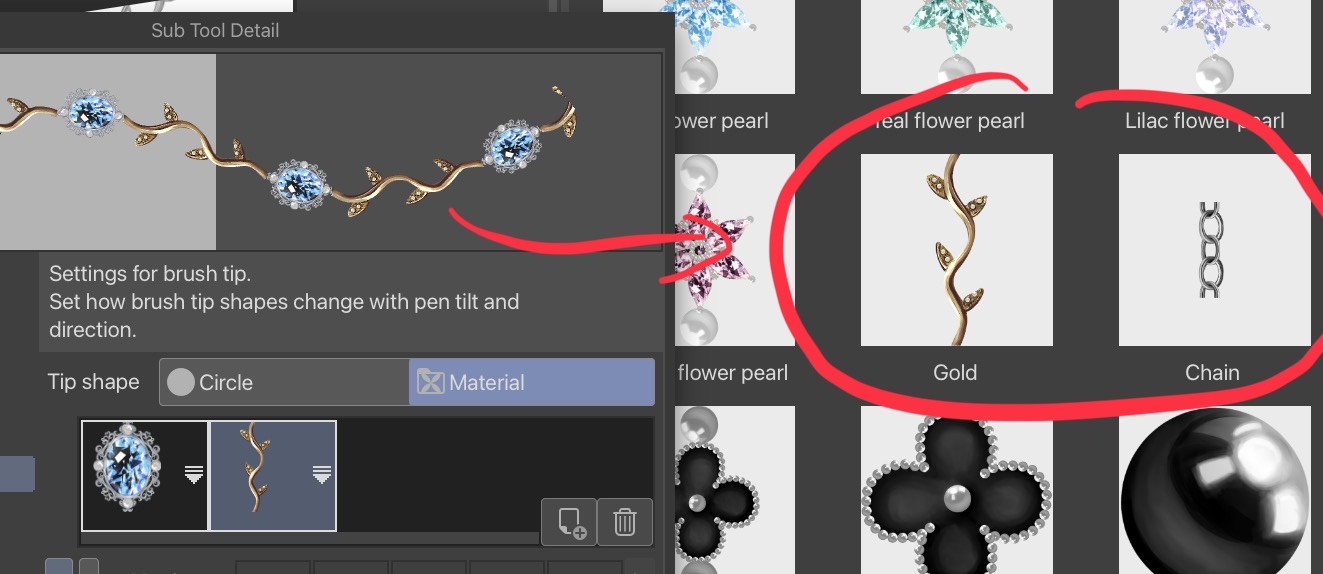
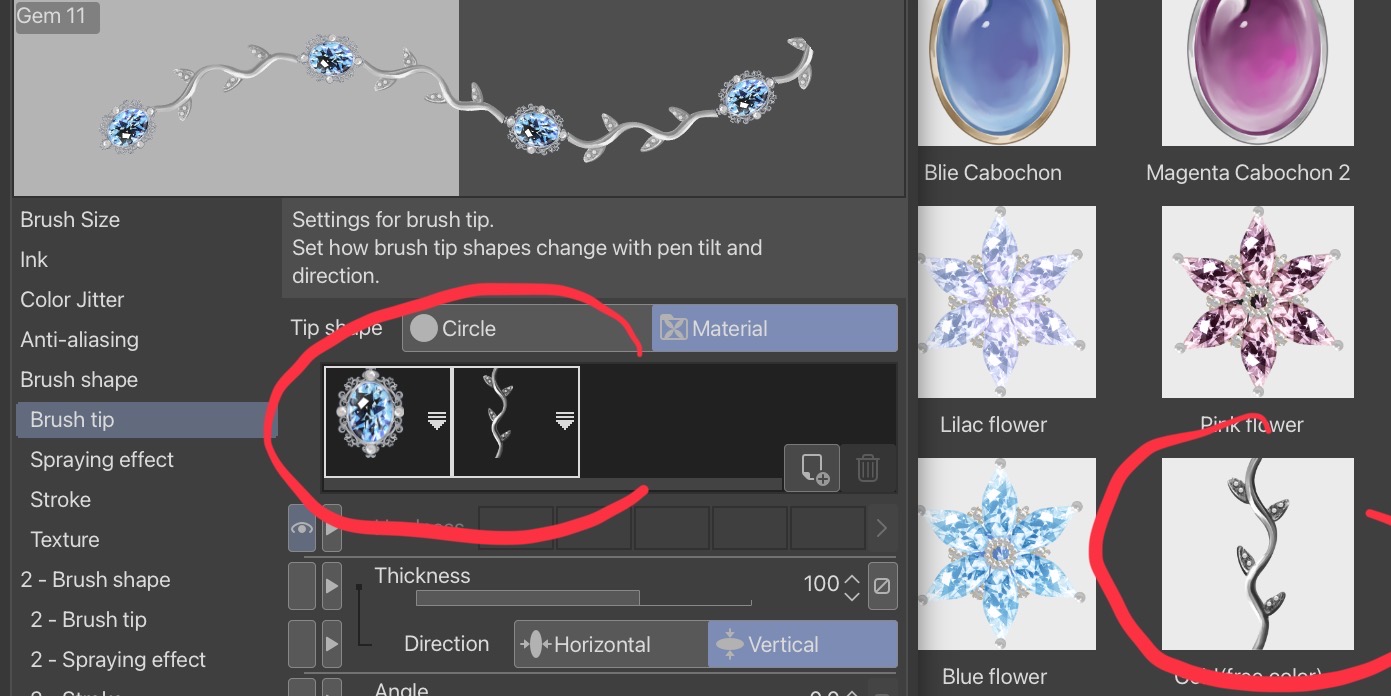

Import: Drag the files into your CSP Material palette.
Setup: Register the raw material as a brush tip if you wish to create a new sub-tool.
Create: Assemble your custom jewelry pieces and bring your design to life!
Category 1
-
Bail
-
Bail gold
-
Bail
-
Gem 10
-
Gem 8
-
Gem 7
-
Gem 6
-
Gem 9
-
Gem 5
-
Gem 4
-
Gem 3
-
Gem 2
-
Gem
-
Flower 8
-
Flower 7
-
Pearl 3
-
Flower 6
-
Flower gem 12
-
Flower gem 11
-
Flower gem 10
-
Flower gem 9
-
Flower gem 8
-
Flower gem 7
-
Flower gem 6
-
Flower gem 5
-
Flower 5
-
Flower 4
-
Flower gem gold 8
-
Flower gem gold 7
-
Flower gem gold 6
-
Flower gem gold 5
-
Flower gem gold 4
-
Flower gem gold 3
-
Flower gem gold 2
-
Flower gem gold 1
-
Flower gold 2
-
Flower gold 1
-
Flower gem 4
-
Flower gem 3
-
Flower gem 2
-
Flower gem 1
-
Flower (one)
-
Flower 3
-
Flower 2
-
Flower 1
-
Gold 3 (free color)
-
Gold 3
-
Gold 2(free color)
-
Gold 2
-
Gold (free color sharp)
-
Gold (sharp)
-
Gold (free color)
-
Gold
-
Chain (small)
-
Chain (big)
-
Pearl necklace 2
-
Pearl necklace(gap)
-
Pearl necklace
-
Green brooch facet 2
-
Lavender brooch facet 2
-
Yello brooch facet 2
-
Silver brooch facet 2
-
Magenta brooch facet 2
-
Blue brooch facet 2
-
Green brooch facet
-
Lavender brooch facet
-
Yellow brooch facet
-
Silver brooch facet
-
Magenta brooch facet
-
Blue brooch facet
-
Pink brooch cabochon 2
-
Blue brooch cabochon 2
-
Magenta brooch cabochon 2
-
Yellow brooch cabochon 2
-
Pink brooch cabochon
-
Blue brooch cabochon
-
Yellow brooch cabochon
-
Magenta brooch cabochon
-
Green Facet
-
Green Facet 2
-
Silver Facet
-
Silver Facet 2
-
Yellow Facet 2
-
Yellow Facet
-
Lavender Facet 2
-
Lavender Facet
-
Magenta Facet 2
-
Magenta Facet
-
Blue Facet 2
-
Blue Facet
-
Yellow Cabochon 2
-
Yellow Cabochon
-
Pink Cabochon
-
Pink Cabochon 2
-
Blue Cabochon 2
-
Blie Cabochon
-
Magenta Cabochon 2
-
Magenta Cabochon
-
Lilac flower
-
Pink flower
-
Teal flower
-
Blue flower
-
Gold(free color)
-
Blue flower pearl
-
Teal flower pearl
-
Lilac flower pearl
-
Magenta flower pearl
-
Gold
-
Chain
-
Flower+pearl
-
Flower
-
Pearl
-
Gem 12
-
Gem 11
-
Red brooch cabochon 2
-
Red brooch cabochon
-
Red cabochon 2
-
Red cabochon
-
Red facet 2
-
Red facet
-
Red facet 2
-
Red brooch facet
















Other materials by Oos


Popular “Material catalog” materials


New materials





-
 MVP ◆This user has contributed greatly to the management of the community, by posting many great responses to the questions asked. Once every three months, MVPs are determined based on the points earned during that period and will be recognized accordingly.
 -
 New Valuable Player (NVP) ◆These are the next-best contributors to the community after MVPs. This is awarded to users who have not yet won an MVP award, based on the number of points they have earned.
 -
 Official Expert ◆Chosen out of all MVP awardees, who are already proof of excellence, this is a testimony of outstanding correspondence in the community. After careful screening, they are appointed by CELSYS and assume their position.Note: Formally called “Evangelists”
 -
 Official Moderator of CELSYS ◆Moderators are official CELSYS staff members who are fluent in Japanese as well as various other languages. Moderators are not experts on the software or illustration, so they are not able to directly answer your questions. However, moderators provide communication and language support to ensure that everyone can smoothly communicate with each other.
 -
 CELSYS official accountThe Official Administrator Account
