


BigField-style Recommendation of new frame expression <scope format frame> (BigField流 新しいコマ表現のすすめ<スコープ形式コマ>) BigField流 新しいコマ表現のすすめ<スコープ形式コマ>
Content ID:2052496
-
73
 ◆
◆

Content ID: Published in 2011662,
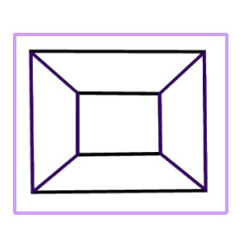
I arranged "BigField-style ComicStudio-like frame border folder" and created a frame border folder of scope screens like theater screens.
At the same time as Atari, I created a vector layer and a 3D Object scope screen.
コンテンツID:2011662で公開した、
「BigField流コミスタライクなコマ枠フォルダー」をアレンジして劇場画面の様なスコープ画面のコマ枠フォルダ―を作成しました。
アタリとして同時に、ベクタレイヤと3Dオブジェクトのスコープ画面を作成しました。


Category 1 カテゴリ1

Category 2 カテゴリ2

Category 3 カテゴリ3
Update history
・2023.12.15: First Ver 1.0.0 released ・2023.12.15:初版Ver 1.0.0 の発行


Other materials by BigField


Popular “Material catalog” materials


New materials


-
 MVP ◆This user has contributed greatly to the management of the community, by posting many great responses to the questions asked. Once every three months, MVPs are determined based on the points earned during that period and will be recognized accordingly.
 -
 New Valuable Player (NVP) ◆These are the next-best contributors to the community after MVPs. This is awarded to users who have not yet won an MVP award, based on the number of points they have earned.
 -
 Official Expert ◆Chosen out of all MVP awardees, who are already proof of excellence, this is a testimony of outstanding correspondence in the community. After careful screening, they are appointed by CELSYS and assume their position.Note: Formally called “Evangelists”
 -
 Official Moderator of CELSYS ◆Moderators are official CELSYS staff members who are fluent in Japanese as well as various other languages. Moderators are not experts on the software or illustration, so they are not able to directly answer your questions. However, moderators provide communication and language support to ensure that everyone can smoothly communicate with each other.
 -
 CELSYS official accountThe Official Administrator Account