


Introduction Manuscript Recommendation TIPS Standard 01st Edition Material Collection (導入原稿のすすめ TIPS標準 第01版 素材集) 導入原稿のすすめ TIPS標準 第01版 素材集
Content ID:2315974
-
0
 ◆
◆

In CLIP STUDIO ASSETS,
We provide the following manual and related materials.
Commentary: BigField-style Recommendation Explanation of Introductory Manuscripts by Purpose ~01st Edition~
(Published by Amazon Kindle)
This manual is a manual for ASSETS adapted from this manual.
It has edited the content below.
・ page template of manuals and canvas generation auto action
Materials and execution auto action for cutting out text and images
(for TIPS manual)
クリスタのASSETSでは、
下記の解説書のオ―トアクション素材および、それと関連する素材を提供します。
解説書:BigField流 目的別の導入原稿のすすめ解説 ~第01版~
(Amazonキンドルで発行)
本書は、この解説書から流用したASSETS用の解説書です。
これは、下記の内容を編集しています。
・解説書のページテンプレートとキャンバス生成オートアクション
・テキストや画像の切り出しのための素材と実行オートアクション
(TIPS解説書用)
Category 1 auto action カテゴリ1 オートアクション

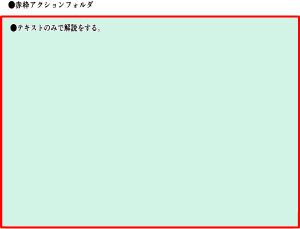
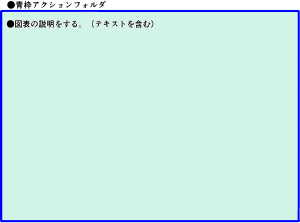
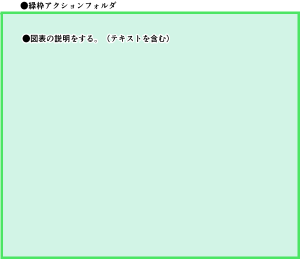
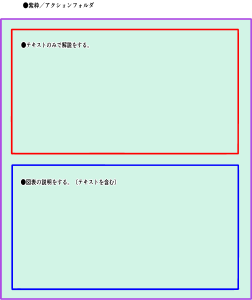
Category 2 Basic Color Frame Actions カテゴリ2 基本カラー枠アクション
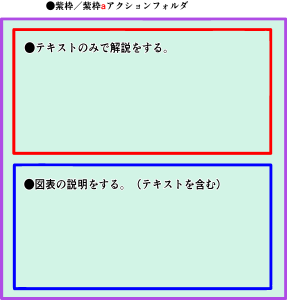
Category 3 Explanatory wind action for TIPS カテゴリ3 TIPS用解説風アクション
-
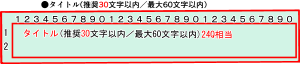
TIPS01 Red Frame Title TIPS01赤枠タイトル
-
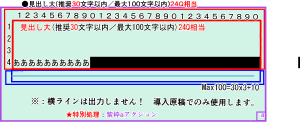
TIPS02 Red Frame Heading Large TIPS02赤枠見出し大
-
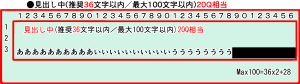
TIPS03 Red frame heading TIPS03赤枠見出し中
-
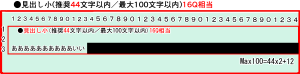
TIPS04 Red Frame Heading Small TIPS04赤枠見出し小
-
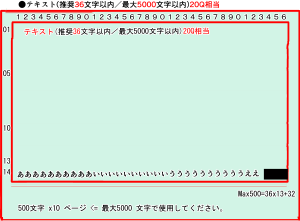
TIPS05 Red Frame Text TIPS05赤枠テキスト
-
TIPS06 Blue frame image TIPS06青枠画像
-
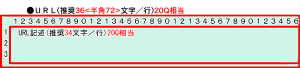
TIPS07赤枠URL TIPS07赤枠URL
-
TIPS08 Blue frame separator line TIPS08青枠区切り線
-
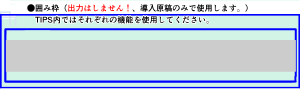
TIPS09 Blue frame frame TIPS09青枠囲み枠


Update history
Initial release: 20261023 初版発行:20261023


Other materials by BigField


Popular “Material catalog” materials


New materials


-
 MVP ◆This user has contributed greatly to the management of the community, by posting many great responses to the questions asked. Once every three months, MVPs are determined based on the points earned during that period and will be recognized accordingly.
 -
 New Valuable Player (NVP) ◆These are the next-best contributors to the community after MVPs. This is awarded to users who have not yet won an MVP award, based on the number of points they have earned.
 -
 Official Expert ◆Chosen out of all MVP awardees, who are already proof of excellence, this is a testimony of outstanding correspondence in the community. After careful screening, they are appointed by CELSYS and assume their position.Note: Formally called “Evangelists”
 -
 Official Moderator of CELSYS ◆Moderators are official CELSYS staff members who are fluent in Japanese as well as various other languages. Moderators are not experts on the software or illustration, so they are not able to directly answer your questions. However, moderators provide communication and language support to ensure that everyone can smoothly communicate with each other.
 -
 CELSYS official accountThe Official Administrator Account