



It's a hassle to make or set layers individually.
▶ Changed layer name ︎ auto action
One-touch layer name changes, such as easy expression difference in standing picture. For people who do not subdivide that far.
Please register with the Quick Access command bar and use. (Icons may be published somewhere at a later date.)

▶ ︎ layer template for standing painting
-Line drawings → vector layer (hair, skin, clothes)
Expression diff and fill → Fill and multiplication, the layer that I set from the beginning of the effect I often use.
Because the color which I use often contains it, please save it after changing it to a color to use my usual layer color etc. and use it.
Set the draft to the draft layer
Fill → The dull green that is gentle to the eyes in the work is entered by default.


レイヤー作ったり個別に設定したりするの手間だな〜〜〜って方にどうぞ。
▶︎レイヤー名変更オートアクション
立ち絵に使いやすい表情差分などのレイヤー名変更がワンタッチでできます。そこまで細分化しない人向け。
クイックアクセスやコマンドバーに登録してご使用ください。(アイコンは後日どっかで公開するかも)
▶︎立ち絵用レイヤーテンプレート
・線画→ベクターレイヤー(髪、肌、服)
・表情差分と塗り→塗りと乗算、私がよく使うエフェクトを最初から設定したレイヤーが入ってます。
私がよく使う色が入ってるので、レイヤーカラーなどを自分のいつも使う色に変更後保存し直してご使用ください。
・下書き→フォルダ自体を下書きレイヤに設定
・べた塗り→作業中の目に優しいくすみ緑がデフォルトで入ってます。
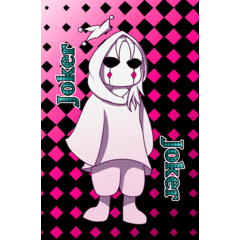
Standing picture Set 立ち絵セット


Other materials by scoo/アルパカ


Popular “Material catalog” materials


New materials




Badges
-
 MVP ◆This user has contributed greatly to the management of the community, by posting many great responses to the questions asked. Once every three months, MVPs are determined based on the points earned during that period and will be recognized accordingly.
 -
 New Valuable Player (NVP) ◆These are the next-best contributors to the community after MVPs. This is awarded to users who have not yet won an MVP award, based on the number of points they have earned.
 -
 Official Expert ◆Chosen out of all MVP awardees, who are already proof of excellence, this is a testimony of outstanding correspondence in the community. After careful screening, they are appointed by CELSYS and assume their position.Note: Formally called “Evangelists”
 -
 Official Moderator of CELSYS ◆Moderators are official CELSYS staff members who are fluent in Japanese as well as various other languages. Moderators are not experts on the software or illustration, so they are not able to directly answer your questions. However, moderators provide communication and language support to ensure that everyone can smoothly communicate with each other.
 -
 CELSYS official accountThe Official Administrator Account