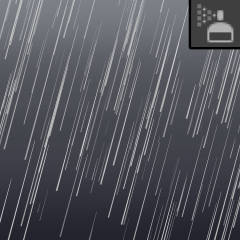
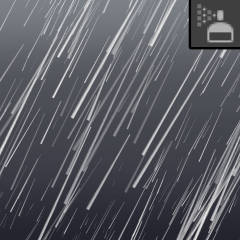
A set of brushes and tools to instantly create rainy day backgrounds.
Five new brushes have been added to the collection! Please redownload to add the new brushes to your assets library. Thank you!

* Background stamps have had their default blending mode set to "normal." Previously, these brushes used the "compare density" blending mode, however this caused confusion with some users.
* Minor fixes to a few other brush settings!


The brushes will also work with a regular computer mouse too!
【Note】 I am not online often and cannot read comments. If you need assistance: check official tutorials and forums, or contact Clip Studio support team. Thank you for understanding!
Brushes and Stamps
-
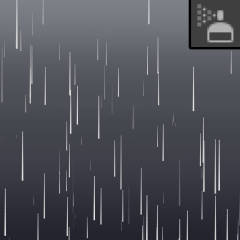
[Rain] Thin
-
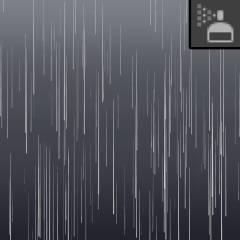
[Rain] Fast
-
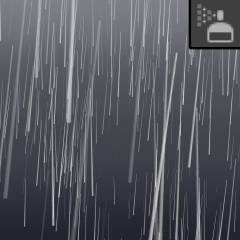
[Rain] Scattered
-
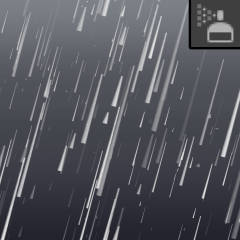
[Storm] Varied
-
[Storm] Strong
-
[Storm] Chaotic
-
Rain Bounce: Smooth
-
Rain Bounce: Sharp
-
Rain Spray
-
Puddle Ripple: Circles
-
Puddle Ripple: Handdrawn
-
Rain Blurred Bokeh
-
Rain Blurred Lines
-
Rain Water Stain
-
Dark Rainclouds
-
Rainy City Buildings
-
Rainy Residential Houses
-
Rainy Forest Trees
-
Rainy Wind Trees
-
Rainy Mountains
-
Mist Rainclouds















Gradient Backgrounds








Update history
Update: ** Five new brushes added to the set: [sharp rain bounce], [dark rainclouds], [rain blurred lines], [rain water stain], and [rainy residential houses]. ** Background stamps: changed default blending mode from "compare density" to "normal". ** Minor fixes to a few brush settings. ** Thank you!
Old version



Other materials by mh.elise


Popular “Material catalog” materials


New materials




-
 MVP ◆This user has contributed greatly to the management of the community, by posting many great responses to the questions asked. Once every three months, MVPs are determined based on the points earned during that period and will be recognized accordingly.
-
 New Valuable Player (NVP) ◆These are the next-best contributors to the community after MVPs. This is awarded to users who have not yet won an MVP award, based on the number of points they have earned.
-
 Official Expert ◆Chosen out of all MVP awardees, who are already proof of excellence, this is a testimony of outstanding correspondence in the community. After careful screening, they are appointed by CELSYS and assume their position.Note: Formally called “Evangelists”
-
 Official Moderator of CELSYS ◆Moderators are official CELSYS staff members who are fluent in Japanese as well as various other languages. Moderators are not experts on the software or illustration, so they are not able to directly answer your questions. However, moderators provide communication and language support to ensure that everyone can smoothly communicate with each other.
-
 CELSYS official accountThe Official Administrator Account