


A brush pack that acts like a stamp to add a realistic rock texture to your ground & rocks
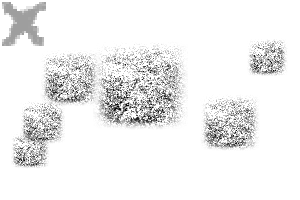
A brush pack with 3 textured brushes to be used as an overlay for your rocks and ground to make a realistic texture.
When used with a stylus, pen tilt is enabled to create a more randomised yet effect.
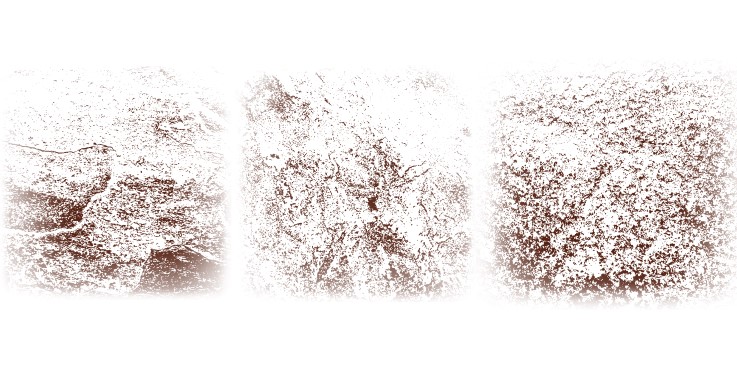
(these are pictures of my tiles in my house.....)
STEPS:

When used with a stylus, pen tilt is enabled to create a more randomised yet effect.
(these are pictures of my tiles in my house.....)
STEPS:
1- Create your rocks base using your usual methods...
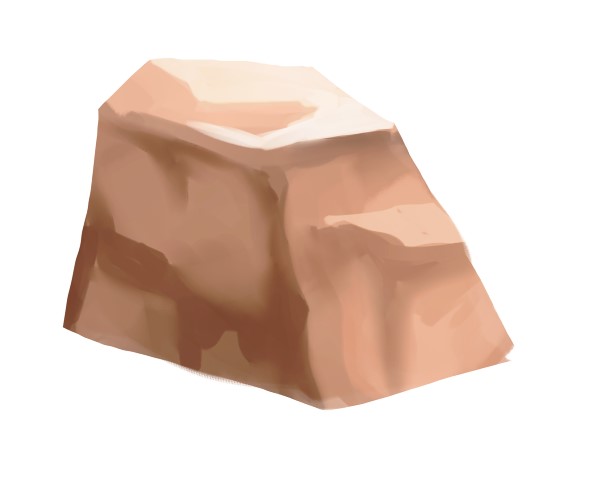
2- On a clipping layer, pick a dark colour and stamp the brush onto the dark side of the rock.
You can put this layer on multiply and lower the opacity until you reach your desired effect.

3- With a new layer, stamp the brush on the light side of the rock using a light colour.
You can put this layer on multiply and lower the opacity until you reach your desired effect.

3- With a new layer, stamp the brush on the light side of the rock using a light colour.
You can put this layer on screen on overlay and adjust the opacity until you reach your desired effect.

There are multiple different textures in the pack and you can mix and match as well!

Thank you! Enjoy!!!

There are multiple different textures in the pack and you can mix and match as well!

Thank you! Enjoy!!!
Rock Texture Brushes





Other materials by soxxyhorror

Popular “Material catalog” materials


New materials





Badges
-
 MVP ◆This user has contributed greatly to the management of the community, by posting many great responses to the questions asked. Once every three months, MVPs are determined based on the points earned during that period and will be recognized accordingly.
 -
 New Valuable Player (NVP) ◆These are the next-best contributors to the community after MVPs. This is awarded to users who have not yet won an MVP award, based on the number of points they have earned.
 -
 Official Expert ◆Chosen out of all MVP awardees, who are already proof of excellence, this is a testimony of outstanding correspondence in the community. After careful screening, they are appointed by CELSYS and assume their position.Note: Formally called “Evangelists”
 -
 Official Moderator of CELSYS ◆Moderators are official CELSYS staff members who are fluent in Japanese as well as various other languages. Moderators are not experts on the software or illustration, so they are not able to directly answer your questions. However, moderators provide communication and language support to ensure that everyone can smoothly communicate with each other.
 -
 CELSYS official accountThe Official Administrator Account
