


by
 ◆
◆
◆
Export the current layer as a PNG
Automatically export the currently selected layer on its own as a PNG, without affecting the visibility of any other layers. Works on individual layers or layer folders. Just select a layer, run the auto-action, then choose the file name. Uses layer comps to temporarily save the document state, so will not work on versions of Clip Studio before version 3.0, or in Clip Studio Debut.
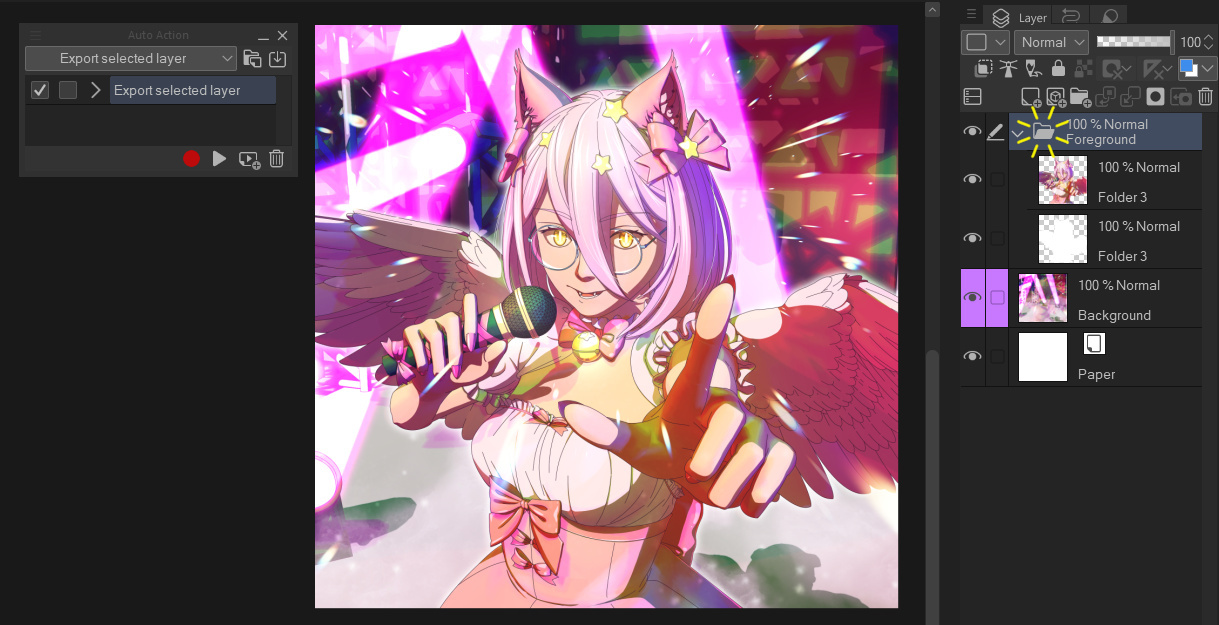
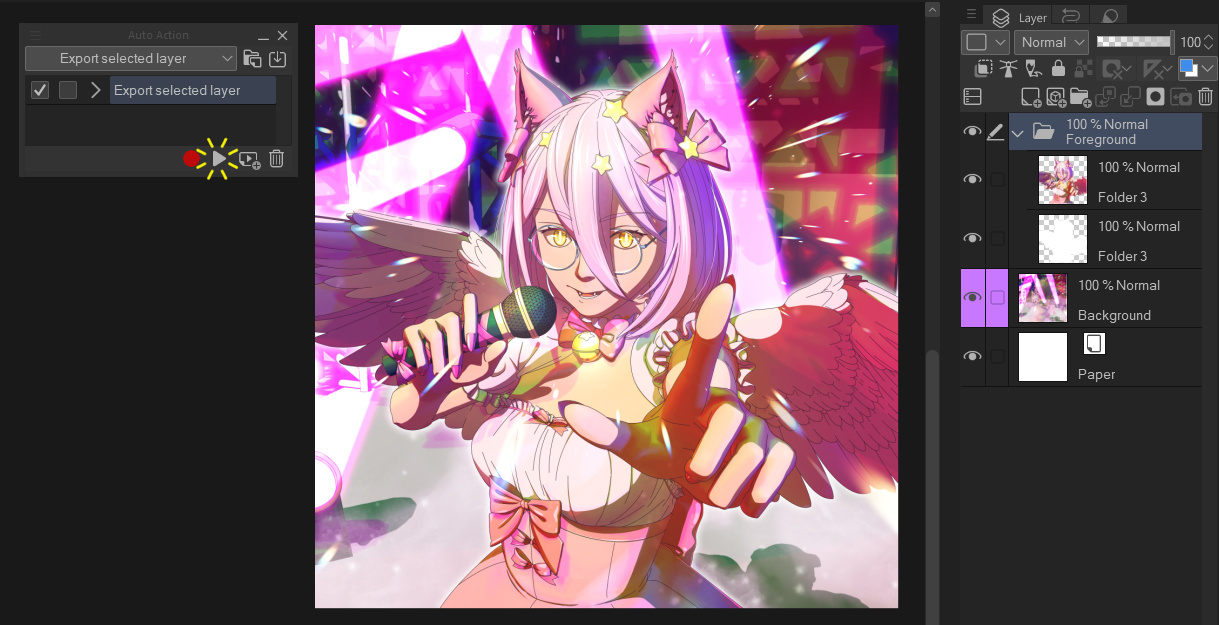
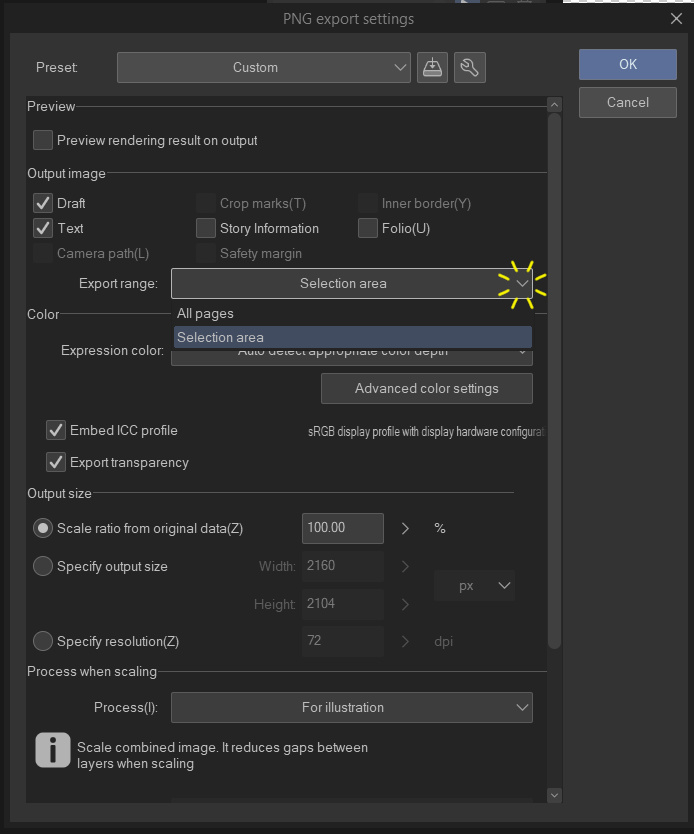

When choosing where to export the file, you can choose to either export only the parts of the layer that are drawn on (cropping any transparent pixels on the edges) by changing the "Export range" dropdown to "Selection area". Leaving it on "All pages" will export the layer at the same resolution as the canvas.
You can also register auto-actions to keyboard shortcuts for even faster exporting. Use "File -> Shortcut settings" and change the category to "Auto actions" to set this up.
Example usage
Select the layer you want to export
Run the auto-action (press the play button)
Choose a name for your file, then choose either "Selection area" or "All pages" for the export range
Done!
About Auto Actions
If you've never used an Auto Action before, here's some guides on how to use them:
https://support.clip-studio.com/en-us/faq/articles/20210077
https://support.clip-studio.com/en-us/faq/articles/20220025


Other materials by DragonWithaFez


Popular “Auto Action” materials


New materials


Badges
-
 MVP ◆This user has contributed greatly to the management of the community, by posting many great responses to the questions asked. Once every three months, MVPs are determined based on the points earned during that period and will be recognized accordingly.
 -
 New Valuable Player (NVP) ◆These are the next-best contributors to the community after MVPs. This is awarded to users who have not yet won an MVP award, based on the number of points they have earned.
 -
 Official Expert ◆Chosen out of all MVP awardees, who are already proof of excellence, this is a testimony of outstanding correspondence in the community. After careful screening, they are appointed by CELSYS and assume their position.Note: Formally called “Evangelists”
 -
 Official Moderator of CELSYS ◆Moderators are official CELSYS staff members who are fluent in Japanese as well as various other languages. Moderators are not experts on the software or illustration, so they are not able to directly answer your questions. However, moderators provide communication and language support to ensure that everyone can smoothly communicate with each other.
 -
 CELSYS official accountThe Official Administrator Account
