



It is a auto action that separates the border effect > border of the layer property with one click.
Depending on the situation, four auto action are registered.
レイヤープロパティの境界効果>フチ取り線を、ワンクリックで分離するオートアクションです。
状況に応じた、4つのオートアクションが登録されています。

[When the line is color]
While maintaining color and thickness, you can separate the edges with one click.


(2) Fill in the gaps (execute with the fill layer selected)
If a gap is created due to separation, it can be filled with the auto action of (2).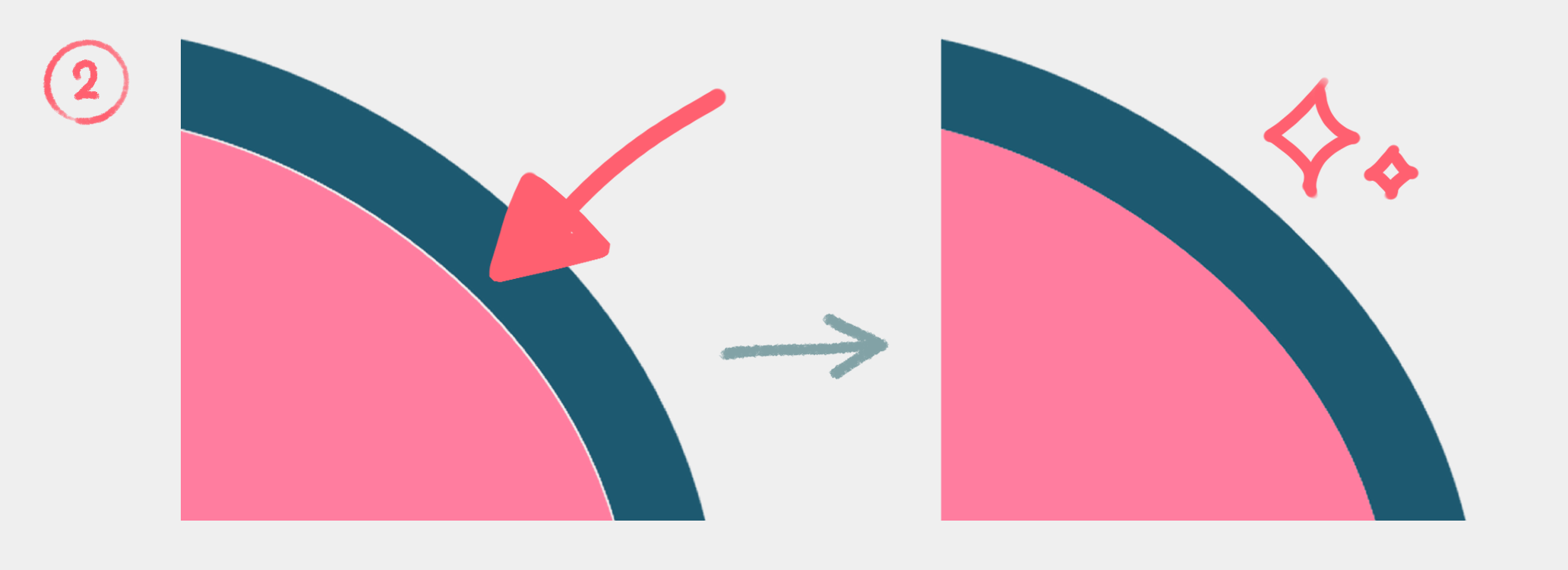
[When the line is black / part is translucent]
(1) A Separate border lines (reflect the transparency of the drawing)
(1) B Separate the border wire (border anti-aliasing)
With auto action A and B corresponding to the setting, the border can be separated. The separated border will be black, so change it if necessary.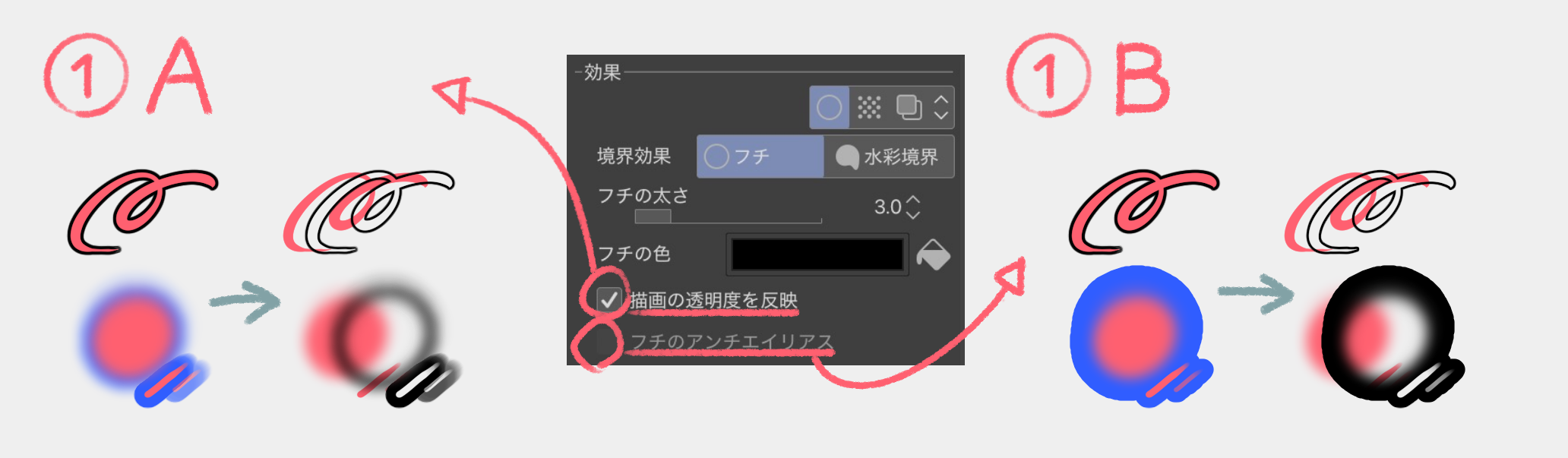
【Supported Languages】
It supports three languages: Japanese, English, and Korean. The functions are the same, so please delete unnecessary ones before use. (In other languages, the feature works just fine)

【線がカラーの場合】
色、太さを維持したまま、ワンクリックでフチ取りを分離できます。
② 隙間を埋める(塗りレイヤーを選択した状態で実行)
分離によって隙間が生まれた場合、②のオートアクションで埋めることが出来ます。
【線が黒色/一部が半透明の場合】
①A フチ取り線を分離(描画の透明度を反映)
①B フチ取り線を分離(フチのアンチエイリアス)
設定に対応したオートアクションA,Bで、フチ取りを分離出来ます。分離したフチ取りは黒色になりますので、必要に応じて変更してください。
【対応言語】
日本語、英語、韓国語3言語に対応しています。機能は同一ですので、不要なものは削除してご使用ください。(他の言語でも、機能は問題なく動作します)



Popular “Auto Action” materials


New materials


Badges
-
 MVP ◆This user has contributed greatly to the management of the community, by posting many great responses to the questions asked. Once every three months, MVPs are determined based on the points earned during that period and will be recognized accordingly.
 -
 New Valuable Player (NVP) ◆These are the next-best contributors to the community after MVPs. This is awarded to users who have not yet won an MVP award, based on the number of points they have earned.
 -
 Official Expert ◆Chosen out of all MVP awardees, who are already proof of excellence, this is a testimony of outstanding correspondence in the community. After careful screening, they are appointed by CELSYS and assume their position.Note: Formally called “Evangelists”
 -
 Official Moderator of CELSYS ◆Moderators are official CELSYS staff members who are fluent in Japanese as well as various other languages. Moderators are not experts on the software or illustration, so they are not able to directly answer your questions. However, moderators provide communication and language support to ensure that everyone can smoothly communicate with each other.
 -
 CELSYS official accountThe Official Administrator Account