


Coffee stain gradient (for gradient map) (コーヒー染みグラデーション(グラデーションマップ用)) コーヒー染みグラデーション(グラデーションマップ用)
Content ID:2294832
-
135


It is a gradation of "coffee stain" color mainly for use in "gradient map". It is convenient for making texture materials. You can also use it to adjust the color of the image as it is. 主に「グラデーションマップ」で使用するための、「コーヒー染み」色のグラデーションです。テクスチャ素材作りに便利です。そのまま画像の色調整にも使えます。
It is a gradation of "coffee stain" color mainly for use in "gradient map". It is convenient for making texture materials.
【How to use】
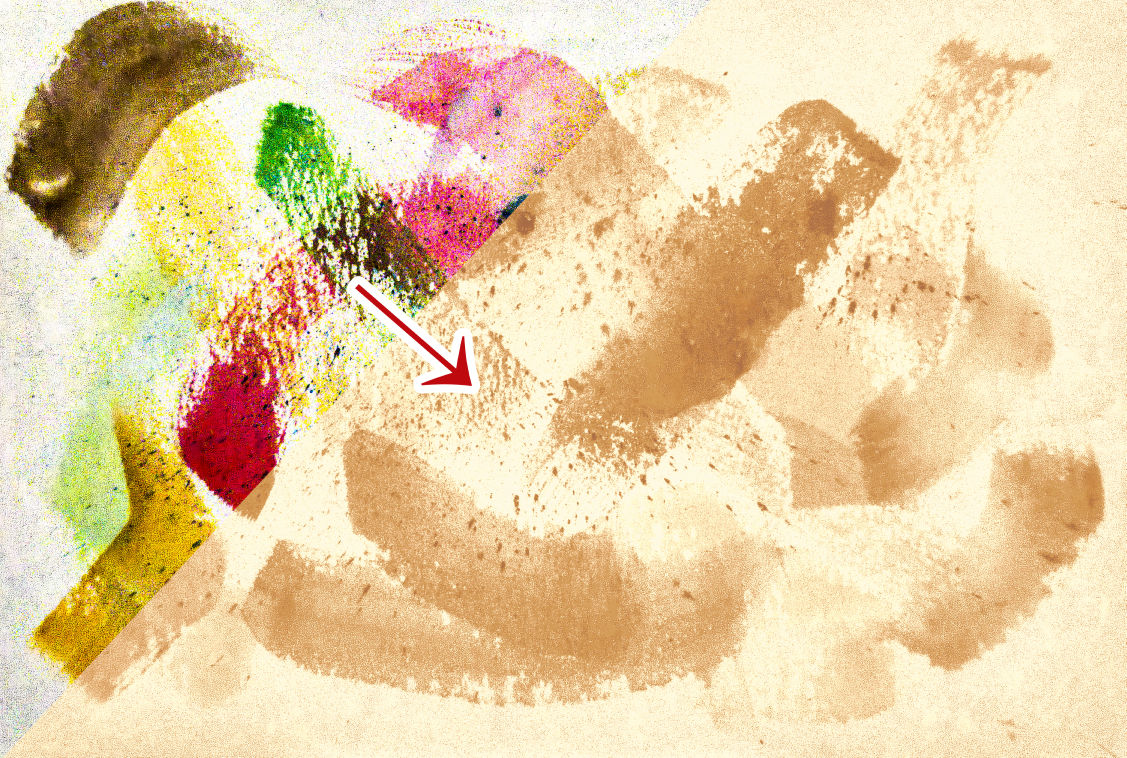

It is used by applying "gradient map" to the texture material. This is useful because you can convert colorful color textures to "coffee stain" color textures.
From this color texture (left), I used this gradient map to create a seamless texture (right)
【You can use it like this】
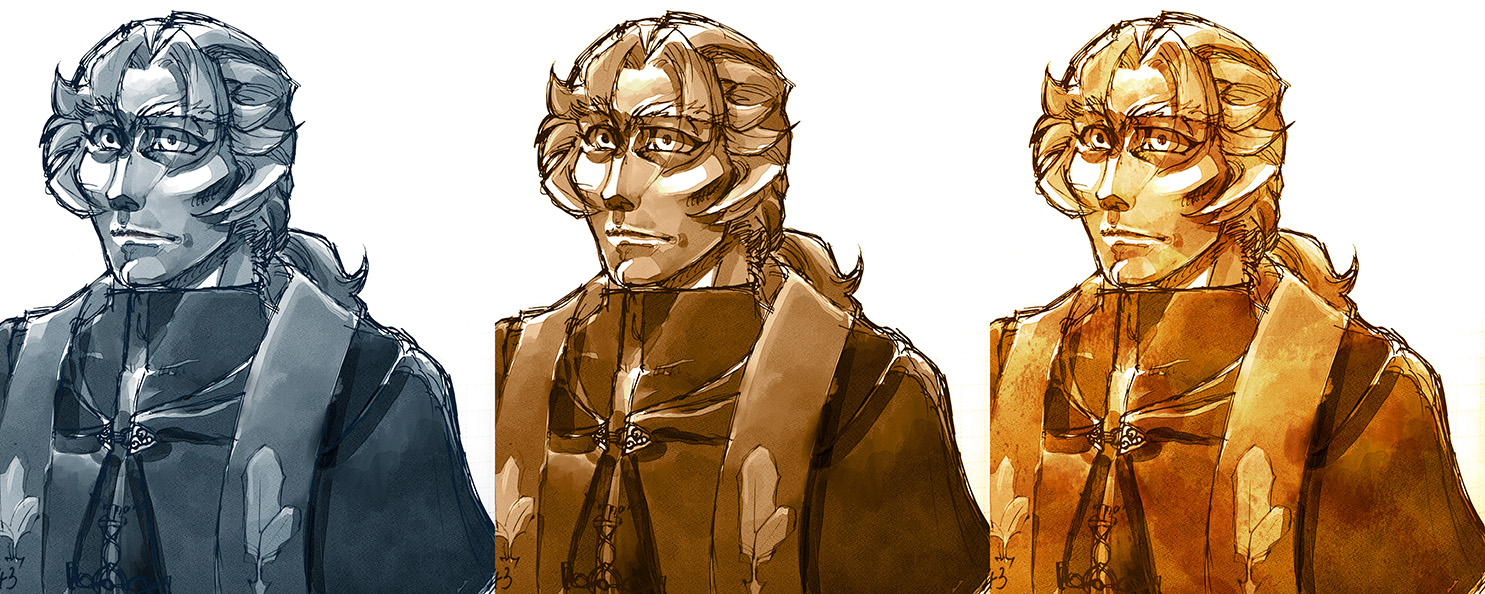
Left: Original image
Middle: This gradient multiplied with gradient map (blending mode "Color")
Right: In addition, the texture created by this gradient (upper texture) is added with "overlay"
In this way, it is very convenient to process textures made by yourself or collected from material sites into easy-to-use "coffee stain" textures.
Try it!
ーーー
Detailed tutorials and step-by-step guides on how to create textures using this gradient can be found at the link in my profile.
Detailed tutorials and step-by-step guides on how to create textures using this gradient can be found via the link in my profile!
主に「グラデーションマップ」で使用するための、「コーヒー染み」色のグラデーションです。テクスチャ素材作りに便利です。
【使い方】
テクスチャ素材に「グラデーションマップ」でかけて使用します。カラフルな色のテクスチャを、「コーヒー染み」色のテクスチャに変換できるので便利です。
このカラーテクスチャ(左)から、このグラデーションマップを使用してシームレステクスチャを作りました(右)
【このように使えます】
左: オリジナルの画像
真ん中: このグラデーションでグラデーションマップをかけたもの(ブレンドモード「カラー」)
右: さらにこのグラデーションで作ったテクスチャ(上のテクスチャ)を「オーバーレイ」で乗せたもの
このように、自作したり素材サイトから集めたテクスチャを、使いやすい「コーヒー染み」テクスチャに加工するのに大変便利です。
使ってみて下さい!
ーーー
このグラデーションを使ったテクスチャの作り方に関する詳しいチュートリアルや手順ガイドは、私のプロフィール欄のリンクからご覧いただけます。
Detailed tutorials and step-by-step guides on how to create textures using this gradient can be found via the link in my profile!





Other materials by d-dragon


Popular “Gradient set” materials


New materials





Badges
-
 MVP ◆This user has contributed greatly to the management of the community, by posting many great responses to the questions asked. Once every three months, MVPs are determined based on the points earned during that period and will be recognized accordingly.
 -
 New Valuable Player (NVP) ◆These are the next-best contributors to the community after MVPs. This is awarded to users who have not yet won an MVP award, based on the number of points they have earned.
 -
 Official Expert ◆Chosen out of all MVP awardees, who are already proof of excellence, this is a testimony of outstanding correspondence in the community. After careful screening, they are appointed by CELSYS and assume their position.Note: Formally called “Evangelists”
 -
 Official Moderator of CELSYS ◆Moderators are official CELSYS staff members who are fluent in Japanese as well as various other languages. Moderators are not experts on the software or illustration, so they are not able to directly answer your questions. However, moderators provide communication and language support to ensure that everyone can smoothly communicate with each other.
 -
 CELSYS official accountThe Official Administrator Account