



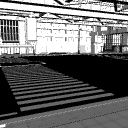
It is a corner of the city with a flyover overhead. The motif is the bay area along the urban expressway extending from the Tokyo Bay coast to Yokohama.
[Reference image by LT conversion below] * No additions have been made after LT conversion.
頭上に高架道路が伸びる街の一角です。東京湾岸から横浜方面へ伸びる都市高速道路沿いのベイエリアをモチーフにしています。
【以下LT変換による参考画像】※LT変換後の加筆は行っていません。


Material マテリアル
-
default material 初期マテリアル
Configuration 配置
-
default layout 初期レイアウト
-
Cityscape 1 Hidden 街並1 非表示
-
Cityscape 2 Hidden 街並2 非表示
-
Cityscape 3 Hidden 街並3 非表示
-
Cityscape 4 Hidden 街並4 非表示
-
Cityscape 5 Hidden 街並5 非表示
-
Cityscape 6 Hidden 街並6 非表示
-
Flyover hidden 高架道路 非表示
-
Road only 道路のみ









Old version


Other materials by ---ZEN---


Popular “3D object” materials


New materials







-
 MVP ◆This user has contributed greatly to the management of the community, by posting many great responses to the questions asked. Once every three months, MVPs are determined based on the points earned during that period and will be recognized accordingly.
 -
 New Valuable Player (NVP) ◆These are the next-best contributors to the community after MVPs. This is awarded to users who have not yet won an MVP award, based on the number of points they have earned.
 -
 Official Expert ◆Chosen out of all MVP awardees, who are already proof of excellence, this is a testimony of outstanding correspondence in the community. After careful screening, they are appointed by CELSYS and assume their position.Note: Formally called “Evangelists”
 -
 Official Moderator of CELSYS ◆Moderators are official CELSYS staff members who are fluent in Japanese as well as various other languages. Moderators are not experts on the software or illustration, so they are not able to directly answer your questions. However, moderators provide communication and language support to ensure that everyone can smoothly communicate with each other.
 -
 CELSYS official accountThe Official Administrator Account