



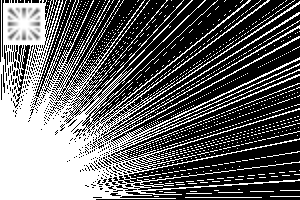
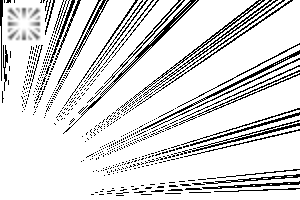
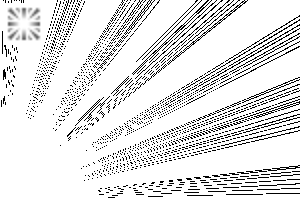
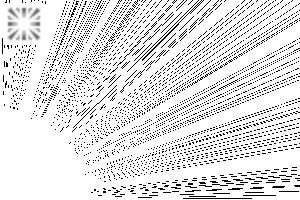
It is a toolset of cartoon saturated line.
I have prepared something that is not neat and shapely, but rather random.
(You can also create a slightly more even one with simple adjustments.) )
Depending on the intended usage, there are pen types and circular drawing types.
Please use a mask in the range selection.

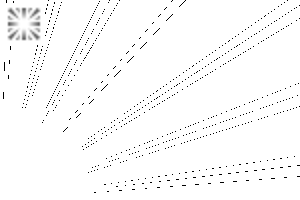
↓ "Circular Even" is a little faint.

This tool is set on the assumption that it will be drawn smaller.
saturated line tools look quite different depending on the size of the drawing.
As a countermeasure, by drawing small and then enlarging with object tools,
Regardless of the size of the manuscript, we made it possible to use it without changing the appearance too much.
* This is a premise to be draw on saturated line layer.
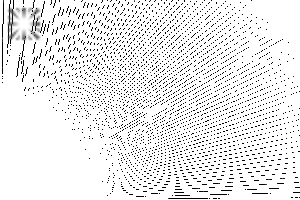
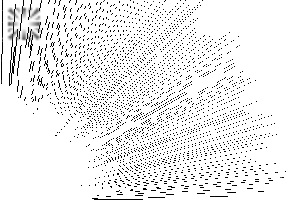
Please note that drawing on a normal layer will cause jagging and blurring.

It takes a little effort, but the smaller the drawing, the lighter the movement.
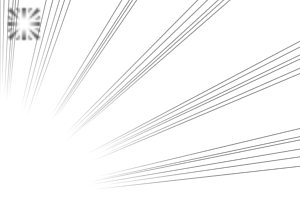
↓ By drawing at this size, it will be close to the image in the list above.

Easy to adjust settings! … It should be
Since the setting items on the tool property are narrowed down according to each tool,
If you want to change the thickness or gap a little, or if you want to draw a larger one from the beginning,
I think it is relatively easy to make adjustments without changing the image too much.
The pen mold is convenient to draw only in the range you like, such as ↓. (Drawn as default value on A5)


↓ Even if you just change the thickness or uncheck some of the setting values
You can easily make variations.


Please try customize!
漫画の集中線のツールセットです。
整った図形風ではない、ややランダムめの物を揃えました。
(もう少し均等なものも簡単な調整で作成出来ます。)
使用方法の想定に合わせて、ペン型と円形描写型があります。
範囲選択でマスクしてご使用下さい。
↓「円形 均」は入りが少しかすれます。
当ツールは、小さめに描画する前提で設定しています。
集中線ツールは描画するサイズによって見た目が結構変わってしまいます。
その対策に、小さく描画したあとにオブジェクトツールで拡大することで、
原稿サイズに関わらず、あまり見た目を変えずに使えるようにしました。
※集中線レイヤーに描画する前提です。
通常レイヤーへの描画ではジャギやボケが発生してしまうのでご注意下さい。
ひと手間かかりますが、小さく描画する方が、動作も多少軽いです。
↓これくらいのサイズで描画することで、上の一覧のイメージに近くなります。
設定調整が楽!…なはず
ツールプロパティ上の設定項目を各ツールに合わせて絞っているので、
少し太さや隙間をもう変えたい、最初からもっと大きく描画したい等の場合も、
比較的簡単に、あまりイメージを変えない調整が出来ると思います。
ペン型は↓のような好きな範囲にだけ描くのに便利です。(A5に初期値で描画)
↓太さだけ変えたり、設定値のチェックをいくつか外すだけでも
バリエーションが手軽に作れます。
是非カスタマイズをお試しください!
Category 1 カテゴリ1
-
saturated line Pen Paint 集中線 ペン 塗
-
saturated line Pen Dark 集中線 ペン 濃
-
saturated line Peng Qiang 集中線 ペン 強
-
saturated line Pen Gap 集中線 ペン 隙
-
saturated line Pen dense 集中線 ペン 密
-
saturated line Pen small 集中線 ペン 少
-
saturated line Hitoshi Penn 集中線 ペン 均
-
saturated line Round Small 集中線 円形 少
-
saturated line Round Hitoshi 集中線 円形 均
-
saturated line Round dense 集中線 円形 密
-
saturated line Round Dark 集中線 円形 濃








Other materials by horitora


Popular “Material catalog” materials


New materials




Badges
-
 MVP ◆This user has contributed greatly to the management of the community, by posting many great responses to the questions asked. Once every three months, MVPs are determined based on the points earned during that period and will be recognized accordingly.
 -
 New Valuable Player (NVP) ◆These are the next-best contributors to the community after MVPs. This is awarded to users who have not yet won an MVP award, based on the number of points they have earned.
 -
 Official Expert ◆Chosen out of all MVP awardees, who are already proof of excellence, this is a testimony of outstanding correspondence in the community. After careful screening, they are appointed by CELSYS and assume their position.Note: Formally called “Evangelists”
 -
 Official Moderator of CELSYS ◆Moderators are official CELSYS staff members who are fluent in Japanese as well as various other languages. Moderators are not experts on the software or illustration, so they are not able to directly answer your questions. However, moderators provide communication and language support to ensure that everyone can smoothly communicate with each other.
 -
 CELSYS official accountThe Official Administrator Account