





▼ It is good to draw with a brush sold separately without using leaves.


▼ Only the fence is integrated
Leaves and trunk are not interlocked

 LT Conversion
The appearance of the leaves changes by adjusting the "depth of the line" in the figure below.
If you feel that the first layer (line art) after LT conversion is dark, you may want to display only the second layer (texture line art).


Number of vertices: Approx. 140,000
Depending on the machine specifications, the operation may be heavy.
We recommend that you save production files frequently before placing materials or before extract line.
▼ 葉は使用せず、別売りブラシで描くのも良い
▼ 塀のみ一体化
葉と幹は連動していません
LT変換葉の見え方は、下図の「線の奥行き」の調整で変わります。
LT変換後の、1番目レイヤー(線画)が濃いと感じたら、2番目のレイヤー(テクスチャ線画)だけ表示でも良いかもしれません。
頂点数:約14万
マシンスペックによっては操作が重くなる可能性があります。
素材の配置前やライン抽出前など、制作ファイルのこまめな保存をおすすめします。
Material マテリアル
-
Color Color
-
No Color No Color


Configuration 配置
-
No Leaf(葉無) No Leaf(葉無)
-
all all
-
Trunk(幹) Trunk(幹)

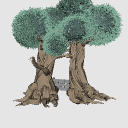
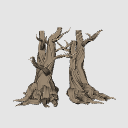
Angle アングル
-
Front1 Front1
-
Front Right Front Right
-
Between Between
-
From above From above
-
Front Left Front Left
-
Back1 Back1
-
Back2 Back2
-
Lower Angle Lower Angle
-
Front2 Front2
-
Right Right
-
Back3 Back3
-
Left Left

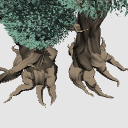
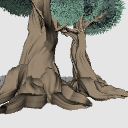
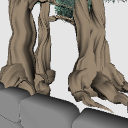
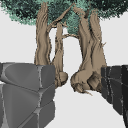
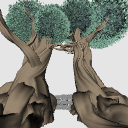

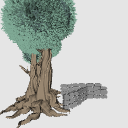
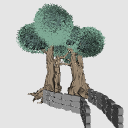
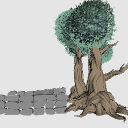


Other materials by dpsbk


Popular “3D object” materials




New materials





Badges
-
 MVP ◆This user has contributed greatly to the management of the community, by posting many great responses to the questions asked. Once every three months, MVPs are determined based on the points earned during that period and will be recognized accordingly.
 -
 New Valuable Player (NVP) ◆These are the next-best contributors to the community after MVPs. This is awarded to users who have not yet won an MVP award, based on the number of points they have earned.
 -
 Official Expert ◆Chosen out of all MVP awardees, who are already proof of excellence, this is a testimony of outstanding correspondence in the community. After careful screening, they are appointed by CELSYS and assume their position.Note: Formally called “Evangelists”
 -
 Official Moderator of CELSYS ◆Moderators are official CELSYS staff members who are fluent in Japanese as well as various other languages. Moderators are not experts on the software or illustration, so they are not able to directly answer your questions. However, moderators provide communication and language support to ensure that everyone can smoothly communicate with each other.
 -
 CELSYS official accountThe Official Administrator Account