



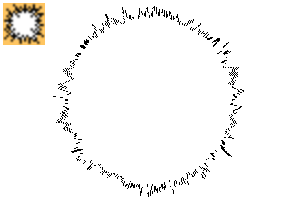
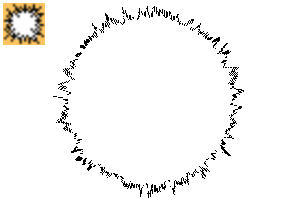
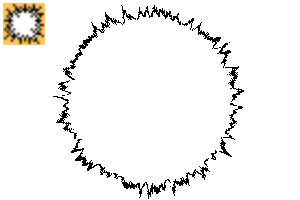
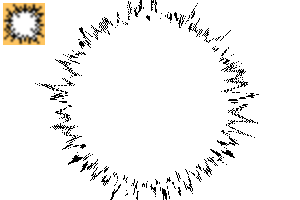
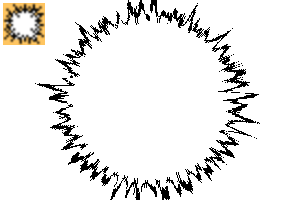
It is a circle tool that can draw shock waves with a little randomness.
少しランダム性のある衝撃波が描ける円ツールです。
- A circle shape tool that draws shock waves one by one.
- Please register and use the sub tool palette.
- Recommended for use in raster layer. Due to the specifications of the CLIP STUDIO, the inside of the circle will not be filled when used in vector layer, so please add as appropriate.
- By default, the proportion of the circle is fixed. If you want to make it an ellipse, uncheck the ratio of the circle.


- ABC at the end of the tool name... to identify the line width.
- The black lines in the sample reflect the main color, and the white fill reflect the sub color.
- In some samples, circles are drawn overlapping the same line width, but they are drawn one by one with this tool. You can't draw multiple circles at once.
- The sample is drawn at B5 version / 600 dpi / raster layer.

- It also supports color.
- When the dual brush is turned on, a sub color line is attached.
- 衝撃波をひとつずつ描く円の図形ツールです。
- サブツールパレットに登録してお使いください。
- ラスターレイヤーでの使用をおすすめします。クリスタの仕様上、ベクターレイヤーで使用すると円の中が塗り潰されませんので、適宜塗り足してください。
- デフォルトでは円の比率が固定されています。楕円にしたい場合は円の比率のチェックを外してください。
- ツール名末尾のabc...で線の太さを識別しています。
- サンプルの黒い線の部分にはメインカラーが反映さされ、白い塗りつぶしは部分にはサブカラーが反映されます。
- サンプルでは同じ線の太さ同士で円が重なって描かれているのものがありますが、このツールでひとつずつ描いたものです。複数の円が一度に描けるわけではありません。
- サンプルは、B5版/600dpi/ラスターレイヤーに描画しています。
- カラーにも対応しています。
- デュアルブラシをONにすると、サブカラーの線が付きます。
1 1






2 2





3 3




4 4




5 5

6 6




7 7




8 8




9 9



10 10




11 11




12 12


13 13




14 14




15 15




16 16




17 17




18 18




19 19




20 20






Other materials by あらまちこ


Popular “Material catalog” materials


New materials







-
 MVP ◆This user has contributed greatly to the management of the community, by posting many great responses to the questions asked. Once every three months, MVPs are determined based on the points earned during that period and will be recognized accordingly.
 -
 New Valuable Player (NVP) ◆These are the next-best contributors to the community after MVPs. This is awarded to users who have not yet won an MVP award, based on the number of points they have earned.
 -
 Official Expert ◆Chosen out of all MVP awardees, who are already proof of excellence, this is a testimony of outstanding correspondence in the community. After careful screening, they are appointed by CELSYS and assume their position.Note: Formally called “Evangelists”
 -
 Official Moderator of CELSYS ◆Moderators are official CELSYS staff members who are fluent in Japanese as well as various other languages. Moderators are not experts on the software or illustration, so they are not able to directly answer your questions. However, moderators provide communication and language support to ensure that everyone can smoothly communicate with each other.
 -
 CELSYS official accountThe Official Administrator Account