


【Trial version】Smartphone_Photography 3D (【お試し版】スマホ_写真撮影中3D) 【お試し版】スマホ_写真撮影中3D
Content ID:2266020
-
218


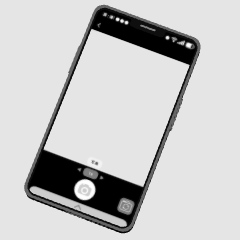
This is a trial version of the 3D material that is taking pictures with a smartphone.
Feel free to give it a try.
スマホで写真撮影中の3D素材のお試し版です。
お気軽にお試しください。
You can use it as shown below.
However, since this material is a trial version, the material cannot be changed.

↓ This material is a trial version from this smartphone 3D material.

It contains various screens for photo and video shooting, video sites, and recordings.
There is also a screen during live streaming, so please be interested.

Since this material is a trial version, it is only "01 Photography_ Vertical".


If you use a drawing doll with a parent-child relationship, it is convenient because it is easy to try and accurately understand that the photo will look like this when you hold the camera like this.
The above figure is only a drawing doll, but I think it is more convenient in a scene where there is also a background material.
Since it is a trial version, there is only one type of layout and material.

Depending on the angle, there will be extra things in the blue circle in the figure below.

You can avoid this by hiding the buttons.

If you are not a trial version, you can easily switch between showing and hiding in the layout.
Also, please note that the 3D material for shooting cannot be used as a normal smartphone because the back of the smartphone has a hole for convenience.
↓ When converting LT, it may be better to gray the tone of the smartphone screen than to tone it.

The figure below is an example of LT conversion (with additions).

↓ I think it would be better if the size of the subject is different between the camera screen and the outside screen.

↓ We are exhibiting various smartphone materials.


↓ Depending on the camera angle, we also exhibit materials that prevent the shadow of the 3D layer from turning black and causing trouble.

↓ We also list auto action materials that are convenient for LT conversion.

↓ As an example, the left figure is a normal LT conversion and the right figure is a auto action.

It is convenient because the shadow of the curved surface is clear.
You can also make the lines beautiful.
I think that the 3D material of the smartphone can also be used auto action to clean up the shadows of the rounded corners on the sides.
下図のような感じで使えます。
ですが、本素材はお試し版なのでマテリアルは変更できません。
↓本素材はこちらのスマホ3D素材からのお試し版になります。
写真・動画撮影、動画サイト、録音の画面がいろいろ入っています。
ライブ配信中の画面などもあるのでご興味がありましたらどうぞ。
本素材はお試し版なので「01 写真撮影_縦」のみです。
親子関係を設定したデッサン人形を活用すればこうカメラを構えると写真はこんなアングルになる、という事が試しやすく正確にわかるので便利です。
上図はデッサン人形だけですが、背景素材もある場面ではより便利かと思います。
お試し版のため、レイアウトやマテリアルは1種類です。
角度によっては下図の青い丸の箇所に余計なものが出ます。
ボタン類を非表示にすると避けられます。
お試し版ではない方はレイアウトで表示非表示を簡単に切り替えられます。
また、撮影中用の3D素材は都合上スマホの背面は穴が空いているため普通のスマホとしては使えませんのでその点ご注意ください。
↓LT変換の際はスマホ画面部分のトーンは階調化するよりグレースケールの方がいいかもです。
下図はLT変換(加筆あり)の例です。
↓カメラ画面と画面の外で被写体のサイズ感が違う方がそれっぽいかと思います。
↓スマホ素材いろいろ出品しています。
↓カメラアングルによっては3Dレイヤーの陰影が黒くなって困ってしまう事を防ぐ素材も出品しています。
↓LT変換する時に便利なオートアクション素材も出品しています。
↓例ですが、左図が通常のLT変換、右図がオートアクションを使用したものです。
曲面の陰影がすっきりしたりするので便利です。
線も綺麗に出せたりします。
スマホの3D素材もオートアクションの使用で側面の丸みのある角部分の陰影をすっきりさせられるかと思います。
【Trial version】For shooting 3D_4_ smartphone 【お試し版】スマホ3D_4_撮影中用




Other materials by ldl


Popular “Material catalog” materials


New materials


Badges
-
 MVP ◆This user has contributed greatly to the management of the community, by posting many great responses to the questions asked. Once every three months, MVPs are determined based on the points earned during that period and will be recognized accordingly.
 -
 New Valuable Player (NVP) ◆These are the next-best contributors to the community after MVPs. This is awarded to users who have not yet won an MVP award, based on the number of points they have earned.
 -
 Official Expert ◆Chosen out of all MVP awardees, who are already proof of excellence, this is a testimony of outstanding correspondence in the community. After careful screening, they are appointed by CELSYS and assume their position.Note: Formally called “Evangelists”
 -
 Official Moderator of CELSYS ◆Moderators are official CELSYS staff members who are fluent in Japanese as well as various other languages. Moderators are not experts on the software or illustration, so they are not able to directly answer your questions. However, moderators provide communication and language support to ensure that everyone can smoothly communicate with each other.
 -
 CELSYS official accountThe Official Administrator Account