



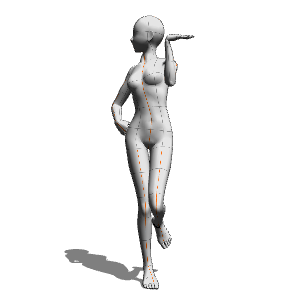
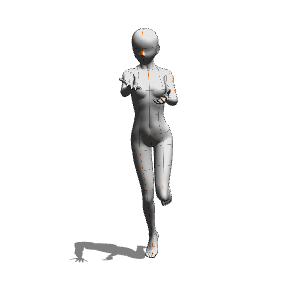
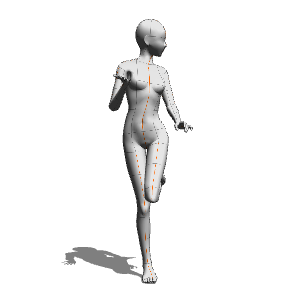
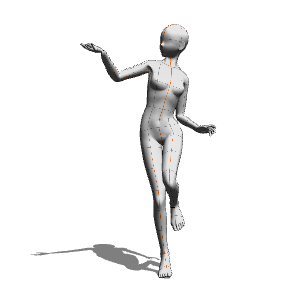
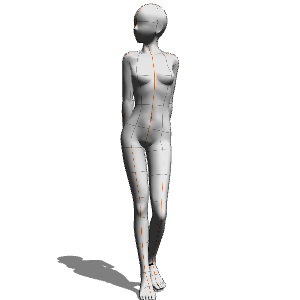
Created using 3D drawing figure-Ver.2 (default).

Tray and other small items are not included.
Please adjust your body shape, pose, etc. to your liking.

☆ How to put out the 3D drawing figure
From the Window menu→ select Material → Material: 3D.
Open the Body Types folder in the material palette.
Place the desired drawing doll by dragging and dropping it onto the canvas.
☆ How to apply pose material
Pose material from the material palette into a doll
Drag and drop to apply the pose.
☆ How to change body shape
Select the doll and click object on the far right of the launcher
Click the [Adjust 3D drawing figure body shape] icon.
On the displayed slider (tool property or sub tool detail)
You can adjust the head, body, muscle mass, and thickness.
3Dデッサン人形-Ver.2 (デフォルト)を使用して作成しています。
トレイやその他小物は付属しません。
お好みで体型、ポーズなど調整してご利用下さい。
☆3Dデッサン人形の出し方
[ウィンドウ]メニュー → [素材] → [素材:3D] を選択します。
素材パレット内の[体型]フォルダーを開きます。
目的のデッサン人形をキャンバスにドラッグ&ドロップして配置します。
☆ポーズ素材の適応方法
素材パレットからポーズの素材を人形に
ドラッグ&ドロップするとポーズが適応されます。
☆体型の変更方法
人形を選択し、オブジェクトランチャーの右端にある
[3Dデッサン人形の体型を調整]アイコンをクリック。
表示されたスライダー([ツールプロパティ]または[サブツール詳細])で
頭身や筋肉量、太さを調整できます。
Category 1 カテゴリ1





Other materials by tori©


Popular “Material catalog” materials


New materials




Badges
-
 MVP ◆This user has contributed greatly to the management of the community, by posting many great responses to the questions asked. Once every three months, MVPs are determined based on the points earned during that period and will be recognized accordingly.
 -
 New Valuable Player (NVP) ◆These are the next-best contributors to the community after MVPs. This is awarded to users who have not yet won an MVP award, based on the number of points they have earned.
 -
 Official Expert ◆Chosen out of all MVP awardees, who are already proof of excellence, this is a testimony of outstanding correspondence in the community. After careful screening, they are appointed by CELSYS and assume their position.Note: Formally called “Evangelists”
 -
 Official Moderator of CELSYS ◆Moderators are official CELSYS staff members who are fluent in Japanese as well as various other languages. Moderators are not experts on the software or illustration, so they are not able to directly answer your questions. However, moderators provide communication and language support to ensure that everyone can smoothly communicate with each other.
 -
 CELSYS official accountThe Official Administrator Account