



Dejirumi Atsubetsu affiliation
My name is Maruto, the creator. I'm a beginner who has just touched Blender, but thank you.
でじるみ厚別所属
制作者の『まると』と申します。Blenderに触れてまだ間もない初心者ですがよろしくお願いします。
We created a model of a simple classroom.

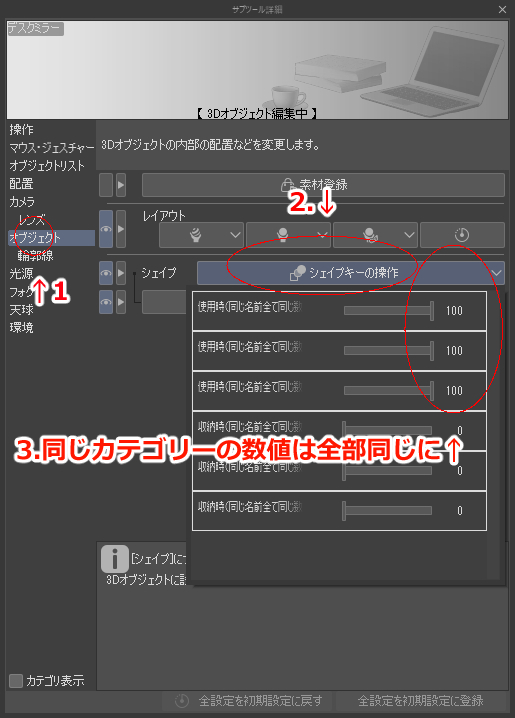


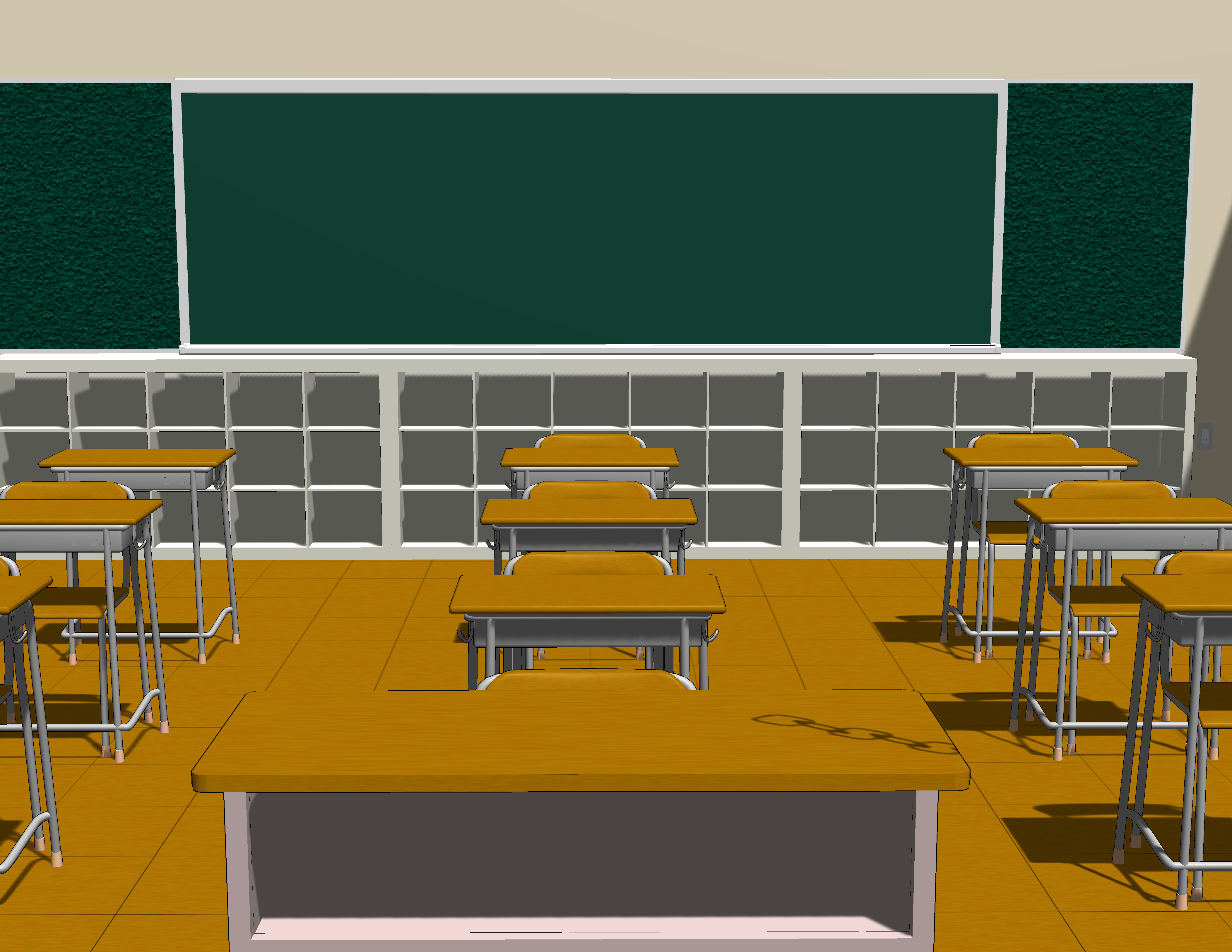



Various object can be selected and moved, rotated, displayed, etc., and the height of the chair for faculty members can be adjusted, and the projector screen can be expanded and stored can be moved with the shape key.
★Using★
〇 Select object and switch the display method

〇 How to operate shape keys
〇 Method of rendering settings

★Preview★


★Bonus★
Rendering model on Blender

1. Due to the specifications of the clip studio, it can only be locked on a per-model basis.
The object are grouped into a single model.
Please note that each object cannot be locked individually.
* It is possible to separate models, but it was not possible to upload multiple models to one material.
2. Recommended settings
The texture on the bulletin board is weird, so I switch the rendering settings from "Fon" to "Gouraud".
* If the model is not exported or rasterize
The model looks very grainy, but I think it will be improved a little if it is exported or rasterize.
シンプルな教室のモデルを制作しました。
各種オブジェクトは選択して移動、回転、表示切替等可能で教員用の椅子の高さ調整、プロジェクタースクリーンの展開収納はシェイプキーにて可動できます。
★使い方★
〇オブジェクトを選択、表示の切替方法
〇シェイプキーの操作方法
〇レンダリング設定の方法
★プレビュー★
★おまけ★
Blender上でのレンダリングモデル
1. クリップスタジオの仕様上モデル単位でのロックしかできないため
一つのモデルにオブジェクトをまとめています。
各オブジェクトを個別にロックすることはできませんのでご了承ください。
※モデルを分けることも可能ですが複数のモデルを一つの素材にまとめてアップロードすることができませんでした。
2. おすすめ設定
掲示板のテクスチャがおかしくなっているのでレンダリング設定を『フォン』から『グーロー』に切り替える。
※モデルを書き出しやラスタライズ化してない状態だと
モデルが非常に粗い感じに見えますが、書き出しやラスタライズ化したら多少改善されるかと思います。
Material マテリアル


Other materials by でじるみ札幌厚別


Popular “3D object” materials




New materials







Badges
-
 MVP ◆This user has contributed greatly to the management of the community, by posting many great responses to the questions asked. Once every three months, MVPs are determined based on the points earned during that period and will be recognized accordingly.
 -
 New Valuable Player (NVP) ◆These are the next-best contributors to the community after MVPs. This is awarded to users who have not yet won an MVP award, based on the number of points they have earned.
 -
 Official Expert ◆Chosen out of all MVP awardees, who are already proof of excellence, this is a testimony of outstanding correspondence in the community. After careful screening, they are appointed by CELSYS and assume their position.Note: Formally called “Evangelists”
 -
 Official Moderator of CELSYS ◆Moderators are official CELSYS staff members who are fluent in Japanese as well as various other languages. Moderators are not experts on the software or illustration, so they are not able to directly answer your questions. However, moderators provide communication and language support to ensure that everyone can smoothly communicate with each other.
 -
 CELSYS official accountThe Official Administrator Account