



Dejirumi Atsubetsu affiliation
My name is Maruto, the creator. I'm a beginner who has just touched Blender, but thank you.
でじるみ厚別所属
制作者の『まると』と申します。Blenderに触れてまだ間もない初心者ですがよろしくお願いします。
I made a simple sword hanging.


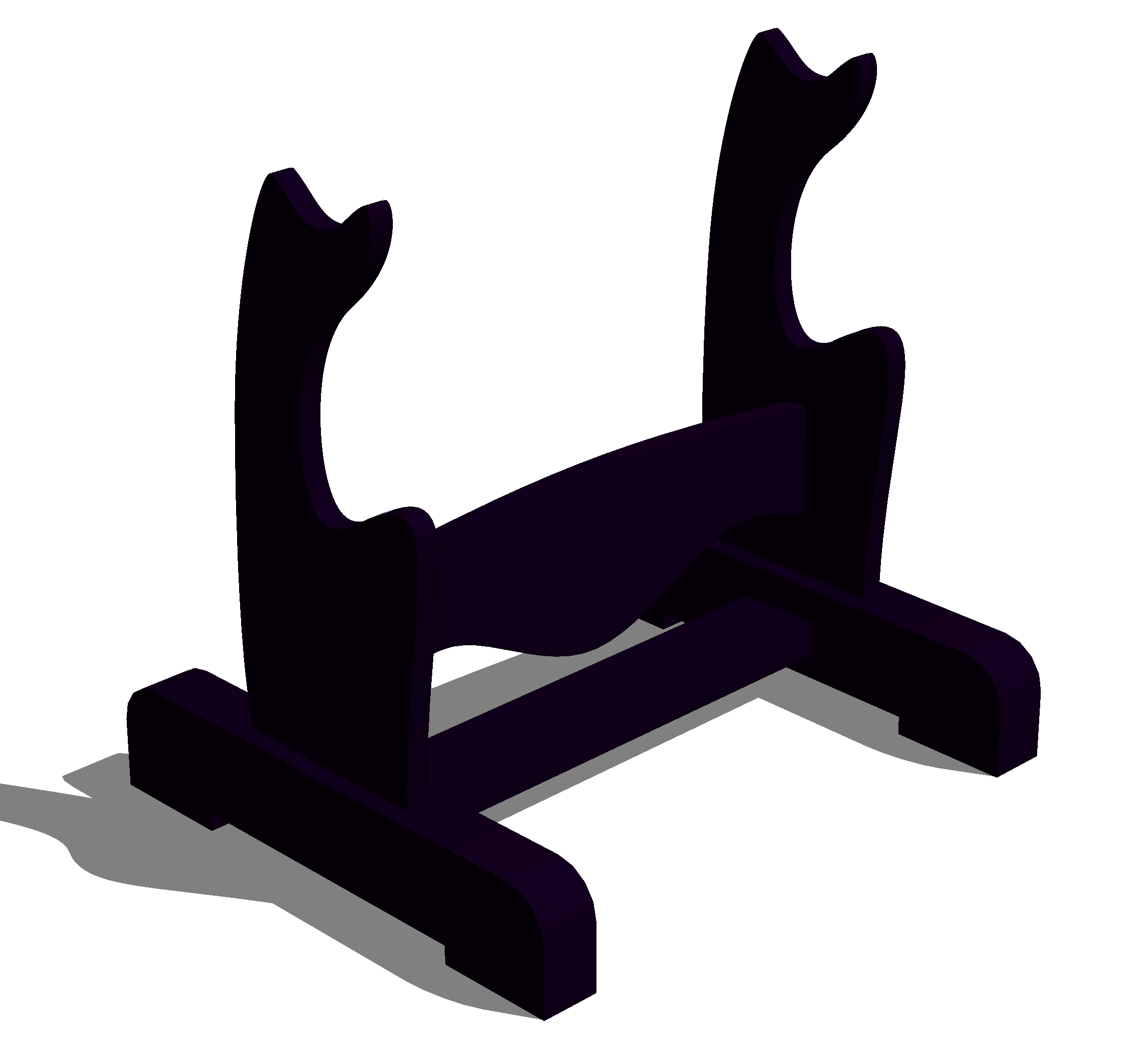
In addition, in order to match various sword sizes, we have made it possible to transform horizontally and vertically individually.
★use★
〇 Deformation method (shape key operation method)

★preview★

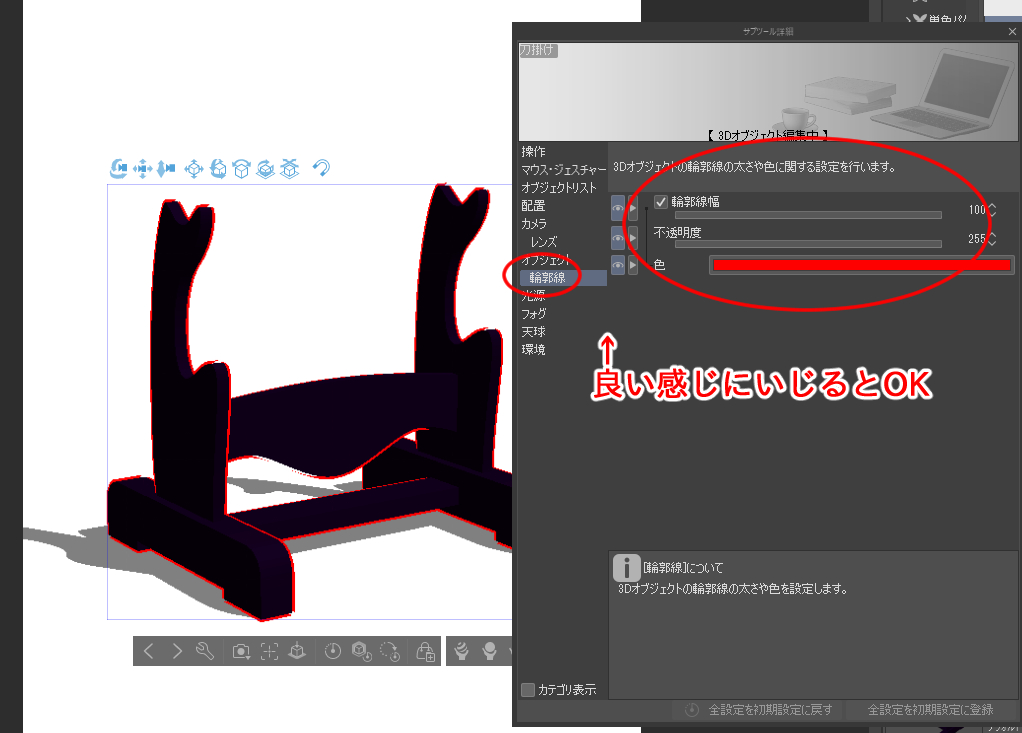
【How to apply the outline】
■Pattern A
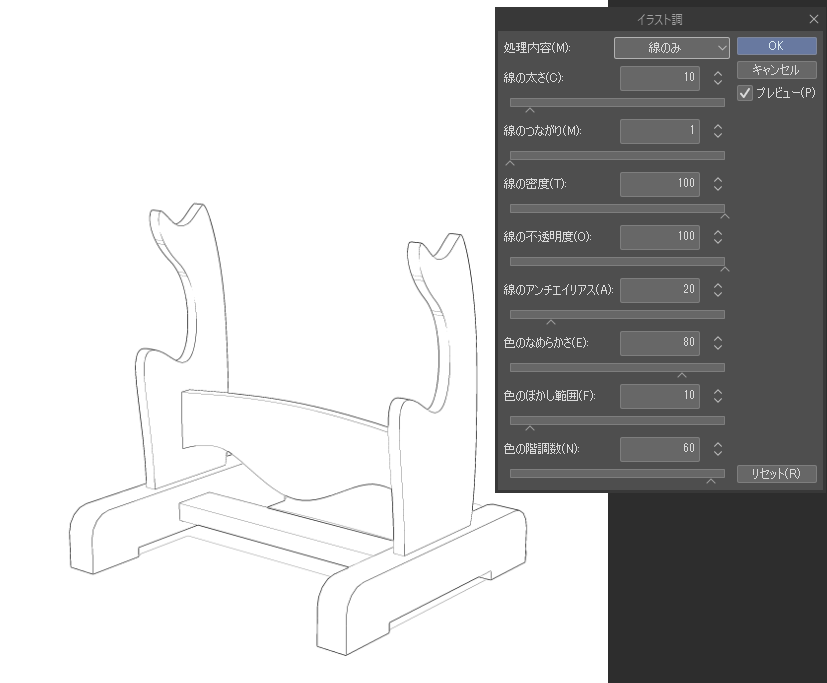
■Pattern B
It's a bit of a hassle, but...
(1) Install the model nicely and decide the angle.
(2) rasterize the layers of the model.
(3) Select "Filter" → "Effect" → "Illustration Style"
You can extract the outline by tweaking the numbers nicely. (Maybe if there is a shadow setting, the outline of the shadow will also be extracted, so I wonder if you can take measures by turning off the shadow in the situation ...)
シンプルな刀掛けを制作しました。
また、色々な刀のサイズに合わせるために横と縦の個別に変形可能な仕様にしました。
★使い方★
〇変形の方法(シェイプキー操作方法)
★プレビュー★
【輪郭のつけ方】
■パターンA
■パターンB
少し手間ですが…
①モデルをいい感じに設置して角度を決めます。
②モデルのレイヤーをラスタライズ化します。
③『フィルター』 → 『効果』 → 『イラスト調』 を選択
数値をいい感じにいじると輪郭を抽出できます。(多分影の設定があると影の輪郭線も抽出するので状況で影をOFFにしたりして対策できるかと…)
material マテリアル


Other materials by でじるみ札幌厚別


Popular “3D object” materials


New materials


Badges
-
 MVP ◆This user has contributed greatly to the management of the community, by posting many great responses to the questions asked. Once every three months, MVPs are determined based on the points earned during that period and will be recognized accordingly.
 -
 New Valuable Player (NVP) ◆These are the next-best contributors to the community after MVPs. This is awarded to users who have not yet won an MVP award, based on the number of points they have earned.
 -
 Official Expert ◆Chosen out of all MVP awardees, who are already proof of excellence, this is a testimony of outstanding correspondence in the community. After careful screening, they are appointed by CELSYS and assume their position.Note: Formally called “Evangelists”
 -
 Official Moderator of CELSYS ◆Moderators are official CELSYS staff members who are fluent in Japanese as well as various other languages. Moderators are not experts on the software or illustration, so they are not able to directly answer your questions. However, moderators provide communication and language support to ensure that everyone can smoothly communicate with each other.
 -
 CELSYS official accountThe Official Administrator Account