



It is a 3D material of a school hallway.
学校の廊下の3D素材です。
[3D explanation]
Roughly divided into
Outside window
・Ceiling
・Wall on the classroom side
It is divided into three elements.

【object List】

[LT conversion settings]

●Sample LT conversion settings
Resolution: 600dpi Monochrome B4 manuscript paper size
raster layer
Line Width: 0.05mm
Detection accuracy: 90~
☑ tone work
☑ Refinement
30% and 10%
I set the ratio of each graph at about 1/3 of each.
【Layout】
Press the red circle "Select layout preset" to display the set layout.

【Show all】
Everything is displayed.
If the depth is short, adjustment is required.
To adjust, first place the cursor on the square at the end of the arrow on the route manipulator.
When combined, it turns orange.
(Axial-independent scaling manipulator )
You can adjust it by dragging it in the direction you want to stretch it.

[No ceiling]
The ceiling is hidden.
If you want to use a different 3D material or write it yourself, please hide it and use it.

【Window side】
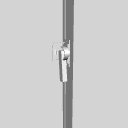
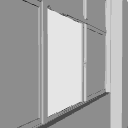
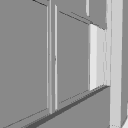
The key and window are separated into separate object, so they will operate.
(The upper window does not move.) )
Open the lock and slide it in the direction you want to open it.


【Classroom side】
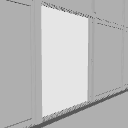
The door and the sliding door below are divided into separate object, so they will operate. Slide in the direction you want to open.


【Ceiling】
The fluorescent lights and ceiling are separated into separate object.

【pose parts】
If you press the red circle "Select pose parts preset", you can select the set movable parts.

【List of pose parts】

I hope I can help you create.
【3Dの説明】
大きく分けて
・外側の窓
・天井
・教室側の壁
の3要素に分かれております。
【オブジェクトリスト】
【LT変換の設定】
●サンプルのLT変換設定
解像度:600dpi モノクロB4原稿用紙サイズ
ラスターレイヤー
線幅:0.05mm
検出精度:90~
☑トーンワーク
☑諧調化
30%と10%
グラフの割合としてそれぞれ3分の1くらいの所で設定しました。
【レイアウト】
赤丸の「レイアウトのプリセットを選択します」を押すと、セットしたレイアウトが表示されます。
【全て表示】
全て表示された状態です。
奥行が短い場合、調整が必要です。
調整方法は、まずルートマニピュレーターの矢印の先にある四角にカーソルをあわせてください。
あわせるとオレンジ色に変わります。
(軸独立拡縮マニピュレータと言います。)
そのまま伸ばしたい方向にドラッグすると、調整ができます。
【天井無し】
天井が非表示になります。
別の3D素材を使いたい方、ご自分で書きたい方は非表示にして使ってみてください。
【窓側】
鍵と窓は別オブジェクトに分けているので、稼働いたします。
(上の窓は動きません。)
鍵を開けて 開きたい方向に スライドして みてください。
【教室側】
扉と下の引き戸はそれぞれ別のオブジェクトに分けてあるので、 稼働いたします。開きたい方向にスライドしてお使いください。
【天井】
蛍光灯と天井は 別オブジェクトに 分かれております。
【可動パーツ】
赤丸の 「可動パーツの プリセットを選択」 を押すと、設定した 可動するパーツが 選べます。
【可動パーツ一覧】
皆様の創作のお手伝いになれてましたら幸いです。
Material マテリアル
-
default material 初期マテリアル

configuration 配置
-
See all 全て表示
-
No ceiling 天井無し
-
Outside windows only 外側の窓のみ
-
Classroom side 教室側


pose parts 可動パーツ
-
Door -01 扉-01
-
Door -02 扉-02
-
Door-03 扉-03
-
Door-04 扉-04
-
Door -05 扉-05
-
Door-06 扉-06
-
Door -07 扉-07
-
Door-08 扉-08
-
Door-09 扉-09
-
Door - 10 扉-10
-
Door -11 扉-11
-
Door -12 扉-12
-
Bottom sliding door-01 下の引き戸-01
-
Bottom sliding door-02 下の引き戸-02
-
Bottom sliding door-03 下の引き戸-03
-
Bottom sliding door-04 下の引き戸-04
-
Bottom sliding door-05 下の引き戸-05
-
Bottom sliding door-06 下の引き戸-06
-
Bottom sliding door-07 下の引き戸-07
-
Bottom sliding door-08 下の引き戸-08
-
Bottom sliding door-09 下の引き戸-09
-
Bottom sliding door-10 下の引き戸-10
-
Bottom sliding door-11 下の引き戸-11
-
Bottom sliding door-12 下の引き戸-12
-
Key-01 鍵-01
-
Key-02 鍵-02
-
Key-03 鍵-03
-
Key-04 鍵-04
-
Key-05 鍵-05
-
Key-06 鍵-06
-
Key-07 鍵-07
-
Key-08 鍵-08
-
Key-09 鍵-09
-
Key - 10 鍵-10
-
Key-11 鍵-11
-
Key-12 鍵-12
-
Windows-01 窓-01
-
Windows-02 窓-02
-
Windows-03 窓-03
-
Windows-04 窓-04
-
Windows-05 窓-05
-
Windows-06 窓-06
-
Windows-07 窓-07
-
Windows-08 窓-08
-
Windows-09 窓-09
-
Windows-10 窓-10
-
Window-11 窓-11
-
Windows-12 窓-12
-
Windows-13 窓-13
-
Windows-14 窓-14
-
Windows-15 窓-15
-
Windows-16 窓-16
-
Windows-17 窓-17
-
Window-18 窓-18
-
Windows-19 窓-19
-
Windows-20 窓-20
-
Windows-21 窓-21
-
Windows-22 窓-22
-
Windows-23 窓-23
-
Windows-24 窓-24








Old version


Other materials by hutaba_nito_3D


Popular “3D object” materials




New materials


Badges
-
 MVP ◆This user has contributed greatly to the management of the community, by posting many great responses to the questions asked. Once every three months, MVPs are determined based on the points earned during that period and will be recognized accordingly.
 -
 New Valuable Player (NVP) ◆These are the next-best contributors to the community after MVPs. This is awarded to users who have not yet won an MVP award, based on the number of points they have earned.
 -
 Official Expert ◆Chosen out of all MVP awardees, who are already proof of excellence, this is a testimony of outstanding correspondence in the community. After careful screening, they are appointed by CELSYS and assume their position.Note: Formally called “Evangelists”
 -
 Official Moderator of CELSYS ◆Moderators are official CELSYS staff members who are fluent in Japanese as well as various other languages. Moderators are not experts on the software or illustration, so they are not able to directly answer your questions. However, moderators provide communication and language support to ensure that everyone can smoothly communicate with each other.
 -
 CELSYS official accountThe Official Administrator Account