



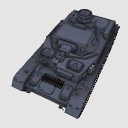
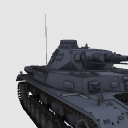
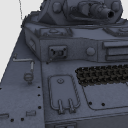
During the Second World War, the former German army [Panzer 4] is.
Turret, barrel operation. Monochrome color correspondence.
第二次大戦中、旧ドイツ軍「4号戦車」です。
砲塔、砲身稼働。モノクロ・カラー対応。


 --------------------------------------------------------------------
 --------------------------------------------------------------------


 ----------------------------------------------------------------------------------------------------------------------------------------
Material マテリアル
-
Gray グレー
-
Brown ブラウン
-
Khaki カーキ
-
White. 白


Configuration. 配置
-
default layout 初期レイアウト
-
No spare tracks 予備キャタピラなし
-
No equipment 装備なし
-
With ground 地面あり


Angle アングル
-
Diagonal 斜め
-
Heng. 横
-
Diagonal 2 斜め2
-
on. 上
-
Whip 煽り
-
Barrel 砲身
-
Behind 後ろ
-
Overlooking. 俯瞰
-
Overlooking 2. 俯瞰2
-
Positive. 正面
-
Front 2. 正面2




pose parts 可動パーツ
-
Turret _ Rotate Right 砲塔_右回転
-
Turret _ Rotate Left 砲塔_左回転
-
Barrel _ On 砲身_上
-
Barrel _ under 砲身_下
-
Body Hatch _ Left 車体ハッチ_左
-
Body Hatch _ Right 車体ハッチ_右
-
Antenna アンテナ
-
Cupola Hatch _ Left キューポラハッチ_左
-
Cupola Hatch _ Left キューポラハッチ_左
-
Turret Hatch _ Left 砲塔ハッチ_左
-
Turret Hatch _ Right 砲塔ハッチ_右
-
Machine Gun _ Left 機銃_左
-
Machine Gun _ Right 機銃_右










Other materials by shuchan


Popular “3D object” materials




New materials


-
 MVP ◆This user has contributed greatly to the management of the community, by posting many great responses to the questions asked. Once every three months, MVPs are determined based on the points earned during that period and will be recognized accordingly.
 -
 New Valuable Player (NVP) ◆These are the next-best contributors to the community after MVPs. This is awarded to users who have not yet won an MVP award, based on the number of points they have earned.
 -
 Official Expert ◆Chosen out of all MVP awardees, who are already proof of excellence, this is a testimony of outstanding correspondence in the community. After careful screening, they are appointed by CELSYS and assume their position.Note: Formally called “Evangelists”
 -
 Official Moderator of CELSYS ◆Moderators are official CELSYS staff members who are fluent in Japanese as well as various other languages. Moderators are not experts on the software or illustration, so they are not able to directly answer your questions. However, moderators provide communication and language support to ensure that everyone can smoothly communicate with each other.
 -
 CELSYS official accountThe Official Administrator Account