



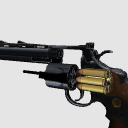
3D Models of Guns (pistols)
1.6 Format
Number of polygons: △ 39722 ~ 52760 (max)
File size: About 19MB (Csmo)
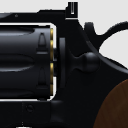
Handgun, pistol, Revolver, 357 Magnum, cartridge
銃(拳銃)の3Dモデル
1.6形式
ポリゴン数:△39,722~52,760(最大)
ファイルサイズ:約19MB(csmo)
ハンドガン、拳銃、リボルバー、357マグナム、薬莢


Material マテリアル
-
A1 (Black) A1(ブラック)
-
A2 (Shadow Pay) A2(陰影付)
-
B1 (Silver) B1(シルバー)
-
B2 (Shadow Pay) B2(陰影付)
-
C (no color) C(色なし)
-
D (color) D(色分け)
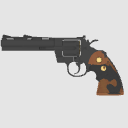
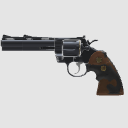

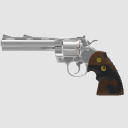


Configuration. 配置
-
default layout 初期レイアウト
-
Right. 右
-
Left. 左
-
Flip 反転
-
On the left 左側上
-
Top Right 右側上
-
Reverse on the left 左側上(反転)
-
Upper right (inverted) 右側上(反転)
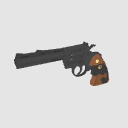
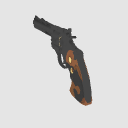

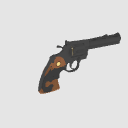
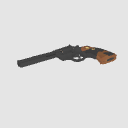
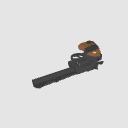


pose parts 可動パーツ
-
01_ York 01_ヨーク
-
02_ Cylinder 02_シリンダー
-
02_ Cylinder anti Rotation 02_シリンダー反回転
-
03_ Rod 03_ロッド
-
They pull out 04_ bullets 04_弾を抜く
-
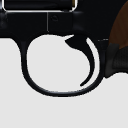
05_ Trigger 05_トリガー
-
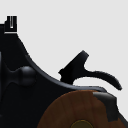
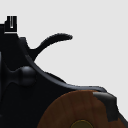
06_ Hammer 06_ハンマー
-
06_ Hammer Anti Rotation 06_ハンマー反回転
-
07_ latch 07_ラッチ
-
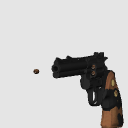
08_ Firing _30cm 08_発砲_30cm
-
08_ Firing _100cm 08_発砲_100cm
-
08_ Firing _500cm 08_発砲_500cm
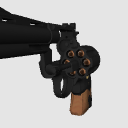
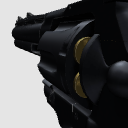
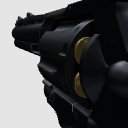
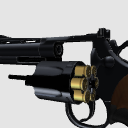
Update history
2017_07_30 Material published 2017_07_30 素材公開





Other materials by Re:lain


Popular “3D object” materials




New materials


-
 MVP ◆This user has contributed greatly to the management of the community, by posting many great responses to the questions asked. Once every three months, MVPs are determined based on the points earned during that period and will be recognized accordingly.
 -
 New Valuable Player (NVP) ◆These are the next-best contributors to the community after MVPs. This is awarded to users who have not yet won an MVP award, based on the number of points they have earned.
 -
 Official Expert ◆Chosen out of all MVP awardees, who are already proof of excellence, this is a testimony of outstanding correspondence in the community. After careful screening, they are appointed by CELSYS and assume their position.Note: Formally called “Evangelists”
 -
 Official Moderator of CELSYS ◆Moderators are official CELSYS staff members who are fluent in Japanese as well as various other languages. Moderators are not experts on the software or illustration, so they are not able to directly answer your questions. However, moderators provide communication and language support to ensure that everyone can smoothly communicate with each other.
 -
 CELSYS official accountThe Official Administrator Account