


3D Head - 3D Head Model with Adjustable Face Shape (3D Head - 얼굴형 조절이 가능한 3D 두상 모델) 3D Head - 얼굴형 조절이 가능한 3D 두상 모델


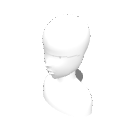
This is a 3D head model that allows adjustment of the face, neck, jaw, nose, and other shapes. It can be used as a reference for webtoons, illustrations, and character designs.
Adjustable 3D head model for drawing and character design.
A 3D head model that allows you to adjust the shape of your face. It can be used as drawing material.
얼굴형과 목, 턱, 코 등의 형태를 조절할 수 있는 3D 두상 모델입니다. 웹툰, 일러스트, 캐릭터 디자인의 참고 자료로 활용할 수 있습니다.
Adjustable 3D head model for drawing and character design.
顔の形を調整できる3D頭部モデルです。作画資料として使用できます。
【How to Use / How to Use / Usage】
Drag and place the material onto the canvas.
Select the 3D model with the Object tool.
Open [Shape Key Manipulation] in the tool properties.
Use the sliders to adjust the shape of your face, chin, cheeks, nose, neck, and more.
Rotate the camera to use it as a reference for images from the desired angle.
【English】
Drag the model onto the canvas. Select it with the Object tool, open Shape Key controls, and adjust the sliders to customize the face.
[Japanese]
Place the material on the canvas and select it using the object tool. You can adjust the face shape using the slider on the shape key.
※ Recommended for use on CLIP STUDIO PAINT Ver.3.0 or higher.
【사용 방법 / How to Use / 使い方】
소재를 캔버스에 드래그하여 배치합니다.
오브젝트 도구로 3D 모델을 선택합니다.
도구 속성에서 [셰이프 키 조작]을 엽니다.
슬라이더로 얼굴 크기, 턱, 볼, 코, 목 등의 형태를 조절합니다.
카메라를 회전하여 원하는 각도에서 그림 참고용으로 사용합니다.
【English】
Drag the model onto the canvas. Select it with the Object tool, open Shape Key controls, and adjust the sliders to customize the face.
【日本語】
素材をキャンバスに配置し、オブジェクトツールで選択します。シェイプキーのスライダーで顔の形を調整できます。
※ CLIP STUDIO PAINT Ver.3.0 이상에서 사용을 권장합니다.
Material 매터리얼

 Report problematic material
For those who don’t have a Clip Studio account
- Name of product/software
- Detailed information about the issue

-
 CLIP STUDIO PAINT PRO/EX
-
CLIP STUDIO PAINT DEBUT
 Re-download


 Checkout Now
 Purchase successful.
 See save location for materials













-
 MVP ◆This user has contributed greatly to the management of the community, by posting many great responses to the questions asked. Once every three months, MVPs are determined based on the points earned during that period and will be recognized accordingly.
-
 New Valuable Player (NVP) ◆These are the next-best contributors to the community after MVPs. This is awarded to users who have not yet won an MVP award, based on the number of points they have earned.
-
 Official Expert ◆Chosen out of all MVP awardees, who are already proof of excellence, this is a testimony of outstanding correspondence in the community. After careful screening, they are appointed by CELSYS and assume their position.Note: Formally called “Evangelists”
-
 Official Moderator of CELSYS ◆Moderators are official CELSYS staff members who are fluent in Japanese as well as various other languages. Moderators are not experts on the software or illustration, so they are not able to directly answer your questions. However, moderators provide communication and language support to ensure that everyone can smoothly communicate with each other.
-
 CELSYS official accountThe Official Administrator Account