



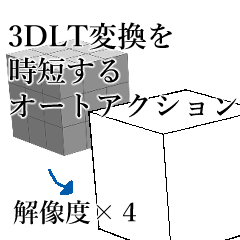
This auto action summarizes the operations used during 3DLT conversion.
Since the image resolution is quadrupled, it can be converted more beautifully than usual.
When the enclosed LT conversion brush is registered as a shape, the lines become rusty.
object textures are not reflected.
3DLT変換の際に使用する動作をまとめたオートアクションです。
画像解像度を四倍にして変換するので通常よりも綺麗に変換できます。
同封のLT変換用ブラシを形状登録した場合は線がガサガサします。
オブジェクトのテクスチャは反映されません。
Actions to be used during 3DLT conversion
4x image resolution → newly created with clipboard→ 3DLT conversion→ 0.25x image resolution
I summarized the operations of the auto action.
All you have to do is copy the 3D you want to convert, select it, and return the resulting folder to the original canvas after running the auto action.
When selecting a large number of object at once or converting large buildings, it takes a lot of load and time, so please consult with the specifications of your own terminal before use.
3DLT変換の際に使用する動作
クリップボードで新規製作→画像解像度を4倍→3DLT変換→画像解像度を0.25倍
の動作をまとめてオートアクションにしました。
変換したい3Dをコピー選択して、オートアクション実行後に出来上がったフォルダを元のキャンバスにもどすのみで完了します。
一度に大量のオブジェクトを選択したり大きな建物を変換する際は負荷と時間がかかりますのでご自身の端末のスペックとご相談してご使用ください。
Category 1 カテゴリ1









Other materials by Tukida


Popular “Material catalog” materials


New materials





Badges
-
 MVP ◆This user has contributed greatly to the management of the community, by posting many great responses to the questions asked. Once every three months, MVPs are determined based on the points earned during that period and will be recognized accordingly.
 -
 New Valuable Player (NVP) ◆These are the next-best contributors to the community after MVPs. This is awarded to users who have not yet won an MVP award, based on the number of points they have earned.
 -
 Official Expert ◆Chosen out of all MVP awardees, who are already proof of excellence, this is a testimony of outstanding correspondence in the community. After careful screening, they are appointed by CELSYS and assume their position.Note: Formally called “Evangelists”
 -
 Official Moderator of CELSYS ◆Moderators are official CELSYS staff members who are fluent in Japanese as well as various other languages. Moderators are not experts on the software or illustration, so they are not able to directly answer your questions. However, moderators provide communication and language support to ensure that everyone can smoothly communicate with each other.
 -
 CELSYS official accountThe Official Administrator Account