



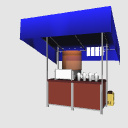
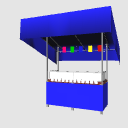
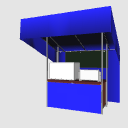
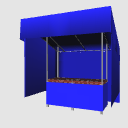
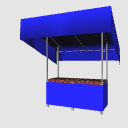
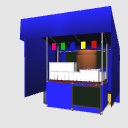
It is a 3D material of festival stalls! Please use it for scenes where you go to festivals with manga and illustrations. With this material alone, you can make "Teppanya-type", "Kushiyaki-type", and "Watagashiya" stalls! お祭り屋台の3D素材です!漫画やイラストなどでお祭りへ行くシーンなどにぜひご利用ください。本素材一つで「鉄板系」「串焼き系」「わたがし屋さん」の屋台を作れます!


Material マテリアル
-
Blue cloth 1 青布1
-
Blue cloth 2 青布2
-
Red cloth 1 赤布1
-
Red cloth 2 赤布2
-
Yellow Cloth 1 黄布1
-
Yellow cloth 2 黄布2
-
Black cloth 黒布
-
White cloth 白布
-
Shaded white 影付き白
-
Pure white 真っ白








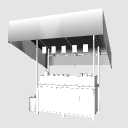

Configuration 配置
-
Teppanyaki A 鉄板焼き系A
-
Teppanyaki B 鉄板焼き系B
-
Teppanyaki C 鉄板焼き系C
-
Kushiyaki A 串焼き系A
-
Kushiyaki B 串焼き系B
-
Kushiyaki C 串焼き系C
-
WATAGASHI A わたがしA
-
WATAGASHI B わたがしB
-
Base only A ベースのみA
-
Base only B ベースのみB
-
Base only C ベースのみC
-
Base only D ベースのみD
-
Fully expressed 全表示
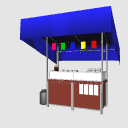
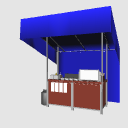
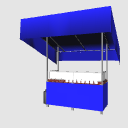
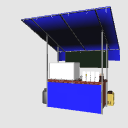
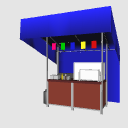
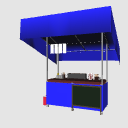
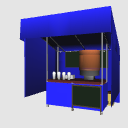
Update history
2026/09/28 We have filed an application for publication of materials. 2026/09/28 素材の公開申請をしました。


Other materials by くじらげ


Popular “3D object” materials





New materials


-
 MVP ◆This user has contributed greatly to the management of the community, by posting many great responses to the questions asked. Once every three months, MVPs are determined based on the points earned during that period and will be recognized accordingly.
 -
 New Valuable Player (NVP) ◆These are the next-best contributors to the community after MVPs. This is awarded to users who have not yet won an MVP award, based on the number of points they have earned.
 -
 Official Expert ◆Chosen out of all MVP awardees, who are already proof of excellence, this is a testimony of outstanding correspondence in the community. After careful screening, they are appointed by CELSYS and assume their position.Note: Formally called “Evangelists”
 -
 Official Moderator of CELSYS ◆Moderators are official CELSYS staff members who are fluent in Japanese as well as various other languages. Moderators are not experts on the software or illustration, so they are not able to directly answer your questions. However, moderators provide communication and language support to ensure that everyone can smoothly communicate with each other.
 -
 CELSYS official accountThe Official Administrator Account