


○ CP Extrusion Dark Full Set (V.1.0.0) (○ CP版 押し出し Dark フルセット (V.1.0.0)) ○ CP版 押し出し Dark フルセット (V.1.0.0)
Content ID:2300968
-
1

This is a auto action that allows shapes and text to be extruded by only 5px. これは図形やテキストを 5px だけ押し出せるオートアクションです。
CP Extrusion Dark Full Set (V.1.0.0)

■ Purpose
It:
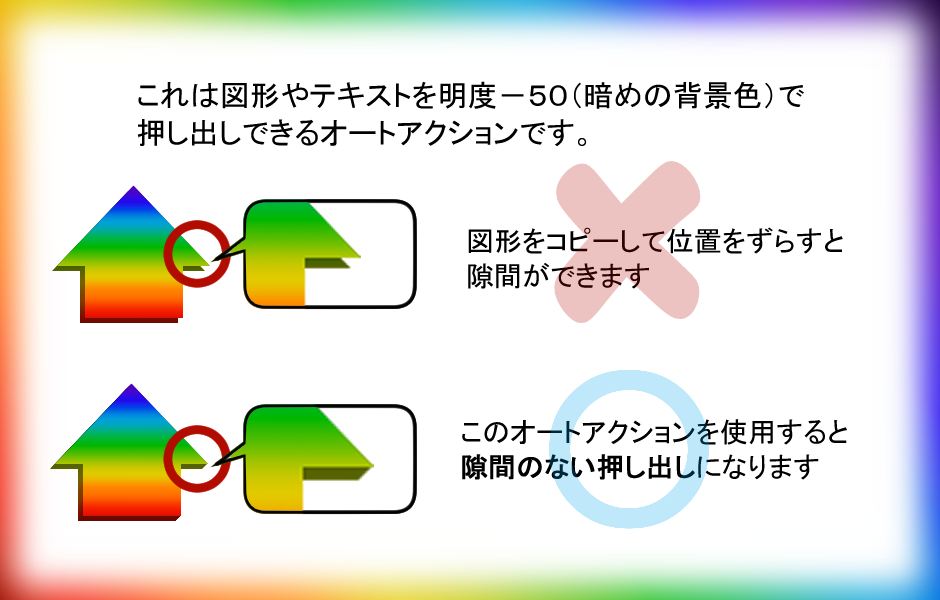
- I want to extrude shapes and text so that there are no gaps
- I want the background color to be darker when extruding.
It is a auto action that fulfills this wish.
■ Overview
Development environment:
- Windows 11 Pro
- CLIP STUDIO PAINT EX (lifetime version V.5.0.4)
Details:
- Extrusion Width: +5px
- Extruded background color: -50 luminosity (dark extrusion)
- Extrusion direction: up, upper right, right, lower right, down, lower left, left, upper left
- Where the extrusion appears: directly above the selected layer
■ How to use
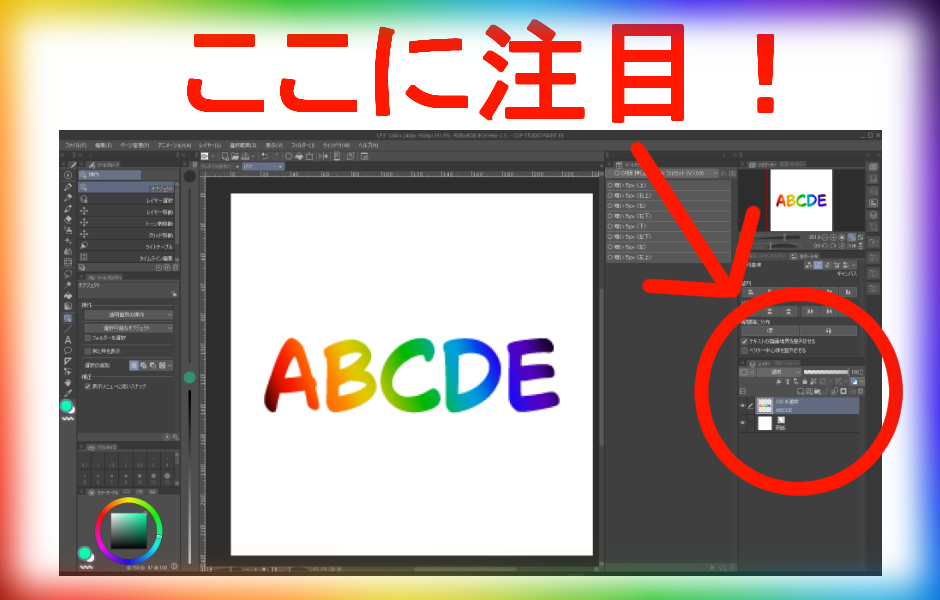
- Select only one layer that contains the shape or text you want to extrude
- Run the auto action
- The finished version appears directly above the selected layer
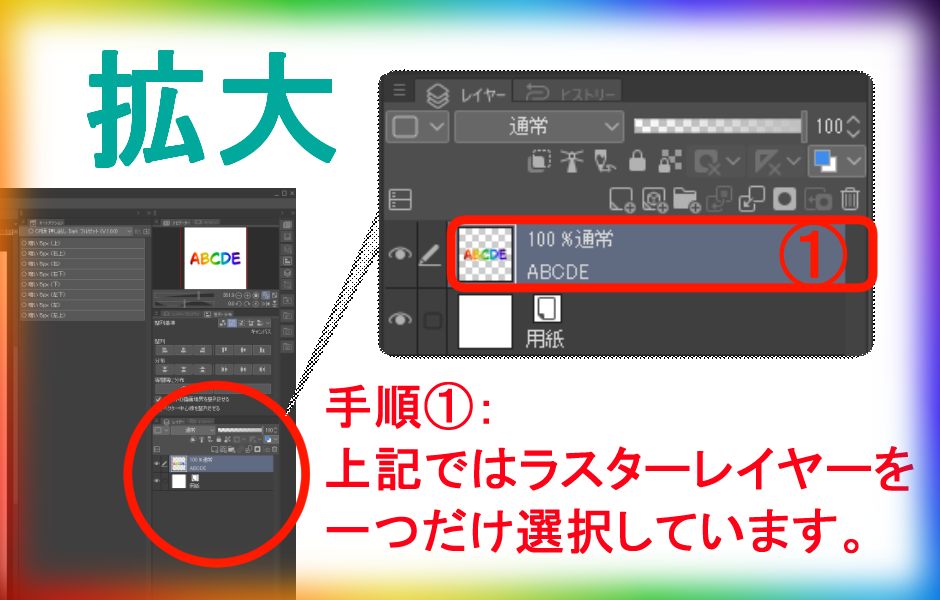
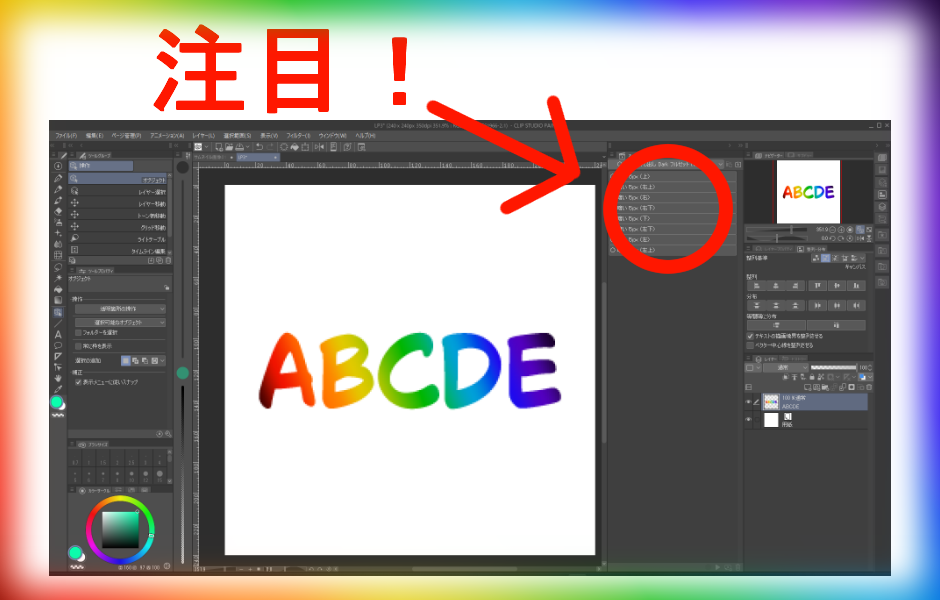
Step 1.select layer
▽ Enlarged screen
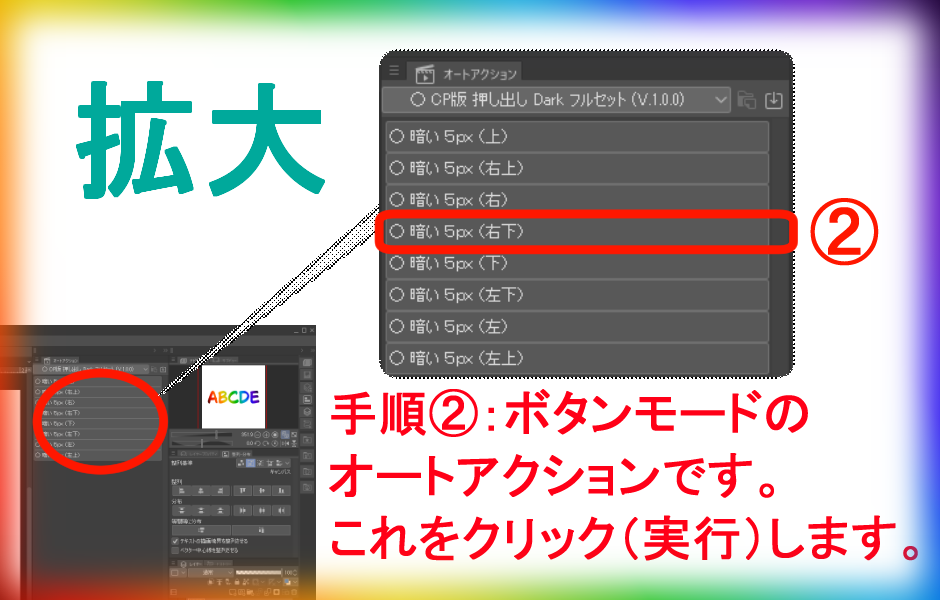
Perform step 2.auto action
Zoom in
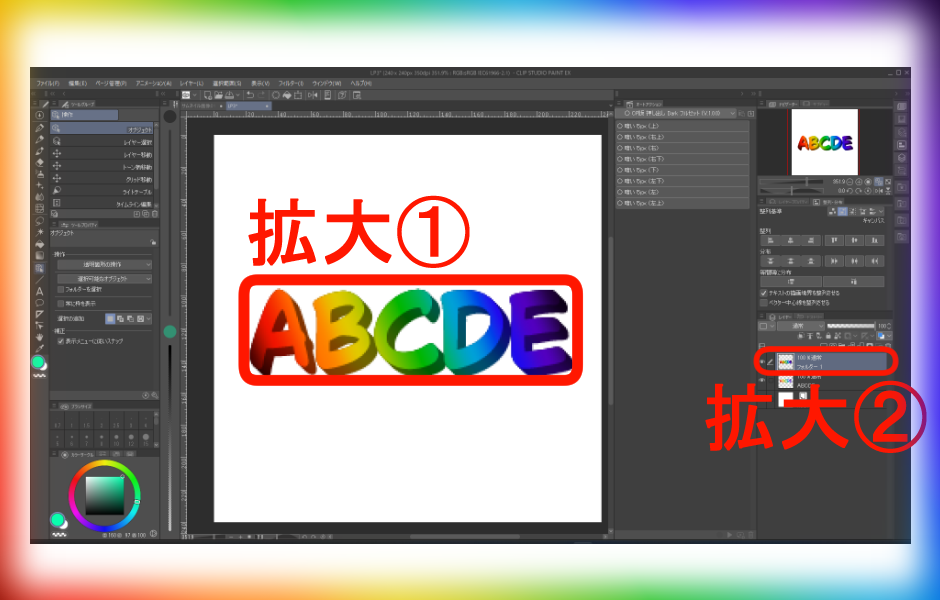
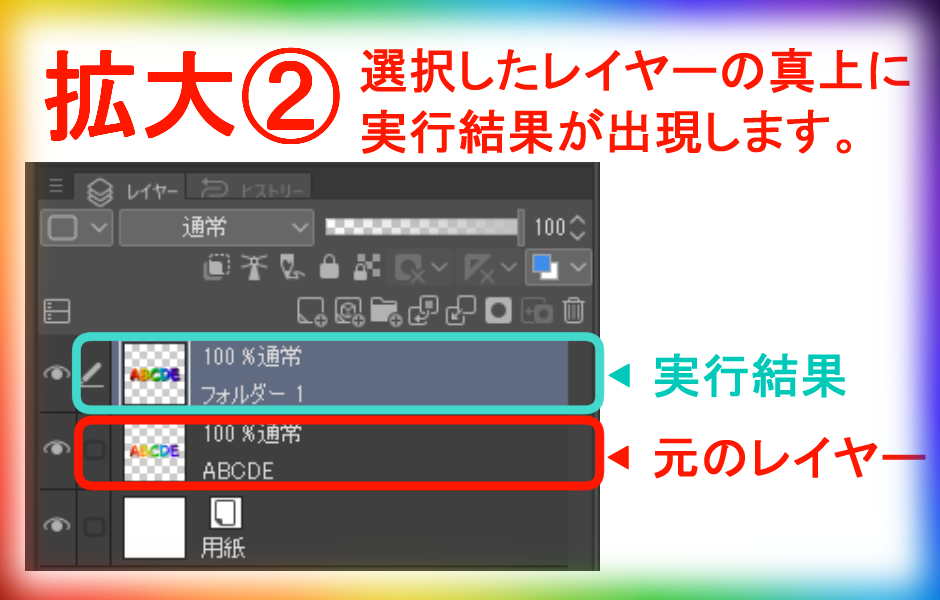
Step 3: The execution result will appear directly above the selected layer
▽ Expansion 1
▽ Expansion 2
■ Download file
File Name:
- AutoAction_CP_Extrusion_Dark_FullSet_V100.laf
Set Name:
○ CP Extrusion Dark Full Set (V.1.0.0)
In the set: auto action name:
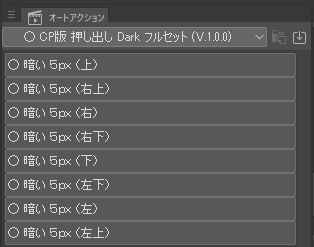
▽ [auto action] Palette screen○ Dark 5px (top)○ Dark 5px (upper right)○ Dark 5px (right)○ Dark 5px (lower right)○ Dark 5px (bottom)○ Dark 5px (lower left)○ Dark 5px (left)○ Dark 5px (upper left)
All eight directions of auto action are included in one set, and files downloaded from [import set] in [Settings (three-line icon in the upper left)] of the [auto action] palette are read and used.
CP版 押し出し Dark フルセット (V.1.0.0)
■ 目的
これは、
- 図形やテキストを隙間ができないように押し出したい
- 押し出すときの背景色は暗めの色にしたい
という願いを叶えるオートアクションです。
■ 概要
開発環境:
- Windows 11 Pro
- CLIP STUDIO PAINT EX (無期限版 V.5.0.4)
内容詳細:
- 押し出し幅:+5px
- 押し出し背景色:明度-50(暗い色の押し出し)
- 押し出し方向:上、右上、右、右下、下、左下、左、左上の全八方向
- 押し出しが出現する位置:選択したレイヤーの真上
■ 使い方
- 押し出したい図形やテキストがあるレイヤーを一つだけ選択します
- オートアクションを実行します
- 選択したレイヤーの真上に完成版が出現します
▽ 手順1.レイヤー選択
▽ 拡大画面
▽ 手順2.オートアクションを実行します
▽ 拡大
手順3.実行結果が選択したレイヤーの真上に出現します
▽ 拡大1
▽ 拡大2
■ ダウンロードファイル
ファイル名:
- AutoAction_CP_Extrusion_Dark_FullSet_V100.laf
セット名:
○ CP版 押し出し Dark フルセット (V.1.0.0)
セット内の:オートアクション名:
▽ [オートアクション]パレットの画面○ 暗い 5px (上)○ 暗い 5px (右上)○ 暗い 5px (右)○ 暗い 5px (右下)○ 暗い 5px (下)○ 暗い 5px (左下)○ 暗い 5px (左)○ 暗い 5px (左上)
1つのセット内に全八方向のオートアクションが入っており、[オートアクション]パレットの[設定(左上にある三本線のアイコンです)]内にある[セットの読み込み]からダウンロードしたファイルを読み込んで使用します。


Other materials by 星七


Popular “Auto Action” materials


New materials


Badges
-
 MVP ◆This user has contributed greatly to the management of the community, by posting many great responses to the questions asked. Once every three months, MVPs are determined based on the points earned during that period and will be recognized accordingly.
 -
 New Valuable Player (NVP) ◆These are the next-best contributors to the community after MVPs. This is awarded to users who have not yet won an MVP award, based on the number of points they have earned.
 -
 Official Expert ◆Chosen out of all MVP awardees, who are already proof of excellence, this is a testimony of outstanding correspondence in the community. After careful screening, they are appointed by CELSYS and assume their position.Note: Formally called “Evangelists”
 -
 Official Moderator of CELSYS ◆Moderators are official CELSYS staff members who are fluent in Japanese as well as various other languages. Moderators are not experts on the software or illustration, so they are not able to directly answer your questions. However, moderators provide communication and language support to ensure that everyone can smoothly communicate with each other.
 -
 CELSYS official accountThe Official Administrator Account