



Dejirumi Atsubetsu affiliation
My name is Maruto, the creator. I'm a beginner who has just touched Blender, but thank you.
でじるみ厚別所属
制作者の『まると』と申します。Blenderに触れてまだ間もない初心者ですがよろしくお願いします。
I made a straw hat with a large ribbon.

Since the bone is attached to the string part of the ribbon, simple movement is possible.
In addition, the length of the string can be adjusted with the shape keys.
However, it is not possible to adjust the length and operate the bone at the same time, so when switching, please set the initial state of the model once before operating.
Please note that if you operate at the same time, the string part will almost certainly break.
★ ★ How to use
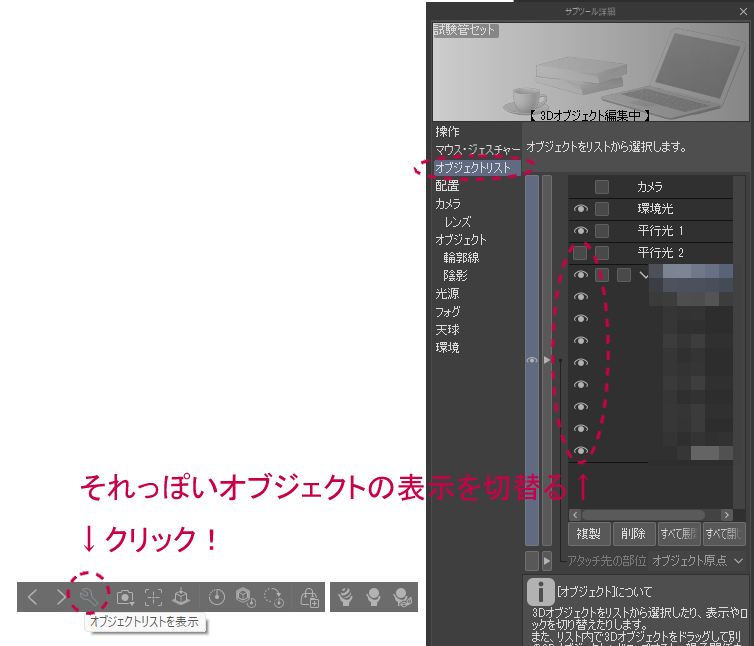
〇 How to switch object list
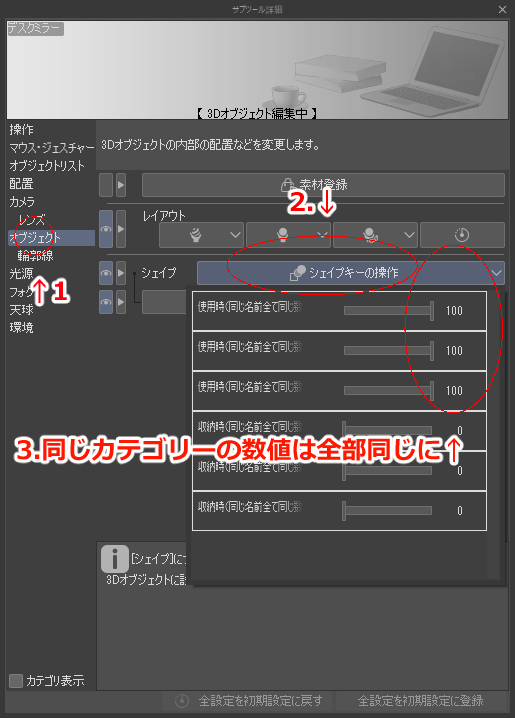
〇 How to operate shape keys
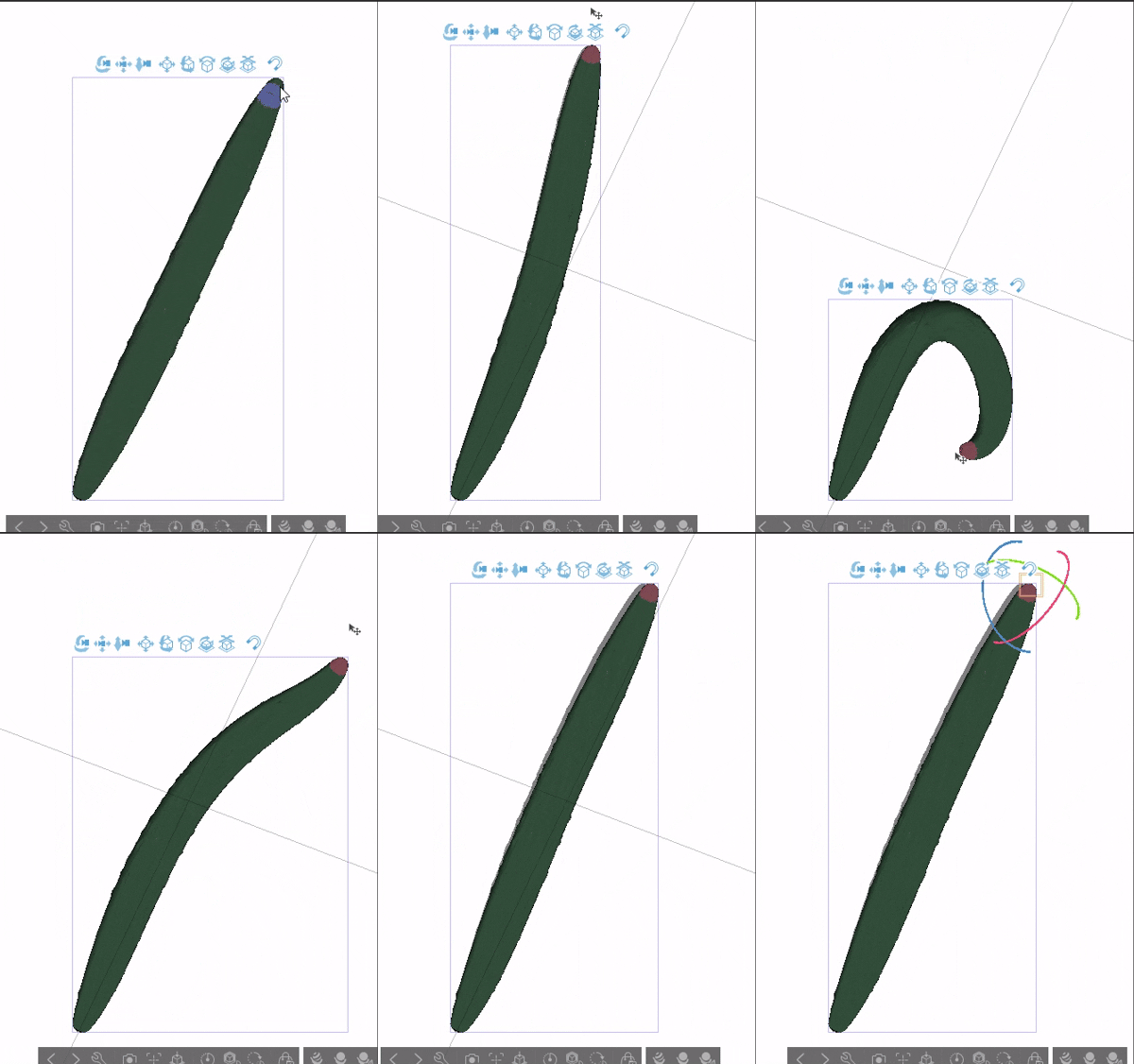
〇 How to operate bones
Select where you can move it, then drag.
(↓Example)
Example of using a model in a video output by Blender
大きめのリボンが付いた麦わら帽子を制作しました。
ボーンをリボンの紐の部分につけているので簡単な可動は可能です。
また、シェイプキーで紐の長さを調節可能です。
しかし、長さを調節とボーンの操作は同時にすることはできませんので切り替える時は一度モデルの状態を初期状態にしてから操作してください。
同時に操作すると紐の部分がほぼ間違いなく破綻しますのでご注意ください。
★使い方★
〇オブジェクトリストの切替方法
〇シェイプキーの操作方法
〇ボーンの操作方法
動かせる場所を選択してからドラッグします。
(↓例題)
Blenderで出力した動画でのモデル使用例
Material マテリアル




Other materials by でじるみ札幌厚別


Popular “3D object” materials





New materials




Badges
-
 MVP ◆This user has contributed greatly to the management of the community, by posting many great responses to the questions asked. Once every three months, MVPs are determined based on the points earned during that period and will be recognized accordingly.
 -
 New Valuable Player (NVP) ◆These are the next-best contributors to the community after MVPs. This is awarded to users who have not yet won an MVP award, based on the number of points they have earned.
 -
 Official Expert ◆Chosen out of all MVP awardees, who are already proof of excellence, this is a testimony of outstanding correspondence in the community. After careful screening, they are appointed by CELSYS and assume their position.Note: Formally called “Evangelists”
 -
 Official Moderator of CELSYS ◆Moderators are official CELSYS staff members who are fluent in Japanese as well as various other languages. Moderators are not experts on the software or illustration, so they are not able to directly answer your questions. However, moderators provide communication and language support to ensure that everyone can smoothly communicate with each other.
 -
 CELSYS official accountThe Official Administrator Account