



Dejirumi Atsubetsu affiliation
My name is Maruto, the creator. I use Blender to make buildings and accessories that can be used for illustration production.
でじるみ厚別所属
制作者の『まると』と申します。Blenderでイラスト制作で使える建物や小物を作っています。
It is a fictional shrine.

Soil and shrubs in object backyard can be hidden and erased.
It is not expected to move much, but I think that you can choose each object and move and rotate.
Please note that the file size is close to 600MB, so it may take some time to read depending on the PC specifications.
★ ★ How to use
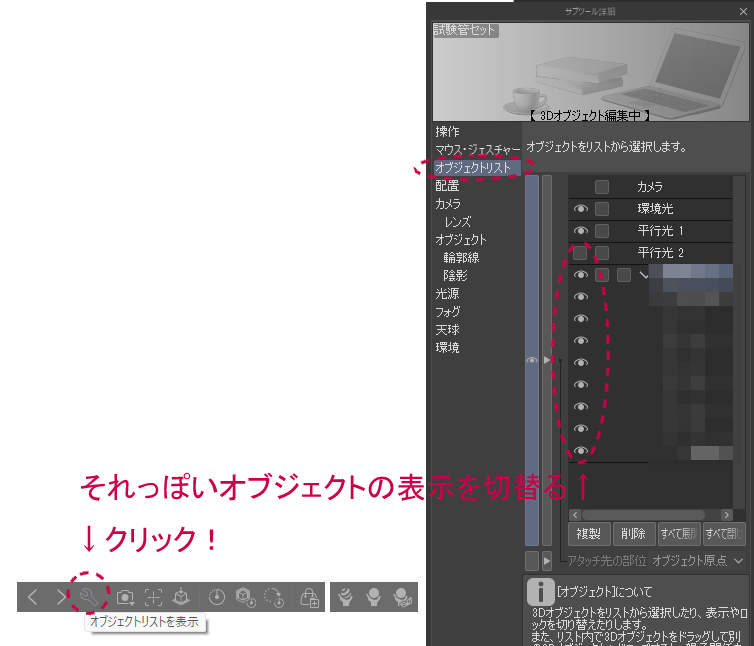
〇 How to switch object list
★ Quick Advice ★
〇 How to make 3D Object look like an illustration
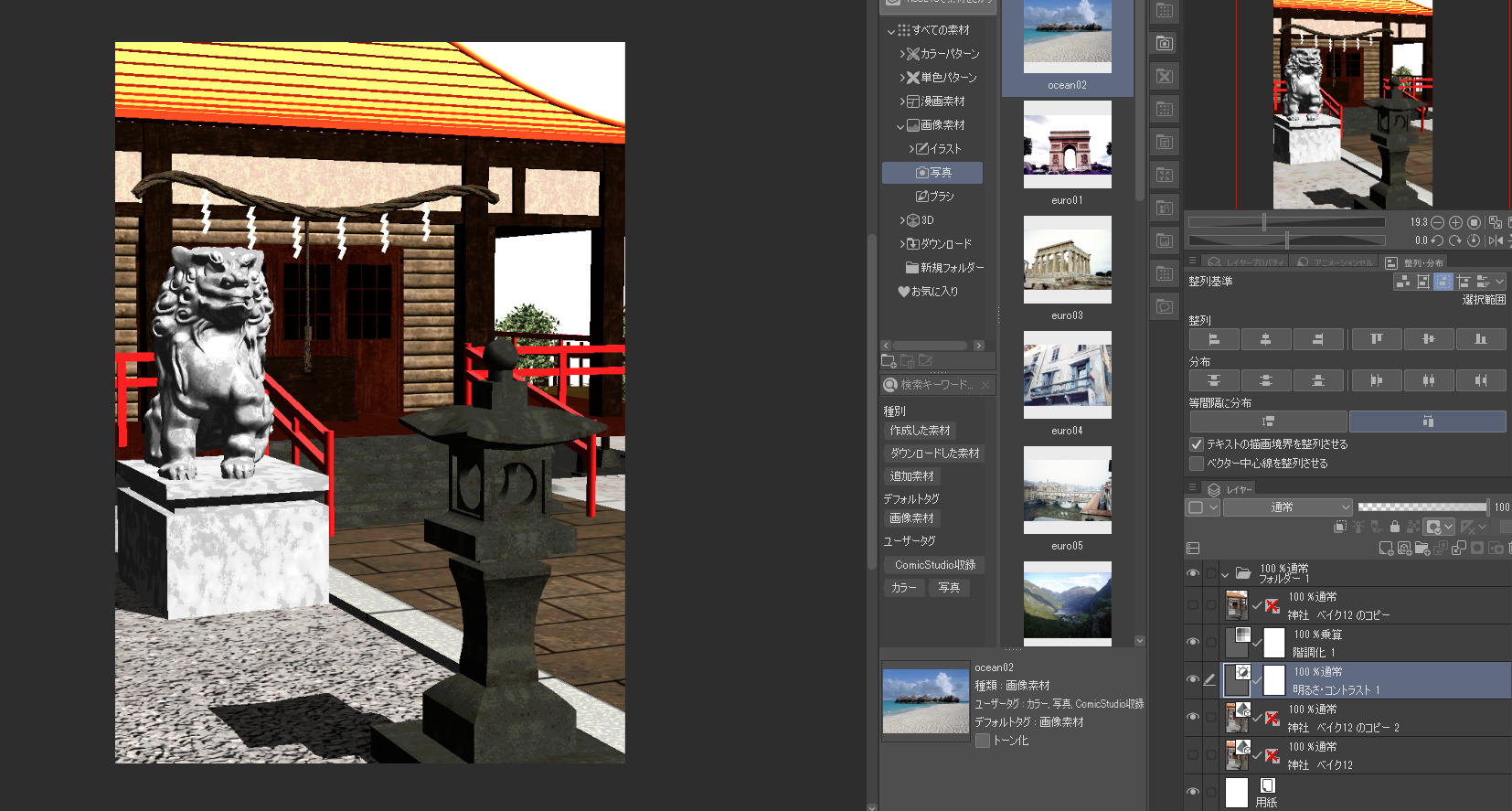
Method (1) Overlap tonal correction layer
Brightness contrast (both multiplied by about 30) and gradation (multiplied by about 12)
Since it is not rasterize, you can check it with an illustration-like touch while moving the object.
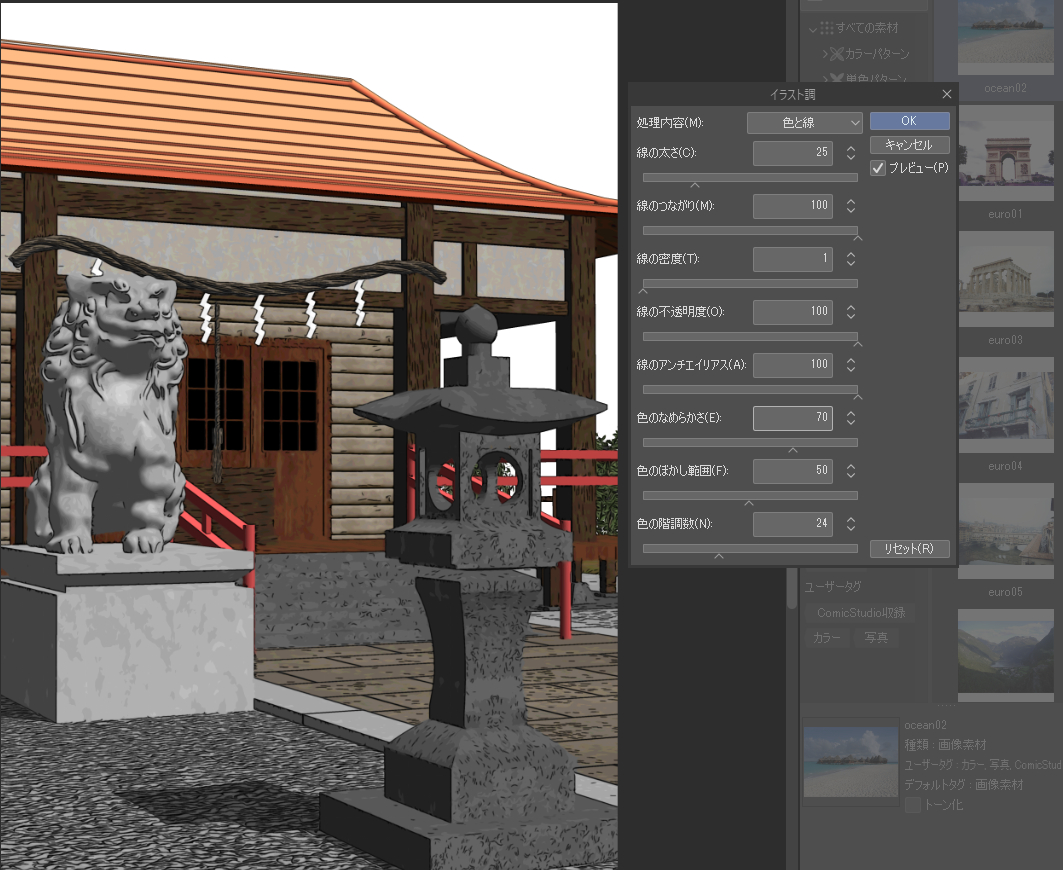
Method (2) Use filters (illustration style)
rasterize a layer with a 3D Object with a fixed composition, and then execute the illustration tone of the filter to make it look like an illustration.
Even a pencil tone may be enough.

架空の神社です。
裏庭等にある土や低木はオブジェクト非表示で消せたりできます。
あまり動かす事は想定されていませんがそれぞれのオブジェクトを選んで移動や回転程度はできると思います。
なおファイルサイズが600MB近く有りますのでPCスペックによっては読み込みに多少時間がかかりますのでご了承ください。
★使い方★
〇オブジェクトリストの切替方法
★ワンポイントアドバイス★
〇3Dオブジェクトをイラストっぽく見せるやり方
方法① 色調補正レイヤーを重ねる
明るさコントラスト(両方を30くらい)と階調化(12くらいで乗算)
ラスタライズ化してないのでオブジェクトを動かしながらイラストっぽいタッチで確認できます。
方法② フィルター(イラスト調)を使う
構図が決まった3Dオブジェクトがあるレイヤーをラスタライズ化してからフィルターのイラスト調を実行してイラストっぽく仕上げる
えんぴつ調でも十分かもしれません。
Material マテリアル


Other materials by でじるみ札幌厚別


Popular “3D object” materials


New materials


Badges
-
 MVP ◆This user has contributed greatly to the management of the community, by posting many great responses to the questions asked. Once every three months, MVPs are determined based on the points earned during that period and will be recognized accordingly.
 -
 New Valuable Player (NVP) ◆These are the next-best contributors to the community after MVPs. This is awarded to users who have not yet won an MVP award, based on the number of points they have earned.
 -
 Official Expert ◆Chosen out of all MVP awardees, who are already proof of excellence, this is a testimony of outstanding correspondence in the community. After careful screening, they are appointed by CELSYS and assume their position.Note: Formally called “Evangelists”
 -
 Official Moderator of CELSYS ◆Moderators are official CELSYS staff members who are fluent in Japanese as well as various other languages. Moderators are not experts on the software or illustration, so they are not able to directly answer your questions. However, moderators provide communication and language support to ensure that everyone can smoothly communicate with each other.
 -
 CELSYS official accountThe Official Administrator Account