


【Free for a limited time】HN General-purpose wing brush (【期間限定無料】hn汎用翼ブラシ) 【期間限定無料】hn汎用翼ブラシ
Content ID:2295128
-
42,154



[Material contents: 9 types of feather decoration brushes]
Production environment: A4 600dpi┊EX ver.5
All colors can be changed, can be changed to sticking brushes, and can be used in monochrome.

[Open wing_Front and back D]
Dual setting: ON (front and back) ┊ OFF (back and abdomen)
【Open wings, common setting】
Pen tilt: Change in the degree of opening of the wings ┊ combine mode: Stick by changing it to comparison (concentration).

【Folded feather D】
Dual setting: ON (with lines) ┊ OFF (plain)
【Folded wings, common setting】
Pen tilt: change in feather length ┊ combine mode: Stick by changing it to comparison (density).

【Feather 1 (←)】
Scatter brush. Used to add to the base of feathers.
【Feather 2 (→)】
Scatter brush. Such as drawing and use for Atari. By changing the thickness, it can handle a wide range of feathers from thin to rounded.
Each stroke overlaps the bottom.
Please take advantage of it!
【素材内容:羽装飾ブラシ 9種】
制作環境:A4 600dpi┊EX ver.5
全種カラー変更可・くっつくブラシへの変更可・モノクロ使用可
【開いた羽_表裏D】
デュアル設定:ON(表・背中側)┊OFF(裏・お腹側)
【開いた羽・共通設定】
ペンの傾き:羽の開き具合の変化┊合成モード:比較(濃度)に変更することでくっつきます。
【畳んだ羽D】
デュアル設定:ON(線あり)┊OFF(無地)
【畳んだ羽・共通設定】
ペンの傾き:羽の長さの変化┊合成モード:比較(濃度)に変更することでくっつきます。
【羽1(←)】
散布ブラシ。羽の付け根部分の書き足しなどに使用。
【羽2(→)】
散布ブラシ。描き込みやアタリへの使用など。厚みを変えることで細い羽から丸みのある羽まで幅広く対応します。
1ストロークごとに下に重なっていきます。
ぜひご活用ください!
Brushes ブラシ
-
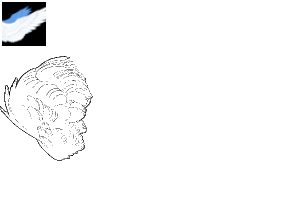
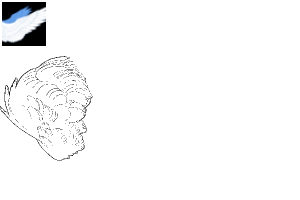
hn wings_ folded feather D hn wings_畳んだ羽D
-
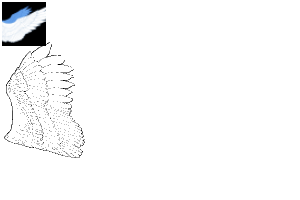
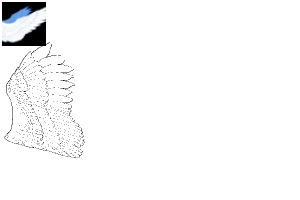
hn wings_ open wings_front and back D hn wings_開いた羽_表裏D
-
hn wings_ folded feathers_plain hn wings_畳んだ羽_無地
-
hn wings_ open wing_plain hn wings_開いた羽_無地
-
hn wings_ folded feathers hn wings_畳んだ羽
-
hn wings_ open feather_table hn wings_開いた羽_表
-
hn wings_ open wing_back hn wings_開いた羽_裏
-
hn wings_ feathers 1 hn wings_羽1
-
hn wings_ feather 2 hn wings_羽2


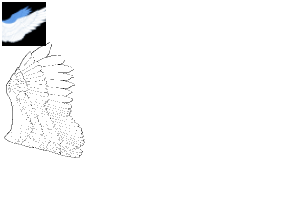
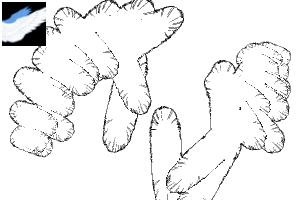
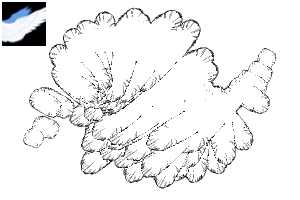
Update history
26.8.10 Material Disclosure 26.8.10 素材公開


Other materials by hanabsi_


Popular “Material catalog” materials


New materials


Badges
-
 MVP ◆This user has contributed greatly to the management of the community, by posting many great responses to the questions asked. Once every three months, MVPs are determined based on the points earned during that period and will be recognized accordingly.
 -
 New Valuable Player (NVP) ◆These are the next-best contributors to the community after MVPs. This is awarded to users who have not yet won an MVP award, based on the number of points they have earned.
 -
 Official Expert ◆Chosen out of all MVP awardees, who are already proof of excellence, this is a testimony of outstanding correspondence in the community. After careful screening, they are appointed by CELSYS and assume their position.Note: Formally called “Evangelists”
 -
 Official Moderator of CELSYS ◆Moderators are official CELSYS staff members who are fluent in Japanese as well as various other languages. Moderators are not experts on the software or illustration, so they are not able to directly answer your questions. However, moderators provide communication and language support to ensure that everyone can smoothly communicate with each other.
 -
 CELSYS official accountThe Official Administrator Account