


Brush to draw thick painted wings (厚塗りぽい翼を描くブラシ) 厚塗りぽい翼を描くブラシ


It is a brush set that can draw wings like a thick paint.
main color, sub color
厚塗りっぽく翼が描けるブラシセットです。
メインカラー、サブカラー対応

It is recommended to draw layers separately for each part and use it together with the distortion tool and deformation.
The "back and mountain" part of the wing is not included, so please draw it yourself with the finish.
All brushes have a fixed orientation and can only draw wings in one direction (left when viewed from the front) (see top left of the explanatory image).
When drawing a feather on the right, flip the canvas itself, or draw the feather on the left and then invert it by transforming.
Description of contents
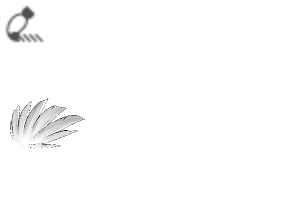
(1) Feather tip: 3 types
Angled / Landscape and beautiful / Scratched sideways
The orientation of the tip changes depending on the orientation of the brush
There is one type per brush, so please switch according to your needs.
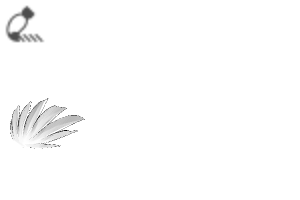
(2) Center of wings: 2 types
It does not deform depending on the orientation of the drawing. The angle also does not change, so please rotate the canvas itself and use the drawing / distortion tool etc.
There is one type per brush, so please switch according to your needs.
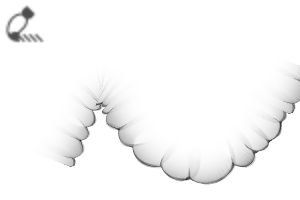
(3) Upper side of feathers
It is a ribbon brush that loops.
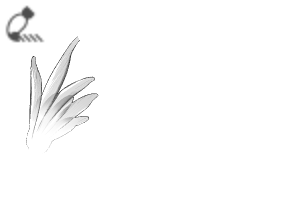
(4) For adding feathers
Two types of brushes are in one brush and are drawn randomly.
It may be a good feeling to put it in the area painted in (3) for the finish.
Finally, draw the "back and mountain" part yourself and complete it.
Most brushes have translucent areas with a transparent background, so be careful not to show through the background.
I drew it at about 350 dpi and 4000px, so I think it can withstand a certain amount of large drawing.
The color may become cloudy, so it may be a good idea to have a overlay applied to the finish.
---
Maybe switch to CP someday
パーツごとにレイヤーを分けて描き、ゆがみツールや変形と併用がオススメです
翼の「背・山」の部分は付属していないので、仕上げでご自身で描いてください。
ブラシはすべて向きが固定で、一方向の(正面から見て左側の)羽しか描けません(説明画像左上参照)
右側の羽を描く場合、キャンバス自体の反転、もしくは左側の羽を描いてから変形で反転させてください。
内容の説明
①羽の先端:3種
角度がついているもの/横向きで綺麗なもの/横向きで傷がついているもの
ブラシの向きで先端の向きが変わります
1ブラシに1種類入っているので、必要に応じて切り替えてください
②羽の中央:2種
描画の向きによって変形しません。角度も変わらないので、キャンバス自体を回転させて描く/ゆがみツールなどを使ってください
1ブラシに1種類入っているので、必要に応じて切り替えてください
③羽の上側
ループするリボンブラシです。
④羽加筆用
2種のブラシが1つのブラシに入っていて、ランダムに描画されます。
仕上げに③で塗った範囲に入れると良い感じかも
最後に「背・山」の部分を自分で描いて完成
ほとんどのブラシが背景透過の半透明の部分があるので、背景の透けにはご注意ください。
350dpi、4000pxくらいで描いたので、ある程度の大きな描写にも耐えると思います
色が濁ることがあるので、仕上げにオーバーレイなどをかけてもらったらいいかも
---
いつかCPに切り替えるかもしれません




 Report problematic material
For those who don’t have a Clip Studio account
Please contact us by email with the following information.
- Name of product/software
- Detailed information about the issue

 The material has been downloaded.
Download will start automatically on devices with Clip Studio installed.
 See save location for materials
How to import materials
See save location for materials
How to import materials


Free
Type
Material catalog
Tag

Compatible software
CLIP STUDIO PAINT PRO/EX
Content ID:
2294493

Published : 1 month ago
Last updated : 1 month ago


Badges
-
 MVP ◆This user has contributed greatly to the management of the community, by posting many great responses to the questions asked. Once every three months, MVPs are determined based on the points earned during that period and will be recognized accordingly.
 -
 New Valuable Player (NVP) ◆These are the next-best contributors to the community after MVPs. This is awarded to users who have not yet won an MVP award, based on the number of points they have earned.
 -
 Official Expert ◆Chosen out of all MVP awardees, who are already proof of excellence, this is a testimony of outstanding correspondence in the community. After careful screening, they are appointed by CELSYS and assume their position.Note: Formally called “Evangelists”
 -
 Official Moderator of CELSYS ◆Moderators are official CELSYS staff members who are fluent in Japanese as well as various other languages. Moderators are not experts on the software or illustration, so they are not able to directly answer your questions. However, moderators provide communication and language support to ensure that everyone can smoothly communicate with each other.
 -
 CELSYS official accountThe Official Administrator Account