



【48h】free
【48h】free
Suitable for automatic cookie generation for line art and simple patterns. Biscuits need to be loaded into the selection; patterns/line art are not required. After 48 hours, the fee will be charged.

Color patterns are a bit more complex, with three automatic actions with subtle differences, and you can adjust layer colors later as needed. If you want to keep some colors, you need to copy the original image to the top layer after performing the auto action to adjust layer blending mode and transparency.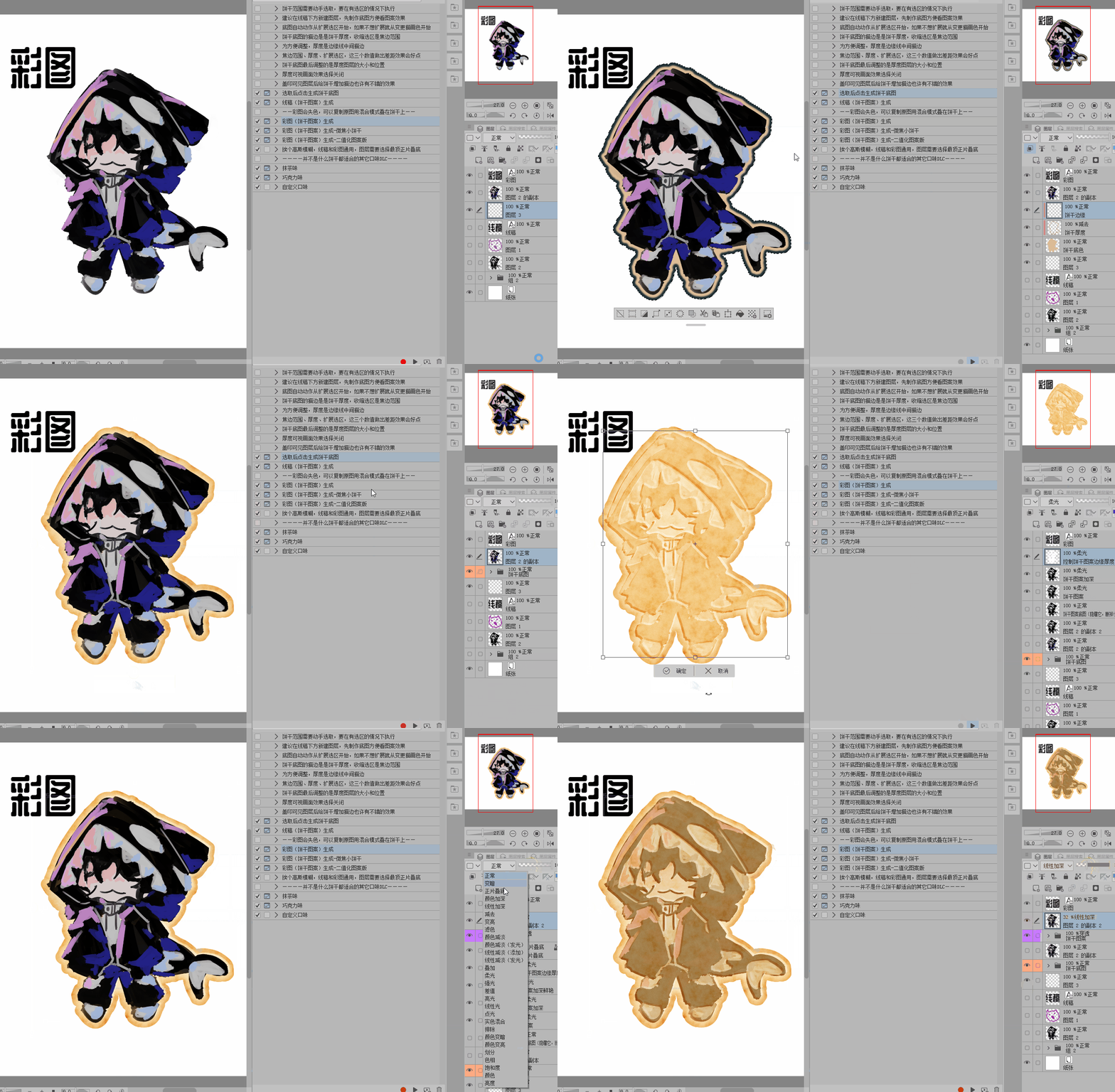


Use with a wavy frame [circle with a wavy wireframe, load the selection, then execute the cookie base image auto action]


Here are some examples of how to combine them with other materials,
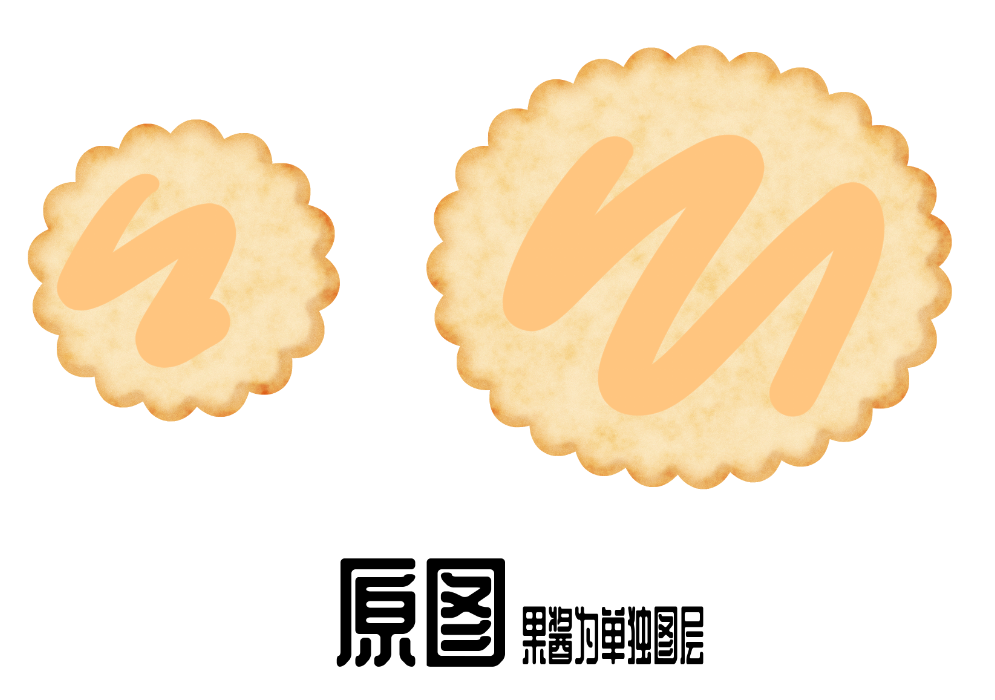
Before and after comparison [The orange graffiti is a separate layer
The result obtained after executing two automatic actions for the material [id:2270525] in the image
The left image shows after performing the automatic action:
Change layer blend mode to penetration
The right image shows after performing the automatic action:
1. Change layer blend mode to penetration
2. Disable display
3. Adjust the brightness
The result is like jam.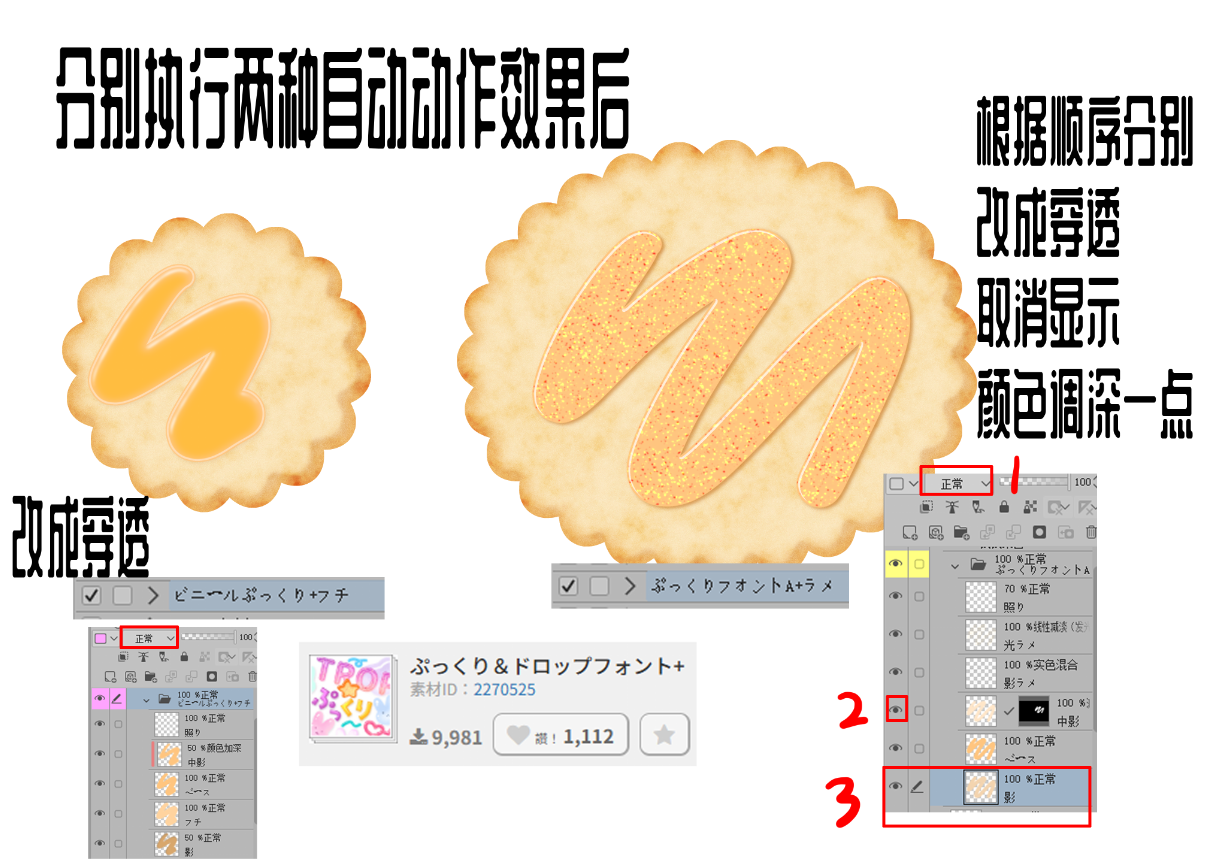
Adjust the result using a transparent background pattern, using the pattern material as [id:2154063]

When using the following material [id:2285113], (Note: *The brush is only red) you can set the drawing layer according to the image on the right to create a chocolate-like effect

适用于线稿、简单图案的饼干生成自动动作。饼干需要载入选区,图案/线稿不用。48h后将转为收费。
彩色图案要稍微复杂些,有三种细微差距的自动动作,后续可根据需求对图层颜色进行调整。如果想要保留一些颜色,需要在执行自动动作后复制原图到最顶层进行图层混合模式和透明度调整。
与波浪框结合使用【用波浪线框圈出圆圈,载入选区,然后执行饼干底图自动动作】
以下是一些与其它素材的搭配使用案例,
前后对比【橙色涂鸦为单独图层
分别执行图中素材【id:2270525】的两种自动动作后得出的效果
左图在执行自动动作后:
图层混合模式改成穿透
右图在执行自动动作后:
1.图层混合模式改成穿透
2.取消显示
3.调整明度
得出来的结果像是果酱一样。
使用透明底图案进行调整得到的结果,使用图案素材为【id:2154063】
使用以下素材【id:2285113】时,(注意*笔刷只有红色)根据右图对绘制图层进行设置可以做出类似巧克力的效果


Other materials by 小虎鲸


Popular “Auto Action” materials


New materials


Badges
-
 MVP ◆This user has contributed greatly to the management of the community, by posting many great responses to the questions asked. Once every three months, MVPs are determined based on the points earned during that period and will be recognized accordingly.
 -
 New Valuable Player (NVP) ◆These are the next-best contributors to the community after MVPs. This is awarded to users who have not yet won an MVP award, based on the number of points they have earned.
 -
 Official Expert ◆Chosen out of all MVP awardees, who are already proof of excellence, this is a testimony of outstanding correspondence in the community. After careful screening, they are appointed by CELSYS and assume their position.Note: Formally called “Evangelists”
 -
 Official Moderator of CELSYS ◆Moderators are official CELSYS staff members who are fluent in Japanese as well as various other languages. Moderators are not experts on the software or illustration, so they are not able to directly answer your questions. However, moderators provide communication and language support to ensure that everyone can smoothly communicate with each other.
 -
 CELSYS official accountThe Official Administrator Account