



It is a 3D cabinet (sleeve desk).
The following is an example of LT conversion.
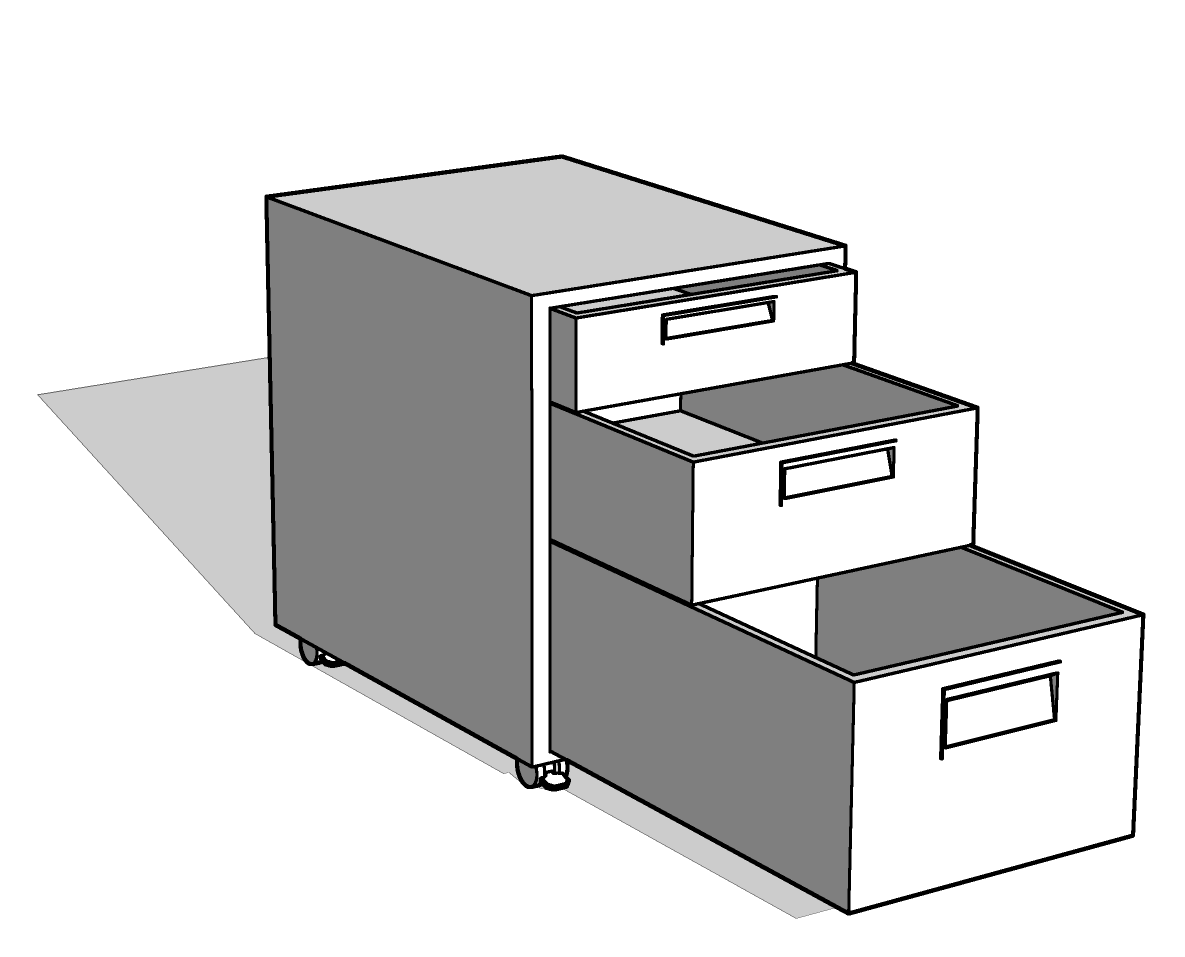
Each of the three drawers can be moved.
The following is an example of LT conversion.
All drawers closed (default)


Drawer open
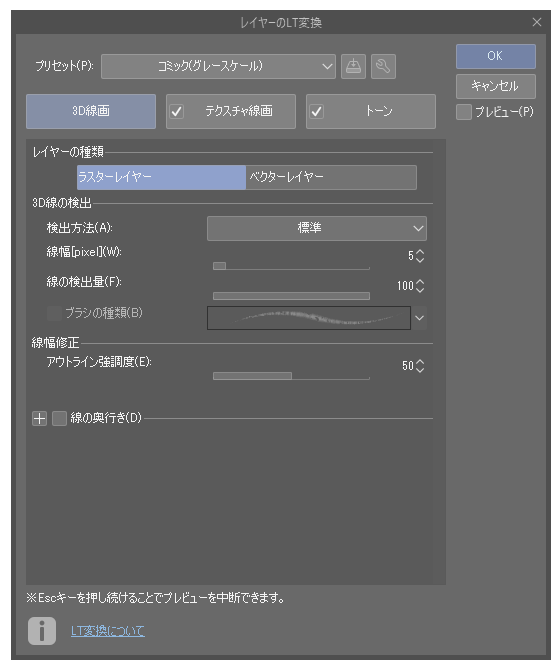
The LT conversion in the above image is extracted using the standard comic (gray) settings of the clip studio. If you change the settings, you can extract line drawings in a form that suits your preference.
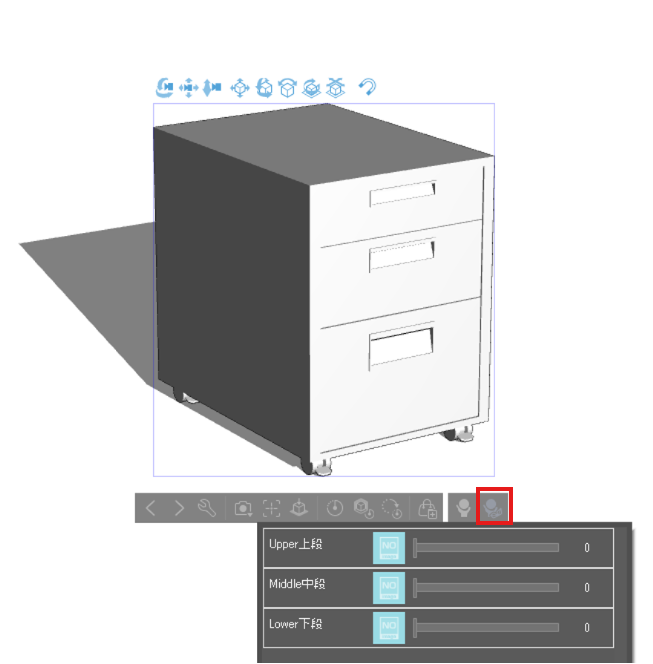
How to open a drawer * The screen is for reference only. Varies depending on your environment
(1) Select "Select pose parts preset"
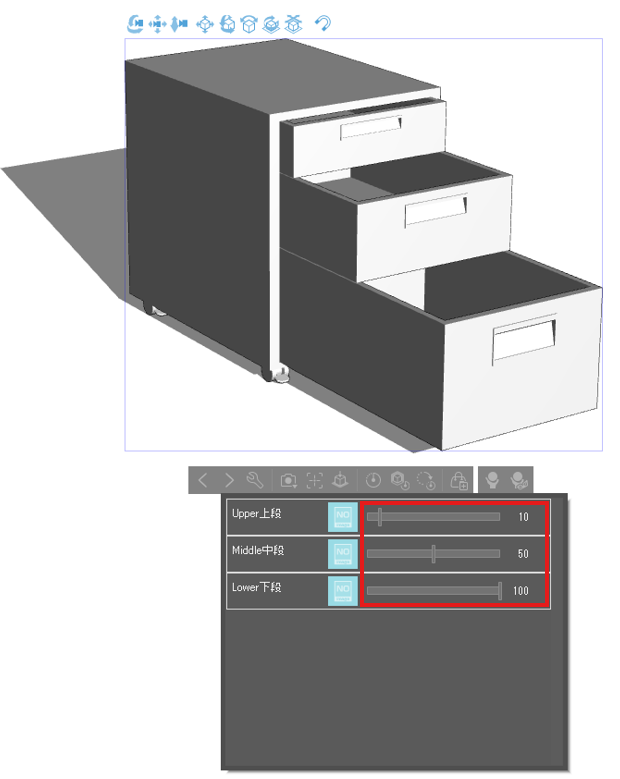
(2) Move the slider to change the opening to your liking.
3Dのキャビネット(袖机)です。
以下、LT変換例です。
3つの引き出しはそれぞれ動かすことができます。
以下、LT変換例です。
引き出しを全て閉めた状態(デフォルト)
引き出しを開けた状態
上記画像のLT変換は、クリップスタジオ標準のコミック(グレースケール)設定にて抽出しています。 設定を変更すれば、よりお好みに合わせた形で線画抽出可能です。
引き出しの開け方 ※画面は参考です お使いの環境により異なります
①「可動パーツのプリセットを選択します」を選択
②スライダーを動かして好みの開き具合に変更
Material マテリアル
-
default material 初期マテリアル

Configuration 配置
-
default layout 初期レイアウト

pose parts 可動パーツ
-
Upper section Upper上段
-
Middle Middle中段
-
Lower lower section Lower下段





Popular “3D object” materials





New materials







Badges
-
 MVP ◆This user has contributed greatly to the management of the community, by posting many great responses to the questions asked. Once every three months, MVPs are determined based on the points earned during that period and will be recognized accordingly.
 -
 New Valuable Player (NVP) ◆These are the next-best contributors to the community after MVPs. This is awarded to users who have not yet won an MVP award, based on the number of points they have earned.
 -
 Official Expert ◆Chosen out of all MVP awardees, who are already proof of excellence, this is a testimony of outstanding correspondence in the community. After careful screening, they are appointed by CELSYS and assume their position.Note: Formally called “Evangelists”
 -
 Official Moderator of CELSYS ◆Moderators are official CELSYS staff members who are fluent in Japanese as well as various other languages. Moderators are not experts on the software or illustration, so they are not able to directly answer your questions. However, moderators provide communication and language support to ensure that everyone can smoothly communicate with each other.
 -
 CELSYS official accountThe Official Administrator Account