



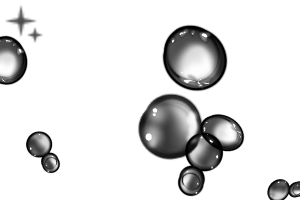
This is a set of brushes for drawing water effects. 水エフェクトを描くためのブラシセットです。

How to use
Use the Water Atari brush to draw a parallel straight line with a round drop or a shift click.
Shape with border of watercolor, color adjustments, distortion tools, and highlights.
Set the layer mode to gray and register the brush material.
Check the drawing condition by inserting the tip image into the circle setting brush or the ribbon setting brush.
I'll pin the settings if you like.
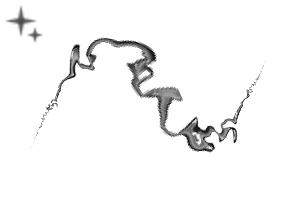
It was impossible to prevent the seam line from appearing with the ribbon brush, so I need to correct the seam line.
使い方
水アタリブラシで丸雫かshiftクリックで平行直線を描きます。
水彩境界や色味調整や歪みツール、ハイライトを乗せて形を整えます。
レイヤーモードグレー状態にしてブラシ素材登録をします。
丸設定ブラシか、リボン設定ブラシに先端画像を入れて描き具合を確認します。
よかったら設定を固定します。
リボンブラシはシーム線が出ないようにするのは無理だったので、シーム線の所を修正する必要があります。
Category 1 カテゴリ1

Update history
Added water circle setting and ribbon brush setting. 水丸設定とリボンブラシ設定を追加しました。
Old version


Other materials by 白鴉


Popular “Material catalog” materials


New materials


Badges
-
 MVP ◆This user has contributed greatly to the management of the community, by posting many great responses to the questions asked. Once every three months, MVPs are determined based on the points earned during that period and will be recognized accordingly.
 -
 New Valuable Player (NVP) ◆These are the next-best contributors to the community after MVPs. This is awarded to users who have not yet won an MVP award, based on the number of points they have earned.
 -
 Official Expert ◆Chosen out of all MVP awardees, who are already proof of excellence, this is a testimony of outstanding correspondence in the community. After careful screening, they are appointed by CELSYS and assume their position.Note: Formally called “Evangelists”
 -
 Official Moderator of CELSYS ◆Moderators are official CELSYS staff members who are fluent in Japanese as well as various other languages. Moderators are not experts on the software or illustration, so they are not able to directly answer your questions. However, moderators provide communication and language support to ensure that everyone can smoothly communicate with each other.
 -
 CELSYS official accountThe Official Administrator Account