


Brushes for chainmail details based on some different simplified styles.
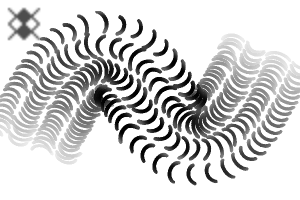
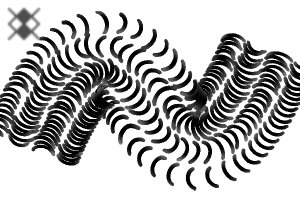
- "Chainmail" 1 & "Chainmail 2" have variable gap size based on pressure. Use less pressure at the edges of curved objects for a more 3D look.
- "Chainmail 2 Transparent" is a variant of "Chainmail 2" with partial transparency effect.
- "Chainmail 1 Cloudy" and "Chainmail 2 Cloudy" are variants with more opacity contrast.
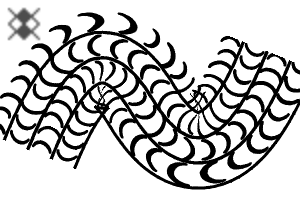
- "Chainmail 3" use with a dark colour on light base for ink/line art style chainmail.
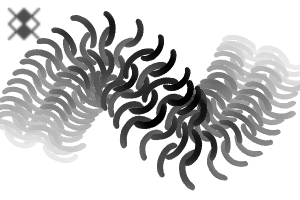
- "Chainmail 4" for freeform chain link patterns.
- "2-C" variants include sub colour.

Category 1







Update history
07/04/2026 Added "2-C" variants with sub colour.
Added brush density fade to starting and ending of stroke on brushes with partial transparency. You can turn this off to restore the previous version.
Old version


Other materials by Zelamir


Popular “Material catalog” materials


New materials






-
 MVP ◆This user has contributed greatly to the management of the community, by posting many great responses to the questions asked. Once every three months, MVPs are determined based on the points earned during that period and will be recognized accordingly.
 -
 New Valuable Player (NVP) ◆These are the next-best contributors to the community after MVPs. This is awarded to users who have not yet won an MVP award, based on the number of points they have earned.
 -
 Official Expert ◆Chosen out of all MVP awardees, who are already proof of excellence, this is a testimony of outstanding correspondence in the community. After careful screening, they are appointed by CELSYS and assume their position.Note: Formally called “Evangelists”
 -
 Official Moderator of CELSYS ◆Moderators are official CELSYS staff members who are fluent in Japanese as well as various other languages. Moderators are not experts on the software or illustration, so they are not able to directly answer your questions. However, moderators provide communication and language support to ensure that everyone can smoothly communicate with each other.
 -
 CELSYS official accountThe Official Administrator Account
