



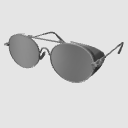
It is a simple and easy-to-use 3D material for glasses (glasses).
It supports a wide range of applications such as character creation, illustration assistance, and accessory placement.
The shape of the frame is well balanced, creating a natural silhouette that is conscious of the fit to the face.
It can be used widely from everyday scenes to business, students, and intellectual characters.
シンプルで使いやすい眼鏡(メガネ)の3D素材です。
キャラクター制作やイラストの補助、小物配置など幅広い用途に対応しています。
フレームの形状はバランスよく設計されており、顔へのフィット感を意識した自然なシルエットになっています。
日常シーンからビジネス、学生、知的キャラクターまで幅広くご利用いただけます。
■Update version 2.5
Adjust the opening angle seen from the front
■Description
Of course, for character direction with an intellectual, serious, cool, and calm atmosphere,
These glasses are easy to incorporate naturally as accessories for everyday use.
It has a simple appearance, so it's not too assertive, and it's also easy to use when you want to give your character a good impression.
■ Attach and adjust
After attaching the glasses to the character's head,
(1) Move the base point of the glasses near the head of the nose
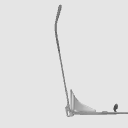
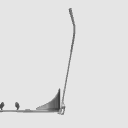
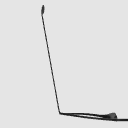
(2) Slide the rear of the scale handle to adjust the frame to the ear position.
■Image
The model is glasses only.
I will make an image to convey the atmosphere.
・The lens can be hidden.

■更新内容バージョン2.5
フロントから見た開き角を調整
■説明
知的、真面目、クール、落ち着いた雰囲気のキャラクター演出にはもちろん、
普段使いの小物としても自然に取り入れやすい眼鏡です。
シンプルな見た目なので、主張しすぎず、キャラクターの印象を整えたいときにも使いやすくなっています。
■アタッチと調整
眼鏡をキャラクタの頭にアタッチ後、
①鼻の頭付近に眼鏡の基点を移動し
②スケールハンドル後部をスライドして耳の位置にフレームを調整してください。
■イメージ
モデルは眼鏡のみです。
雰囲気伝える為にイメージをはります。
・レンズは非表示にすることができます。
Material マテリアル
-
BK BK
-
RED RED
-
NOW HADA
-
PINK PINK




configuration 配置
-
TypeC-1 TypeC-1
-
TypeA-1 TypeA-1
-
TypeA-2 TypeA-2
-
TypeC-2 TypeC-2



Angle アングル
-
Cam1 Cam1

pose parts 可動パーツ
-
TypeC_TemplesR_rot TypeC_TemplesR_rot
-
TypeC_TemplesL_rot TypeC_TemplesL_rot
-
TypeA_TemplesR_rot TypeA_TemplesR_rot
-
TypeC_TemplesL_rot TypeC_TemplesL_rot
Old version


Other materials by blacknl


Popular “3D object” materials


New materials




-
 MVP ◆This user has contributed greatly to the management of the community, by posting many great responses to the questions asked. Once every three months, MVPs are determined based on the points earned during that period and will be recognized accordingly.
 -
 New Valuable Player (NVP) ◆These are the next-best contributors to the community after MVPs. This is awarded to users who have not yet won an MVP award, based on the number of points they have earned.
 -
 Official Expert ◆Chosen out of all MVP awardees, who are already proof of excellence, this is a testimony of outstanding correspondence in the community. After careful screening, they are appointed by CELSYS and assume their position.Note: Formally called “Evangelists”
 -
 Official Moderator of CELSYS ◆Moderators are official CELSYS staff members who are fluent in Japanese as well as various other languages. Moderators are not experts on the software or illustration, so they are not able to directly answer your questions. However, moderators provide communication and language support to ensure that everyone can smoothly communicate with each other.
 -
 CELSYS official accountThe Official Administrator Account